
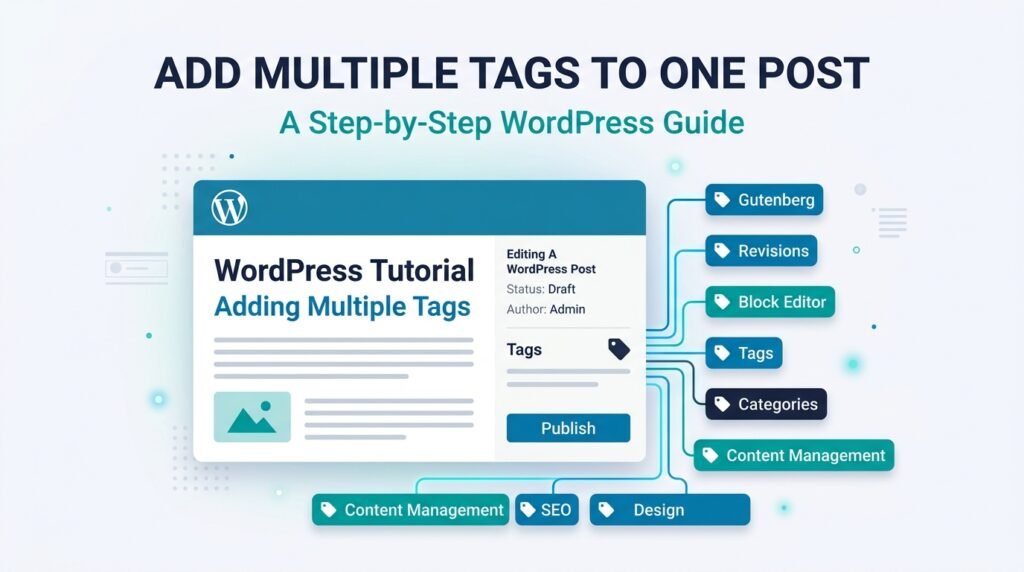
Yes. WordPress lets you add more than one tag to a post. Open the post settings, find Tags, enter a tag, press Enter, and repeat for each relevant tag.
Tags are optional. They work best when they connect several posts around a specific recurring topic. You do not need to add tags simply because a keyword appears in the article.
For example, a WordPress article about restoring an old page might use tags such as Revisions, Autosave, and Block Editor if those tags are already useful across other posts on the site.
Quick Answer: Can One WordPress Post Have Multiple Tags?
Yes. WordPress officially allows every post to use one or more tags, and tags are not required.
To add several tags:
- Open the post.
- Open the Post settings sidebar.
- Find Tags.
- Type a tag.
- Press Enter or Return.
- Repeat for each additional tag.
- Click Publish or Update.
The WordPress Page/Post Settings documentation confirms that posts can use one or more tags and explains how to add or remove them.
Add a tag when it helps readers find other posts about the same specific topic.
How to Add Multiple Tags to a WordPress Post
You can add several tags while creating a new post or editing an existing one.
Step 1: Open the Post
Go to:
Posts → All Posts
Open an existing post.
For a new article, go to:
Posts → Add New
Step 2: Open the Post Settings
If the settings sidebar is hidden, click the settings icon in the editor.
Make sure you are viewing the Post settings rather than an individual block’s settings.
Step 3: Find Tags
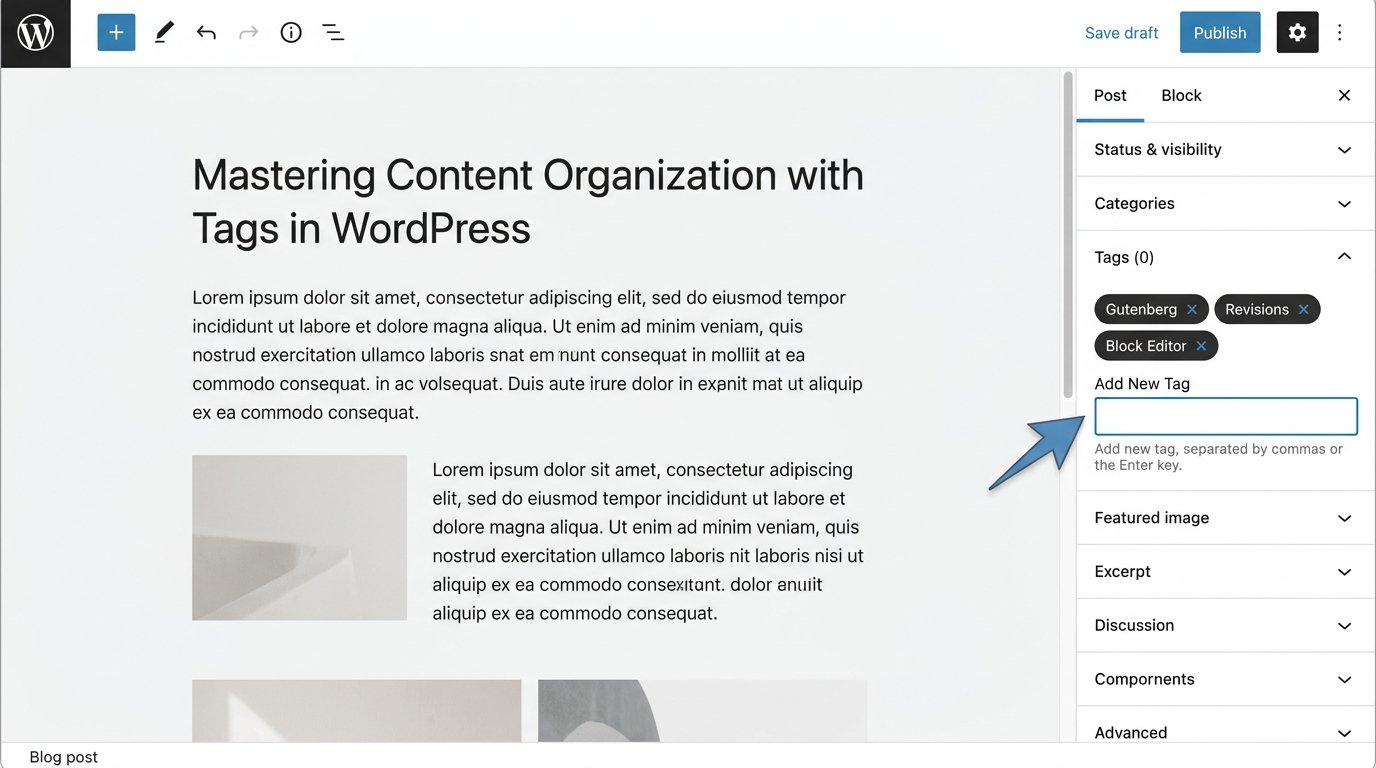
Open the Tags panel.
You will see a field where you can add a new or existing tag.
Step 4: Add the First Tag
Type the tag name.
Example:
GutenbergPress Enter or Return.
WordPress adds the tag to the post.
Step 5: Add More Tags
Repeat the same action for each useful tag.
For example:
Gutenberg
Block Editor
Revisions
Do not add a tag just because it is a phrase you want Google to notice.
Step 6: Save the Post
Click:
Publish
or:
Update
The selected tags are now attached to the post.
Reuse Existing Tags Instead of Creating Near-Duplicates
Before creating a new tag, check whether a suitable tag already exists.
When you begin typing, WordPress can suggest matching tags that were previously created. Selecting the existing tag keeps your taxonomy cleaner.
For example, avoid creating all of these for the same topic:
WordPress Backup
WordPress Backups
WP Backup
Backup WordPress
Choose one clear version and reuse it consistently.
Near-duplicate tags can create several weak archive pages that all serve almost the same purpose.
How to Remove a Tag From One WordPress Post
Removing a tag from one post is simple.
Open the post and find the Tags panel.
Then:
- Find the tag attached to the post.
- Click the X beside it.
- Click Update.
WordPress documents the X control as the normal way to remove an assigned tag from a post.
Removing a tag from one post does not delete that tag from WordPress.
If other posts still use it, the tag remains available.
What Happens When You Add Multiple Tags?
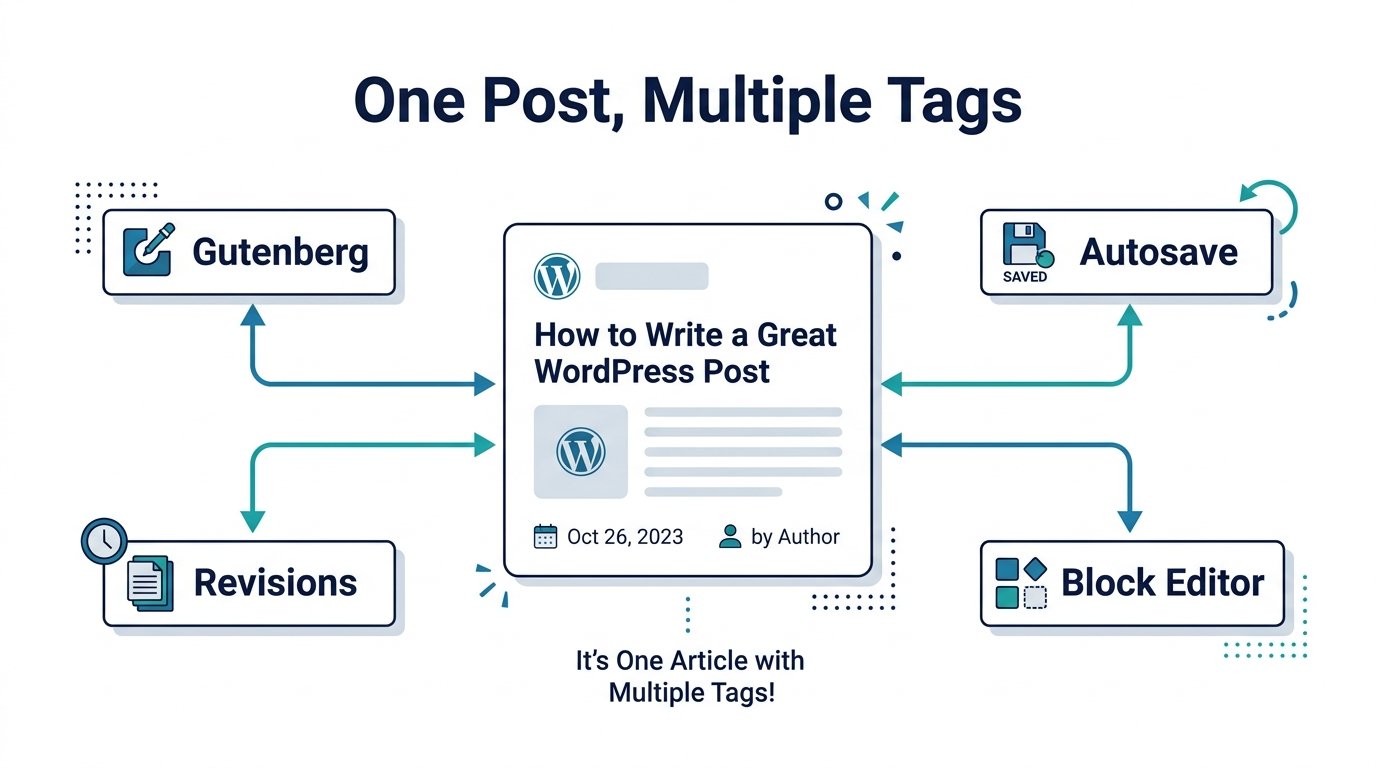
The post remains one post.
Adding several tags does not create several copies of the article.
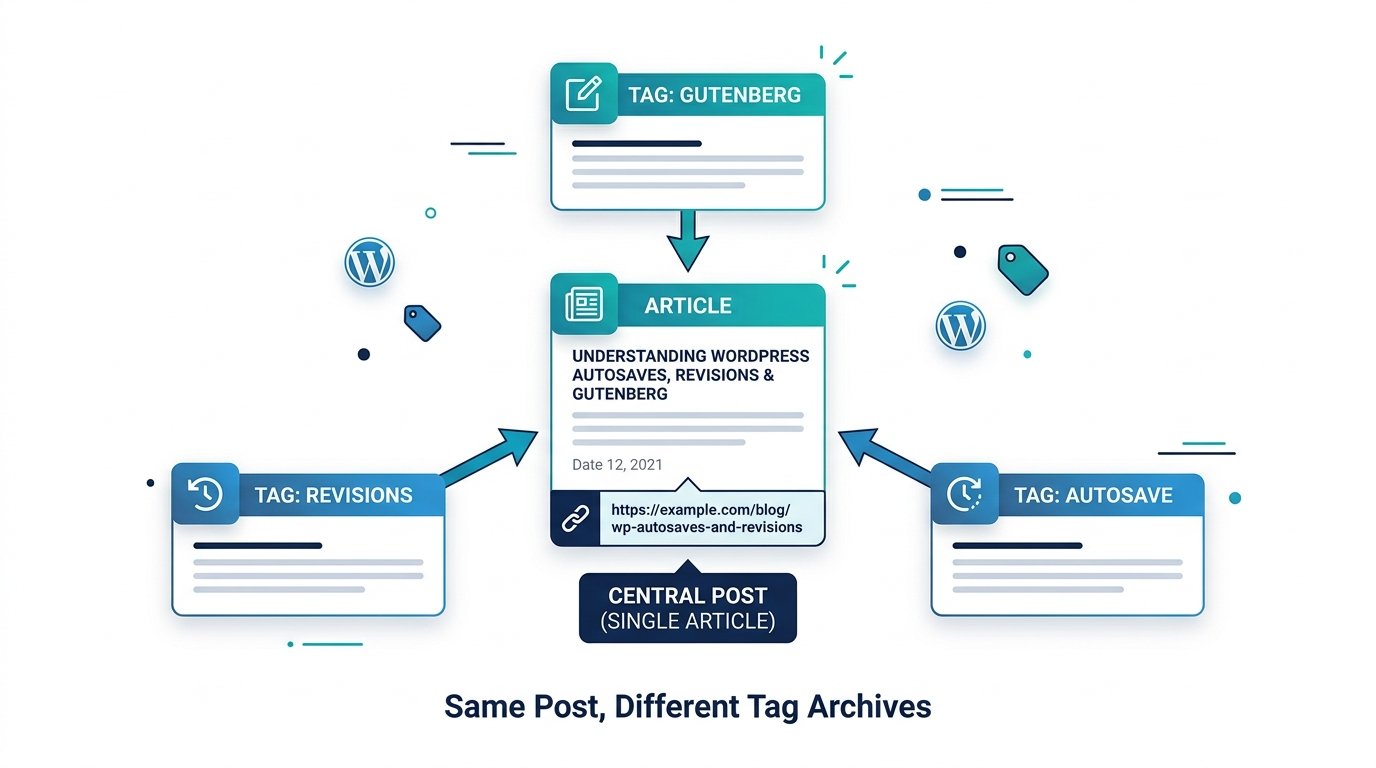
Instead, WordPress can group the same post under each relevant tag.
For example, one article could use:
Gutenberg
Revisions
Autosave
That post may then appear on the archive page for each of those tags.
A visitor who clicks Revisions can see other posts using the Revisions tag. A visitor who clicks Gutenberg can browse posts grouped under Gutenberg.
The WordPress Tags documentation explains that clicking a tag can open an archive containing posts assigned to that tag.
Do Multiple Tags Create Duplicate Posts?
No.
WordPress does not create a new post for every tag.
You still have one article with one post ID and one normal post URL.
Several tag archive pages can list that same article.
The bigger problem comes from creating many tags that are nearly identical or contain the same small group of posts.
For example:
WordPress Theme
WordPress Themes
Theme Tips
WordPress Theme Tips
Theme Guide
If all five archives contain almost the same articles, the tag structure is not helping readers much.
Categories vs Tags: What Is the Difference?
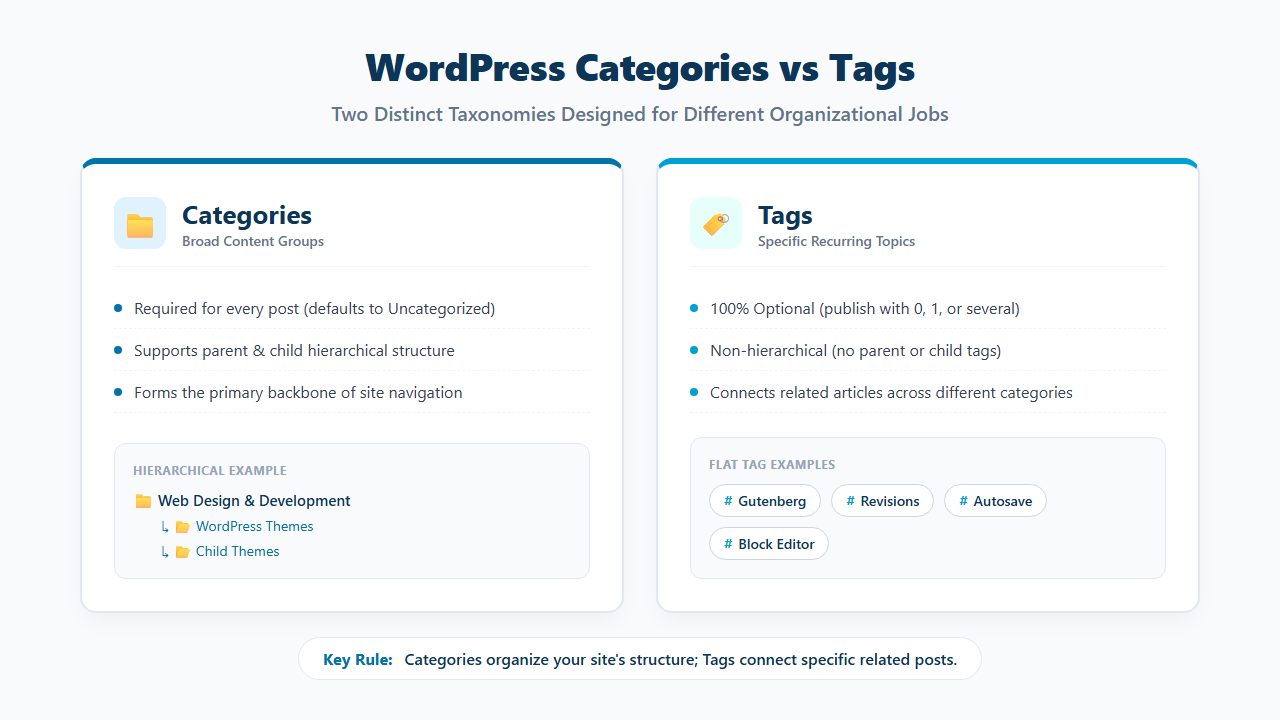
Categories and tags both organize posts, but they have different jobs.
| Categories | Tags |
|---|---|
| Broad content groups | Specific recurring topics |
| Can have parent and child relationships | No hierarchy |
| Often form the main site structure | Usually connect related posts across sections |
| Example: Web Design & Development | Example: Gutenberg |
WordPress tags do not have parent-child relationships. The official Posts Tags screen documentation describes tags as non-hierarchical.
If you need the category side explained in more detail, see Can You Assign a WordPress Post to Multiple Categories?.
When Multiple Tags Make Sense
Multiple tags are useful when each tag connects the post to a real recurring topic.
A Tag Connects Several Related Posts
Suppose you publish several articles about:
GutenbergUsing a Gutenberg tag can give readers one place to find those articles.
The Post Covers Several Specific Topics
A tutorial about WordPress revision recovery might genuinely discuss:
Revisions
Autosave
Block Editor
If each topic appears across multiple articles, several tags can make sense.
One Topic Appears Across Different Categories
A tag can connect posts from different broad categories.
For example:
Core Web Vitalscould connect articles in:
SEO & Search Visibility
Website Speed Optimization
when both categories publish content about Core Web Vitals.
Readers Would Click the Tag for More Content
Use this test:
Would a reader click this tag expecting several useful posts about that topic?
If yes, the tag has a clear job.
When You Should Not Add Another Tag
Do not create a tag only because:
- The keyword appears in the title.
- One paragraph mentions the topic.
- You want another archive page.
- You think more tags mean better SEO.
- The tag will probably be used only once.
- A nearly identical tag already exists.
Tags should connect content.
They should not become a list of every phrase mentioned in the article.
How Many Tags Should a WordPress Post Have?
WordPress does not require a fixed number.
A post can have:
0 tagsand still publish normally.
Another post may use several tags when each one has a useful purpose.
Do not follow an arbitrary rule such as:
Every post must have exactly 5 tags.A better approach is:
Use only the tags that help readers find related content.
For many articles, two or three strong recurring tags may be more useful than ten weak ones. That is an editorial example, not a WordPress limit.
Can You Publish a WordPress Post With No Tags?
Yes.
Tags are optional in WordPress.
If no useful tag exists, publish the post without adding one.
Do not create a new tag simply because the publishing screen contains a Tags field.
This is different from categories. WordPress uses a default post category when no other category is selected, while tags are not required.
Should You Create a Tag for Only One Post?
You can, but first ask whether the archive will serve a useful purpose.
A tag becomes more valuable when several posts use it.
If a tag archive contains only one article and you do not expect more content on that topic, the tag may add very little for readers.
That does not make a one-post tag technically invalid.
It simply means you should have a reason to create it.
Should Tags Match Your SEO Keywords?
Not automatically.
Tags should organize content for readers rather than copy every search phrase you target.
For example, avoid tags such as:
best wordpress theme update guide
how to update wordpress theme safely
wordpress theme update tutorial
Those are search phrases rather than clean content labels.
Better recurring topics might be:
Child Themes
Theme Updates
WordPress Backup
if your site has several articles that genuinely use those tags.
How WordPress Tag Archive Pages Work
Each tag can create a browsable archive.
A tag such as:
Gutenbergcommonly has an archive URL similar to:
/tag/gutenberg/unless the site’s tag base or permalink setup has been customized.
That archive can list all posts assigned to Gutenberg.
This is why creating a new tag has a wider effect than simply adding a label beneath one article.
Every useful tag can become another content-discovery path.
Every unnecessary tag can become another archive with little purpose.
Should WordPress Tag Archives Be Indexed?
There is no universal answer for every website.
A useful tag archive may deserve to remain discoverable when it:
- Groups several closely related posts.
- Has a clear topic.
- Helps users navigate.
- Is different from existing category archives.
- Has an ongoing purpose.
A weak tag archive may add little when it:
- Contains one post.
- Duplicates another tag.
- Closely repeats a category archive.
- Exists only for a keyword variation.
Whether tag archives should be indexed is a site-wide SEO decision.
Do not change indexing simply because one post has several tags.
How to Manage Tags From Posts → Tags
WordPress provides a dedicated tag-management screen.
Go to:
Posts → Tags
From there you can create and manage:
- Tag name
- Slug
- Description
WordPress documentation states that tag names and tag slugs must be unique.
This screen is useful when you need to review old tags, rename a tag, edit its slug, or delete tags that no longer serve a purpose.
How to Rename a WordPress Tag
Go to:
Posts → Tags
Find the tag.
Choose:
Edit
or:
Quick Edit
Then change the tag name or slug and save it.
If an established tag archive already receives visitors or links, be careful when changing the slug because the archive URL changes with it.
Check whether the old URL needs a redirect before making a large taxonomy cleanup.
What Happens If You Delete a WordPress Tag?
Deleting a tag does not delete the posts that used that tag.
WordPress removes the tag itself, while the posts remain on the site.
This makes it possible to clean up weak tags without deleting the actual articles.
Before deleting an established tag, check:
- How many posts use it.
- Whether the tag archive receives traffic.
- Whether internal links point to the tag page.
- Whether a better existing tag should replace it.
How to Add Tags to Several Posts at Once
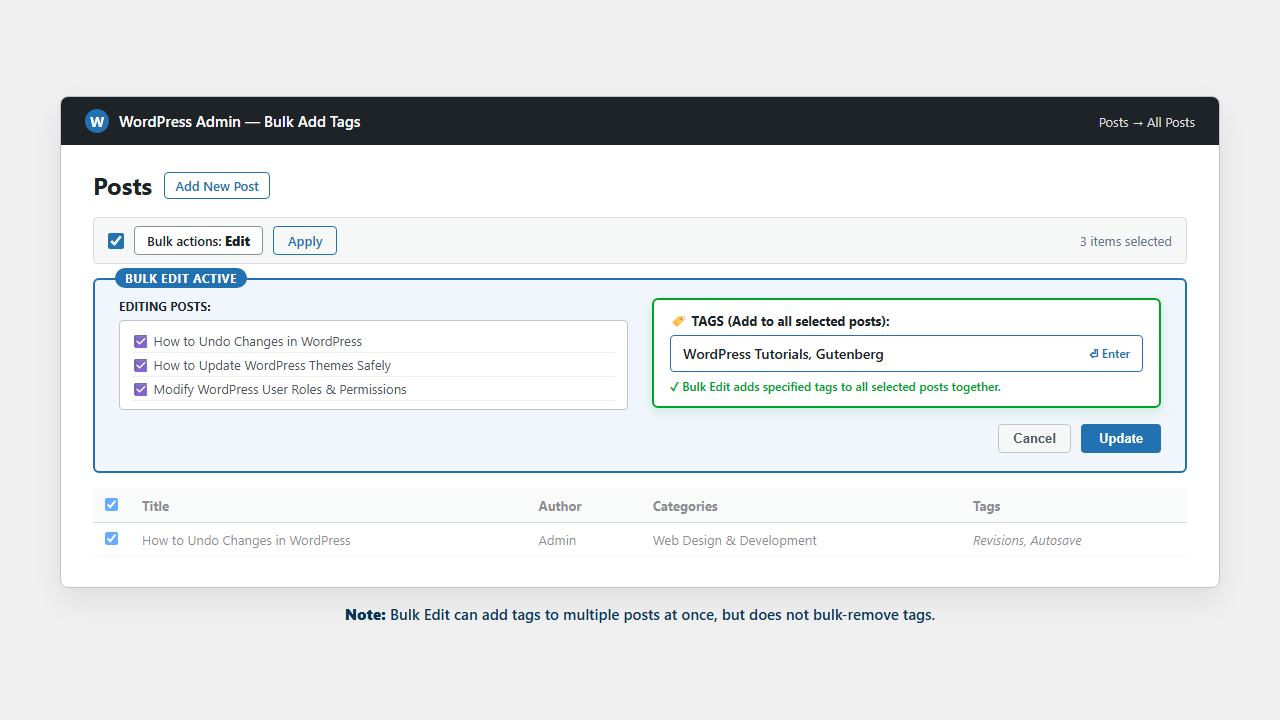
WordPress Bulk Edit can add a tag to several posts together.
Go to:
Posts → All Posts
Then:
- Select the required posts.
- Choose Bulk actions → Edit.
- Click Apply.
- Add the tag.
- Click Update.
WordPress documentation confirms that categories and tags can be added in bulk.
There is an important limitation: Bulk Edit does not provide the same bulk action for changing or deleting existing tag assignments from all selected posts.
Can WordPress Tags Have Parent and Child Tags?
No.
Tags are non-hierarchical in WordPress core.
You cannot create a normal tag structure like:
WordPress
└── Gutenberg
with WordPress as the parent tag and Gutenberg as the child tag.
If you need parent-child organization, categories or another suitable taxonomy may fit better.
Can You Display Tags on the Front End?
Yes, when your theme or template displays them.
Classic themes may show tag links automatically beneath posts.
Block themes can use the Post Tags block inside a Single Post template or Query Loop.
WordPress’s current Post Tags block documentation explains how the block displays a post’s assigned tags and allows styling controls.
Do not add a visible tag list simply because it is available. Display it when the links help readers explore related topics.
A Useful Tag Structure for The Net Utility
Your tags should be narrower than your main categories.
For example:
Web Design & Development
Possible recurring tags:
WordPress Themes
Child Themes
Gutenberg
Site Editor
WordPress Backup
SEO & Search Visibility
Possible recurring tags:
Schema
Core Web Vitals
Google Search Console
Technical SEO
AI Tools & Automation
Possible recurring tags:
ChatGPT
Gemini
Google Drive
AI Writing
These are examples, not a recommendation to create every tag now.
Create a tag when enough related content gives the archive a useful job.
Good Tags vs Weak Tags
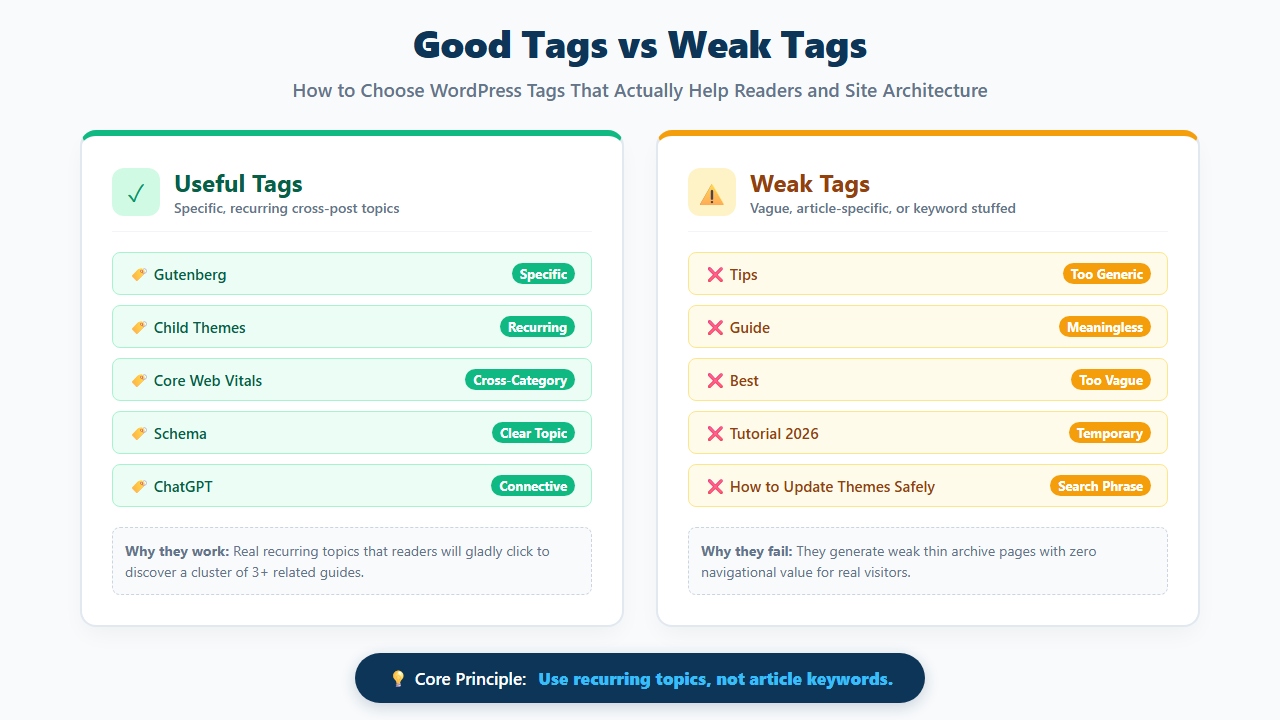
Good tags describe specific topics that can connect several articles.
Strong Examples
Gutenberg
Child Themes
Core Web Vitals
Schema
ChatGPT
Google Search Console
Weak Examples
Tips
Guide
Best
Useful
Tutorial 2026
How to Update Themes Safely
The weak examples are too broad, temporary, generic, or article-specific to create a strong content group.
Common WordPress Tag Mistakes to Avoid
Creating a New Tag for Every Post
Tags work better when they connect several related articles.
Creating Singular and Plural Versions
Avoid:
WordPress Theme
WordPress Themes
when both mean the same thing.
Using Search Queries as Tags
Do not turn every target keyword into a taxonomy page.
Creating a Category and Tag With the Same Job
Example:
Category: WordPress
Tag: WordPress
This can create two archives with almost the same purpose.
Using Very Generic Tags
Tags such as:
Tips
Guide
Best
Tutorial
tell readers very little about the actual topic.
Keeping Old Tags Forever
Review tags that have:
- Zero posts
- One post
- Duplicate meanings
- Near-identical names
- Outdated topics
Clean taxonomy is easier to maintain than hundreds of weak tags.
Tag Checklist Before Publishing
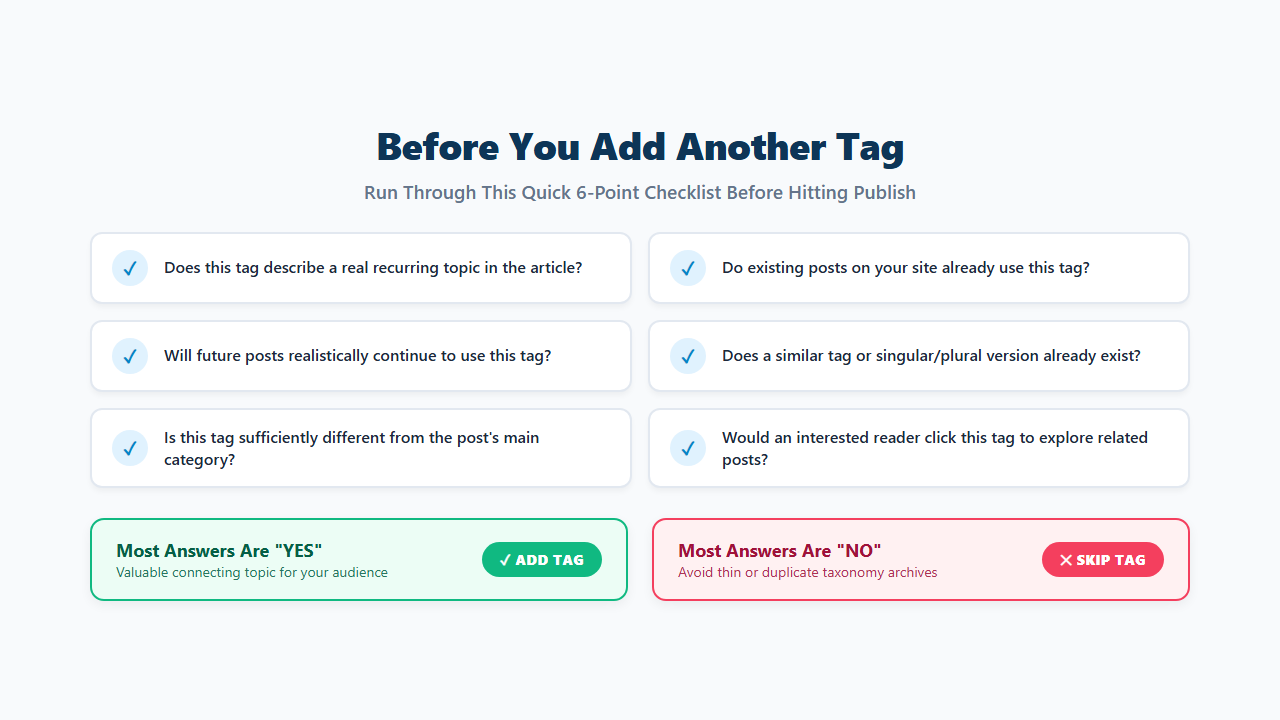
Before adding another tag, ask:
- Does this tag describe a real topic in the article?
- Do other posts already use it?
- Will future posts probably use it?
- Does a similar tag already exist?
- Is this tag different from the post’s category?
- Would a reader click it to find related content?
- Is it a topic rather than a search phrase?
- Will the tag archive have a clear purpose?
If most answers are no, leave the tag out.
Frequently Asked Questions
Can one WordPress post have multiple tags?
Yes. WordPress allows a post to use one or more tags.
How do I add several tags to one WordPress post?
Open the Post settings sidebar, find Tags, type a tag, press Enter or Return, then repeat for every additional tag.
How many tags should I use?
WordPress does not set a required number. Use only tags that connect the post to useful related content.
Do I need tags on every WordPress post?
No. Tags are optional.
Are tags good for SEO?
Useful tags can improve site organization and help readers discover related posts. Creating many thin, duplicate, or keyword-focused tags does not make the site structure better.
Are tags and categories the same?
No. Categories can use parent-child hierarchy. Tags are non-hierarchical.
Can WordPress tags have parent tags?
No. WordPress core does not provide parent-child relationships for tags.
Can I remove a tag from one post?
Yes. Open the Tags panel and click the X beside the assigned tag, then update the post.
Can I add tags to multiple posts at once?
Yes. WordPress Bulk Edit can add tags to several selected posts.
Can I delete a tag without deleting the posts?
Yes. Deleting the tag does not delete the posts that used it.
Does adding several tags create duplicate posts?
No. The same article can appear on several tag archive pages without becoming several separate posts.
Use Tags to Connect Related Posts, Not to List Every Keyword
WordPress lets you add multiple tags to one post, but more tags do not automatically improve the article.
Use tags for specific recurring topics that help readers move between related posts. Reuse established tags, avoid singular-plural duplicates, and skip tags that would create an archive with no useful purpose.
A clean tag system can connect content across categories without making the site difficult to understand.
