
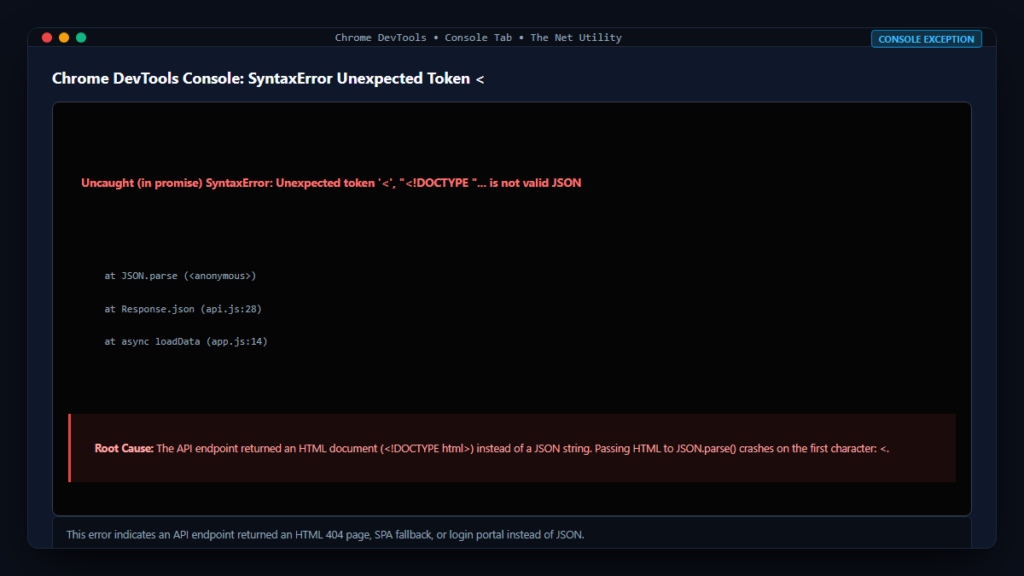
Almost every JavaScript developer building web applications has run into this infamous error in their browser console: “SyntaxError: Unexpected token < in JSON at position 0” (or in newer V8 versions: “SyntaxError: Unexpected token ‘<‘, "<!DOCTYPE "… is not valid JSON”). This error abruptly halts script execution and prevents UI components from rendering.
While the error message explicitly points to a JSON parsing failure, the underlying problem almost never lies within your frontend JSON parsing logic. Instead, this error is a telltale symptom of a client-server communication mismatch. In this technical deep-dive, we will explore the ECMAScript JSON parsing grammar, uncover the five root causes behind unexpected < tokens, and demonstrate robust debugging and defensive coding techniques to eliminate this error forever.
The ECMAScript Standard: Why JSON.parse() Throws
According to the official ECMAScript specification for JSON.parse and MDN Web Docs on JSON.parse(), valid JSON text must conform to strict grammar rules:
- JSON must begin with a structural character: an opening curly brace
{{(for objects), an opening square bracket[(for arrays), a quotation mark"(for strings), a digit or minus sign (for numbers), or the literal tokenstrue,false, ornull. - The character
<(less-than sign) is never a valid token in JSON syntax unless it appears escaped inside a quoted string value.
When you see “Unexpected token ‘<‘ at position 0”, it means you passed a string whose very first character is < into JSON.parse() or called Response.json(). And what begins with a less-than sign? HTML documents: <!DOCTYPE html> or <html>!
The 5 Primary Root Causes of HTML Returned Instead of JSON
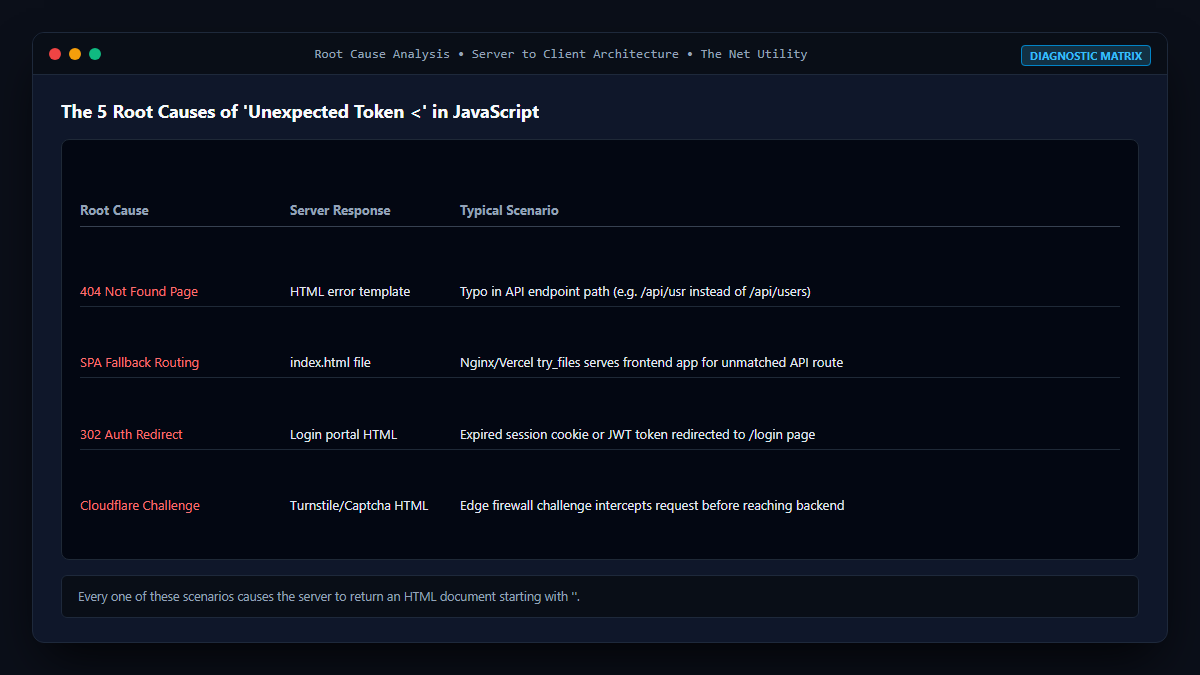
1. API Endpoint Returned a 404 Not Found HTML Page
When you make a typo in your API endpoint URL (e.g., fetch('/api/v1/usrs') instead of /users), or when routing rules fail, your web server (Apache, Nginx, Express, or WordPress) serves its standard 404 HTML error template. Because native fetch() resolves on 404s without rejecting (see our in-depth post on why fetch does not throw an error for 404 or 500), your code proceeds to call response.json() on an HTML document!
2. Single Page Application (SPA) Fallback Routing
In modern frameworks like React, Vue, Angular, or Next.js, web servers are configured with a wildcard fallback rule (e.g., in Nginx: try_files $uri $uri/ /index.html;). If your API request path does not match any backend route, Nginx faithfully returns your frontend application’s index.html file with a 200 OK status code. Your fetch client assumes a successful response and crashes when trying to parse the HTML document as JSON.
3. Authentication Redirects (302 Redirect to Login Page)
If your session cookie or JWT bearer token expires, protected API endpoints frequently trigger an HTTP 302 Found redirect pointing to a web login portal (e.g., /login or WordPress’s /wp-login.php). The browser’s fetch() API automatically follows HTTP redirects by default. The eventual response returned to your script is the HTML source code of the login form, causing JSON.parse() to choke on the opening <!DOCTYPE html>.
4. Server Crashes and 500 Internal Server Errors
When an unhandled exception or PHP fatal error occurs on the backend, default server configurations generate an HTML stack trace or maintenance page rather than formatting the exception as a structured JSON object.
5. Cloudflare or CDN Challenge Pages
If your requests trigger Cloudflare Under Attack mode, bot detection, or rate limiting rules, Cloudflare intercepts the request at the edge and serves an HTML Captcha or Turnstile challenge page.
Defensive Coding: How to Eliminate the Error
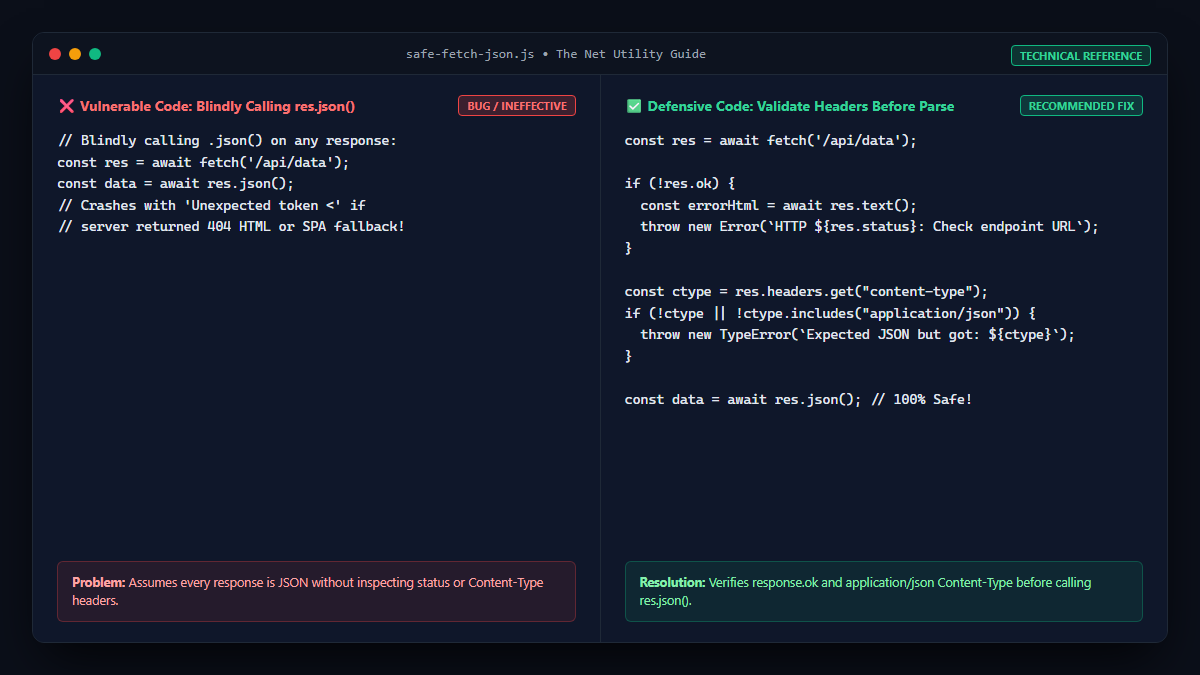
Technique 1: Check Content-Type Header Before Parsing
The most professional way to handle API responses defensively is to inspect the server’s Content-Type header to verify that the payload is actually application/json before attempting to parse it:
async function safeFetchJson(url, options = {}) {
    const response = await fetch(url, options);

    // 1. Verify HTTP status is 2xx
    if (!response.ok) {
        const errorText = await response.text();
        throw new Error(`HTTP Error ${response.status}: ${errorText.substring(0, 100)}`);
    }

    // 2. Verify Content-Type contains JSON
    const contentType = response.headers.get("content-type");
    if (!contentType || !contentType.includes("application/json")) {
        const nonJsonText = await response.text();
        console.error("Expected JSON but received non-JSON response:", nonJsonText.substring(0, 300));
        throw new TypeError(`Expected application/json but received: ${contentType}`);
    }

    // 3. Safe to parse
    return await response.json();
}
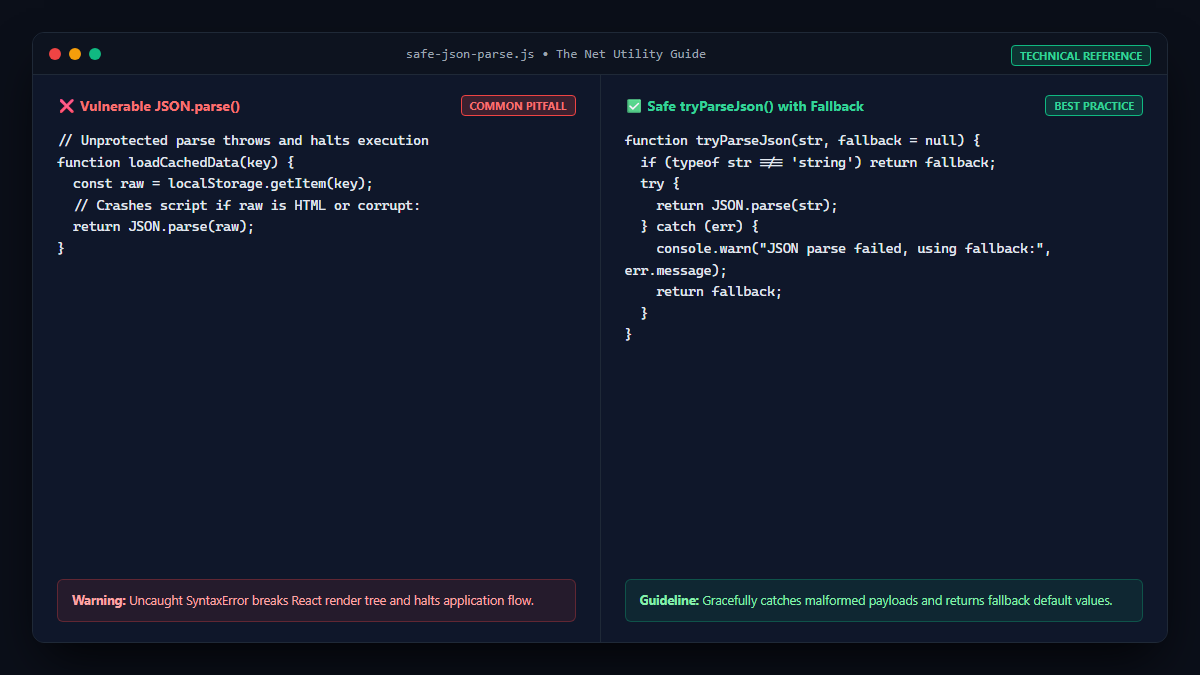
Technique 2: Safe JSON Parse with Fallback
If you are receiving raw strings from WebSockets, localStorage, or legacy endpoints, write a robust try/catch helper:
function tryParseJson(str, fallback = null) {
    if (typeof str !== 'string') return fallback;
    try {
        return JSON.parse(str);
    } catch (err) {
        console.warn("JSON parsing failed, returning fallback value:", err.message);
        return fallback;
    }
}
Debugging Checklist: How to Track Down the Culprit in DevTools
- Open Chrome DevTools and select the Network tab.
- Filter the requests by Fetch/XHR.
- Reload the page to reproduce the
Unexpected token <error. - Look at the Status column. Look for any request showing
404,500,302, or403. - Click on the failing request and open the Response tab.
- You will immediately see the raw HTML document that was sent instead of JSON! Inspecting the HTML content will reveal the exact cause (e.g. 404 Not Found, WordPress database connection error, or Cloudflare challenge).
Summary Best Practices
- Always ensure API routes include
/api/prefixes so reverse proxies never serveindex.htmlfallbacks on missing endpoints. - Configure your backend API framework to always return JSON errors (e.g.,
res.status(500).json({{ error: "..." }})) even when exceptions occur. - Always check
response.okand inspect theContent-Typeheader before callingresponse.json().
For more insights on writing resilient JavaScript data processing logic, check out our guide on why JavaScript filter() returns an empty array.
