
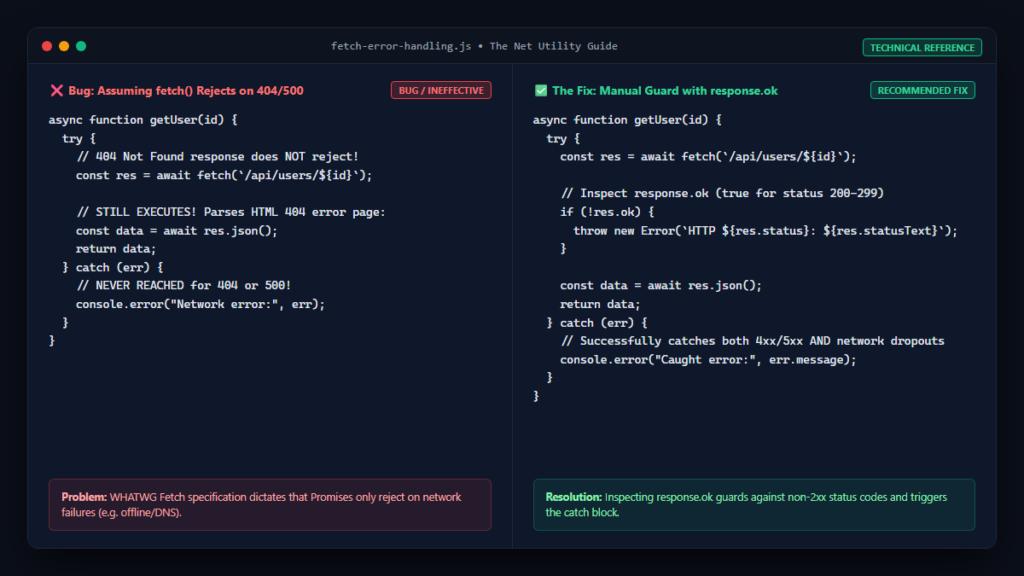
For developers coming from XMLHttpRequest libraries like Axios, jQuery $.ajax, or Python’s requests, one of the most counter-intuitive behaviors in modern JavaScript is how the native fetch() API handles HTTP error responses. When a server responds with an HTTP 404 Not Found, 401 Unauthorized, or 500 Internal Server Error status code, a standard try...catch block around your fetch() call does not catch anything.
The Promise resolves normally, and your execution continues down the happy path unless you explicitly inspect the response. In this comprehensive technical guide, we will analyze the WHATWG Fetch specification, understand why fetch() was architected this way, examine the critical role of response.ok, and build a reusable wrapper to handle HTTP errors cleanly.
The WHATWG Specification: What Rejection Actually Means
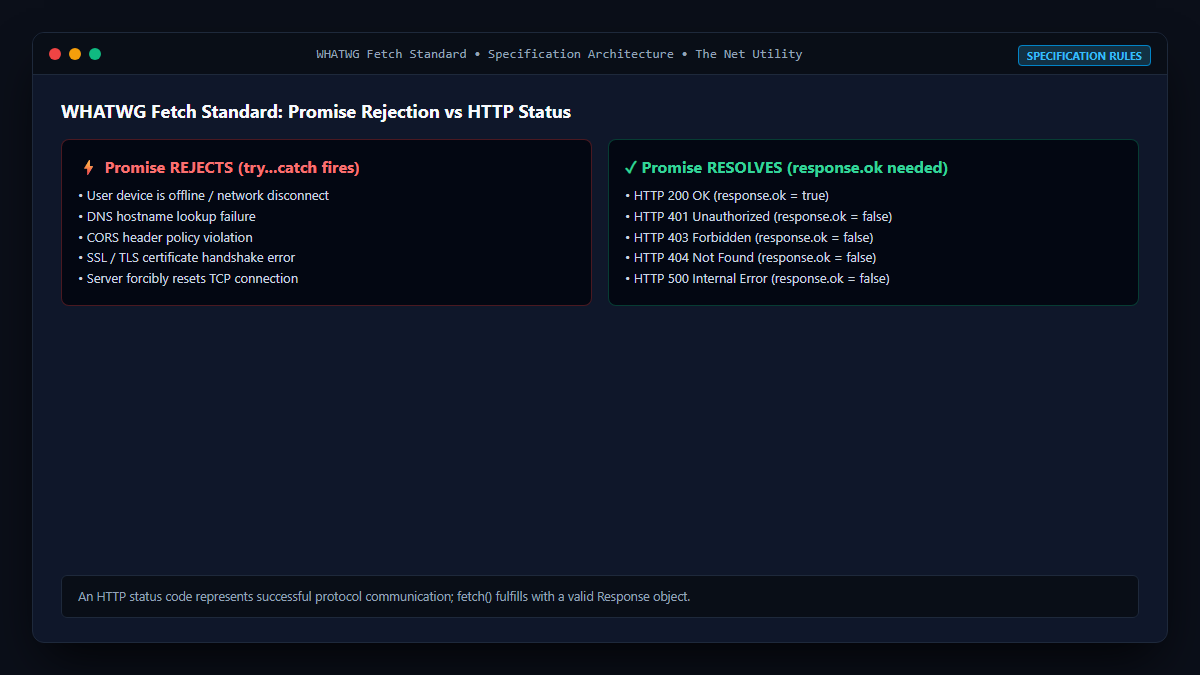
To grasp why fetch() behaves this way, we must consult the official WHATWG Fetch Living Standard and the MDN Web Docs on the Fetch API.
According to the standard, the Promise returned by fetch() only rejects upon encountering a network failure or when anything prevented the request from completing. Examples of conditions that cause a Promise rejection include:
- The client device has lost internet connectivity (offline state).
- A DNS lookup failure prevents resolving the domain name.
- A Cross-Origin Resource Sharing (CORS) header violation blocks the browser from accessing the response.
- The server forcibly terminates the TCP connection before sending headers.
- A TLS/SSL certificate handshake fails.
From the browser’s perspective, an HTTP 404 or 500 status code represents a successful network transaction. The browser successfully established a connection, sent the HTTP request, and received a valid HTTP response with status headers from the server. Because the protocol communication succeeded, the Promise fulfills with a Response object.
The Common Bug: Silent Failures in try...catch
Consider the following typical pattern written by developers assuming Axios-like behavior:
async function loadUserProfile(userId) {
    try {
        // Requesting a non-existent user returns HTTP 404
        const response = await fetch(`https://api.example.com/users/${userId}`);

        // BUG: This line STILL EXECUTES because fetch did not reject!
        const data = await response.json();
        console.log("User data received:", data);
        renderProfile(data);
    } catch (error) {
        // This catch block NEVER FIRES for 404 or 500!
        console.error("Network error encountered:", error);
        showErrorMessage("Could not load profile.");
    }
}
When the endpoint returns a 404, the application attempts to parse response.json(). If the server returned an HTML error page (e.g. Apache or Nginx 404 page), parsing fails with a secondary SyntaxError: Unexpected token < in JSON at position 0, masking the real root cause! (See our companion tutorial on why JSON.parse() says unexpected token < in JavaScript).
The Solution: Inspecting response.ok and response.status
The native Response interface provides several properties specifically designed for status checking:
response.ok: A boolean flag that istrueif the HTTP status code is in the 200–299 range (Success), andfalseotherwise.response.status: The numerical HTTP status code (e.g.,200,404,500).response.statusText: The status message sent by the server (e.g.,"Not Found","Internal Server Error").
The Idiomatic Native Fix:
async function loadUserProfile(userId) {
    try {
        const response = await fetch(`https://api.example.com/users/${userId}`);

        // Manually guard against non-2xx status codes
        if (!response.ok) {
            throw new Error(`HTTP error! Status: ${response.status} - ${response.statusText}`);
        }

        const data = await response.json();
        renderProfile(data);
    } catch (error) {
        // Now catches both network dropouts AND 4xx/5xx HTTP errors
        console.error("Request failed:", error.message);
        showErrorMessage(error.message);
    }
}
Building a Robust, Production-Grade customFetch Wrapper
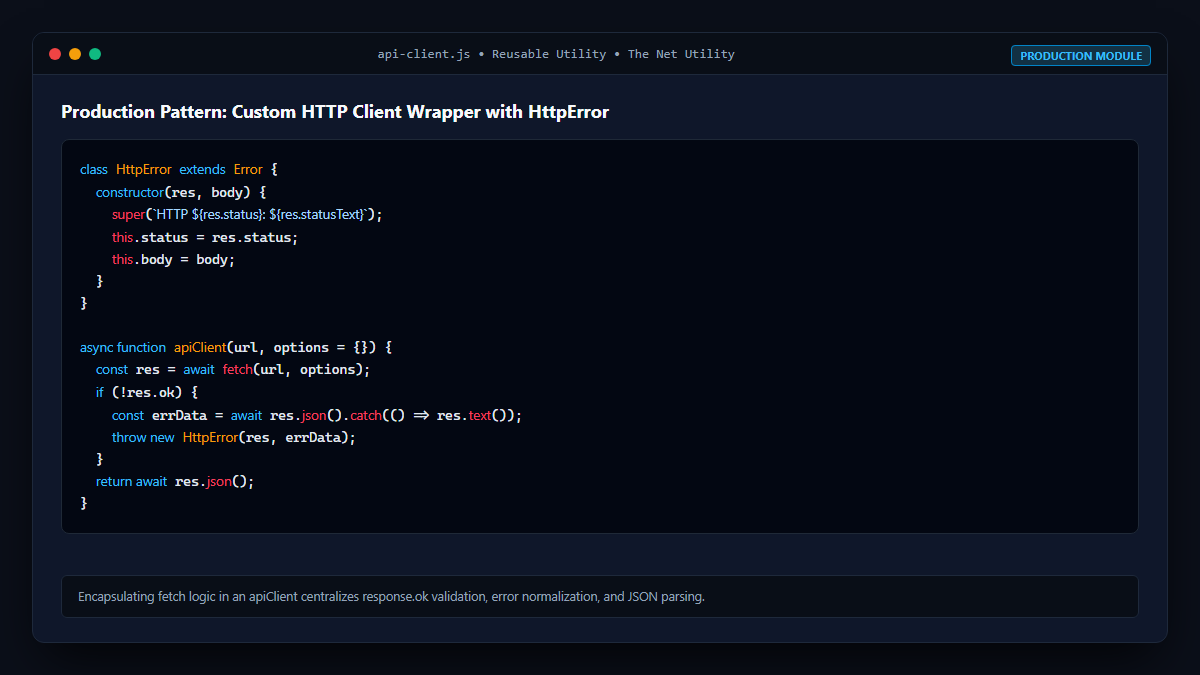
Rather than duplicating if (!response.ok) checks across dozens of API service modules, professional JavaScript architectures wrap fetch() into a unified HTTP client utility:
/**
 * Custom fetch client that rejects on HTTP error statuses and extracts JSON details.
 */
class HttpError extends Error {
    constructor(response, data) {
        super(`HTTP ${response.status}: ${response.statusText}`);
        this.name = "HttpError";
        this.status = response.status;
        this.response = response;
        this.data = data;
    }
}

async function apiClient(url, options = {}) {
    const defaultHeaders = {
        "Content-Type": "application/json",
        "Accept": "application/json"
    };

    const config = {
        ...options,
        headers: {
            ...defaultHeaders,
            ...options.headers
        }
    };

    const response = await fetch(url, config);

    // If the server responded with an error status
    if (!response.ok) {
        let errorBody = null;
        try {
            // Attempt to parse structured error message from API backend
            errorBody = await response.json();
        } catch (e) {
            // Fallback to text if API returned plain HTML error
            errorBody = await response.text();
        }
        throw new HttpError(response, errorBody);
    }

    // Return parsed JSON for 204 No Content safely
    if (response.status === 204) {
        return null;
    }

    return await response.json();
}
Comparing Native fetch() vs. axios
| Feature | Native fetch() | Axios Library |
|---|---|---|
| Bundle Size | 0 KB (Built into browser) | ~13 KB minified |
| Rejection on 4xx/5xx | No (Resolves, requires !response.ok check) | Yes (Automatically rejects Promise) |
| JSON Parsing | Manual (await response.json()) | Automatic (available on res.data) |
| Request Cancellation | Supported via AbortController | Supported via CancelToken / AbortController |
| Interceptors | Requires custom wrapper | Built-in request/response interceptors |
How to Cancel Pending Fetch Requests
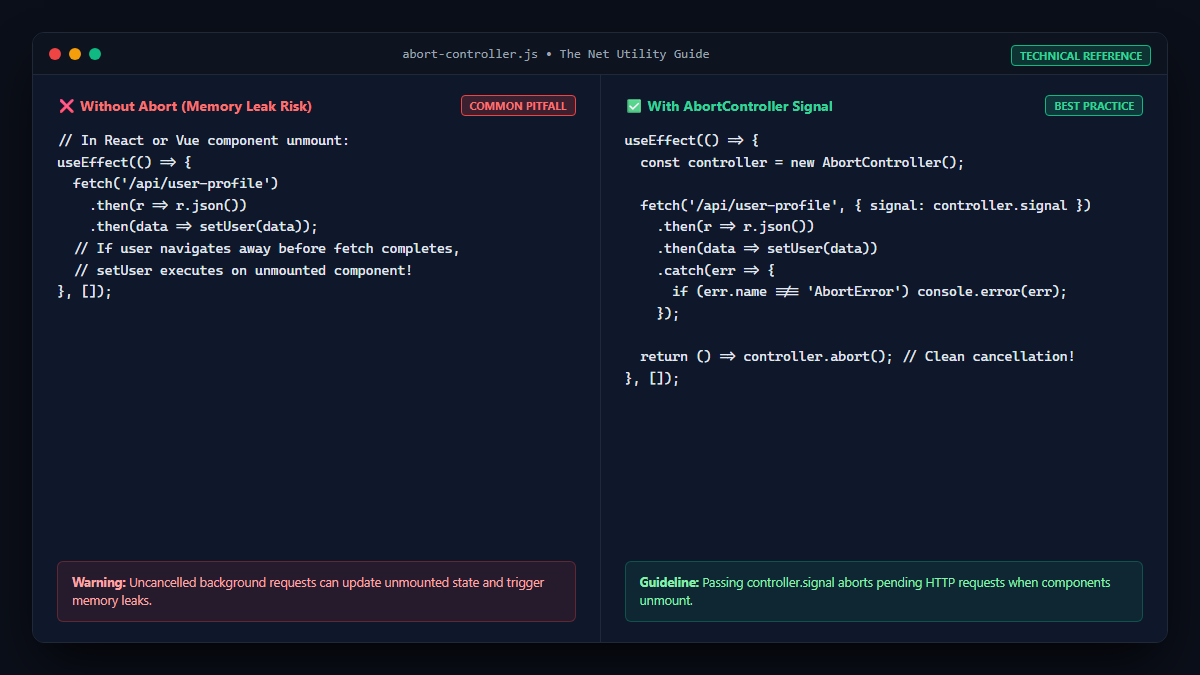
To prevent memory leaks and state corruption when a user navigates away before a fetch completes, utilize AbortController:
const controller = new AbortController();
const signal = controller.signal;

// Pass signal into fetch options
fetch('https://api.example.com/data', { signal })
    .then(res => res.json())
    .catch(err => {
        if (err.name === 'AbortError') {
            console.log('Fetch successfully aborted');
        } else {
            console.error('Fetch failed:', err);
        }
    });

// To abort the request:
controller.abort();
For more core JavaScript troubleshooting, read our guide on why JavaScript map() returns undefined.
