
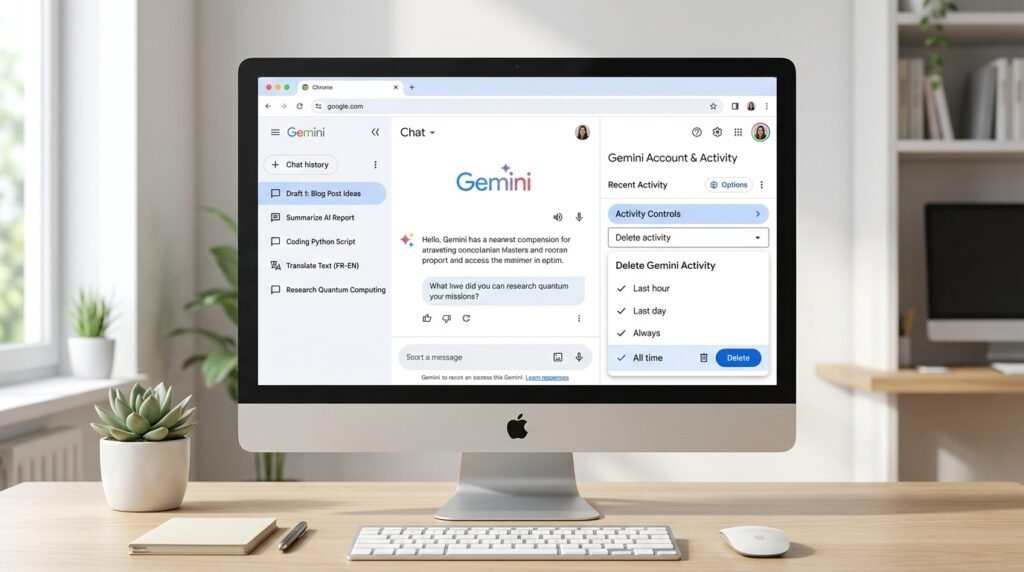
Want to remove your Gemini chat history? You can delete all Gemini activity from your Google Account using the All time option. You can also remove selected chats or a specific date range across your desktop and mobile devices.
When working with modern AI productivity tools and assistants like Gemini or Google Drive AI tools, managing prompt history and conversation privacy is critical. Follow this complete guide to remove existing chat records and control how Google saves future conversations.
Delete Your Entire Gemini Chat History
The easiest and most thorough way to delete all Gemini chats is through Gemini Apps Activity.
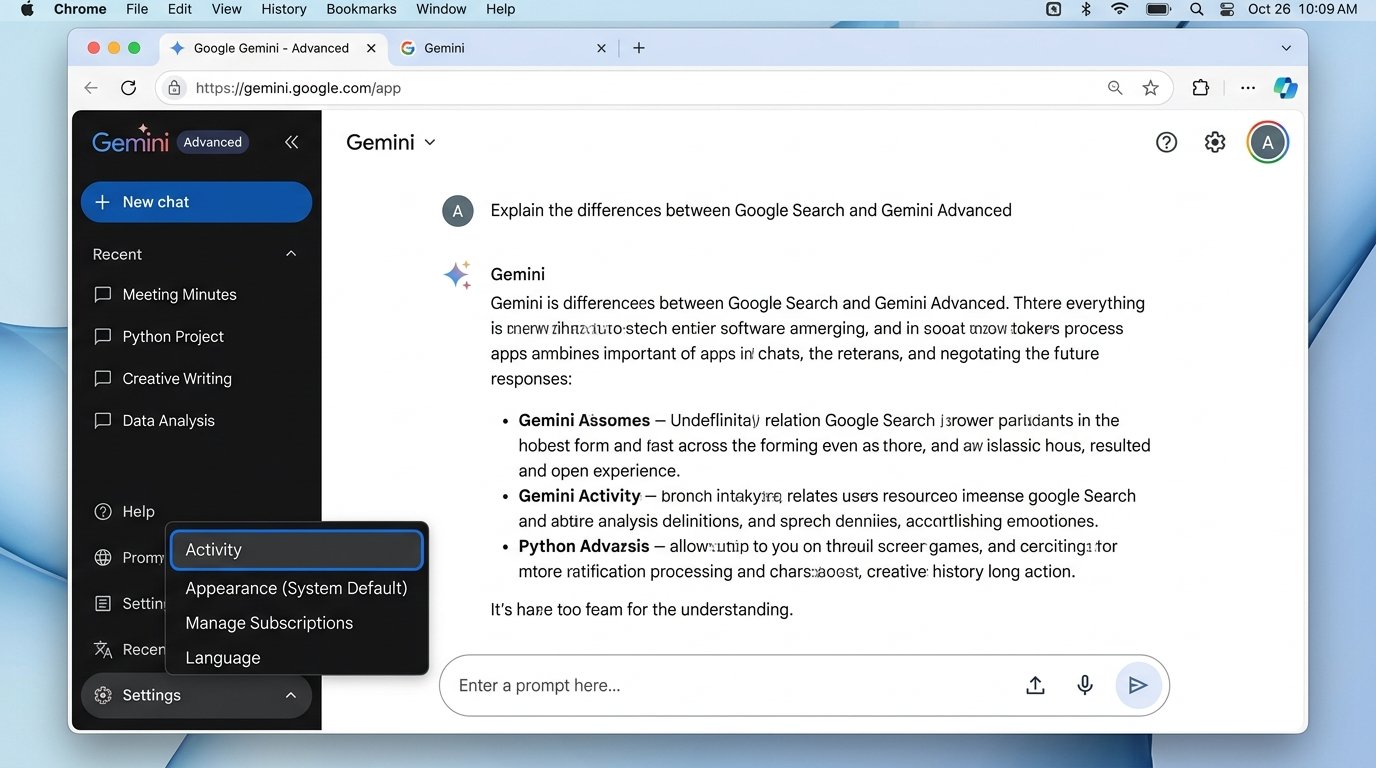
On a computer
- Open Gemini at
gemini.google.com. - Click the Settings and help icon in the bottom-left sidebar.
- Select Activity from the pop-up menu.
- In the Gemini Apps Activity screen, locate the Delete drop-down menu.
- Choose All time.
- Follow the confirmation steps and click Delete to confirm.
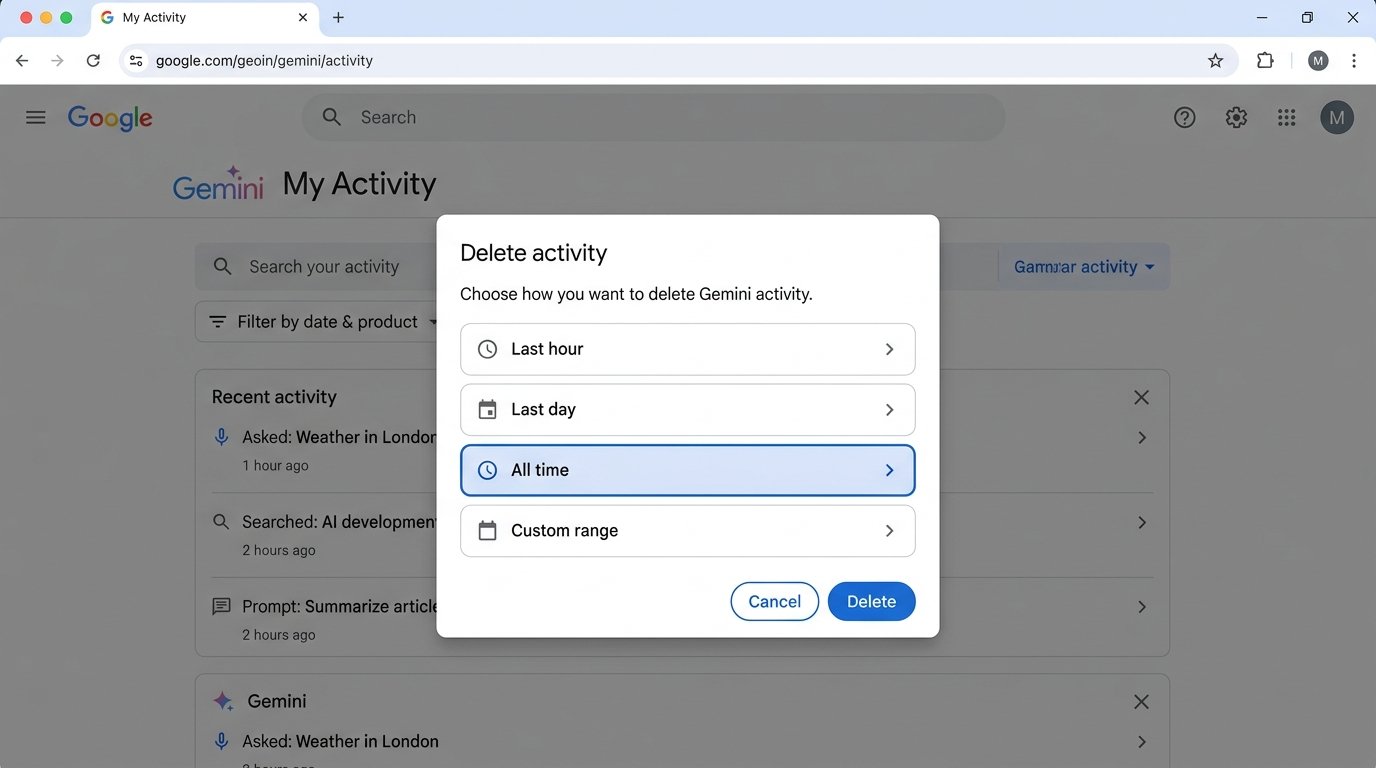
Google also lets you open Gemini Apps Activity directly through your Google Account activity hub (myactivity.google.com/product/gemini).
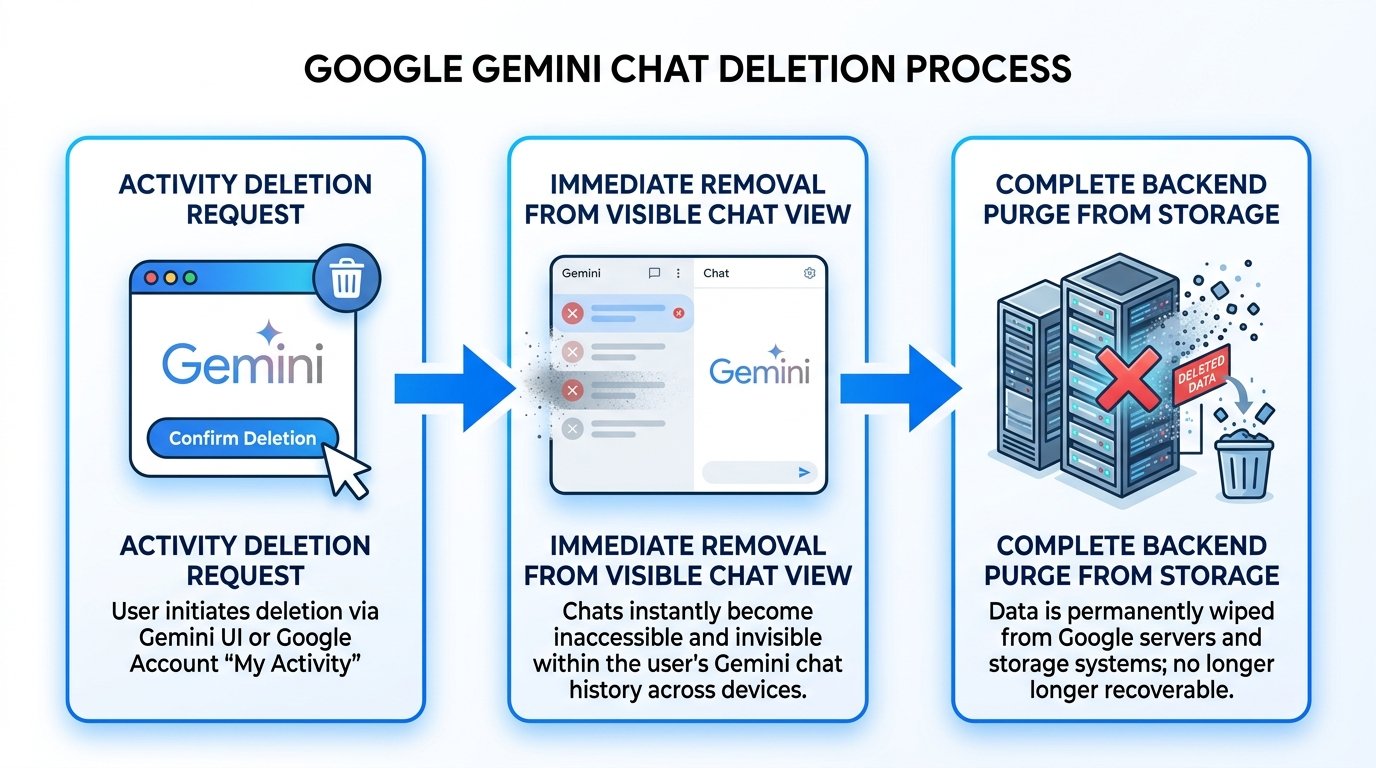
The All time option removes all the Gemini activity available in your account history. Google starts the removal process immediately after you confirm the deletion. Data can take additional time to be completely purged from backup and cloud storage systems.
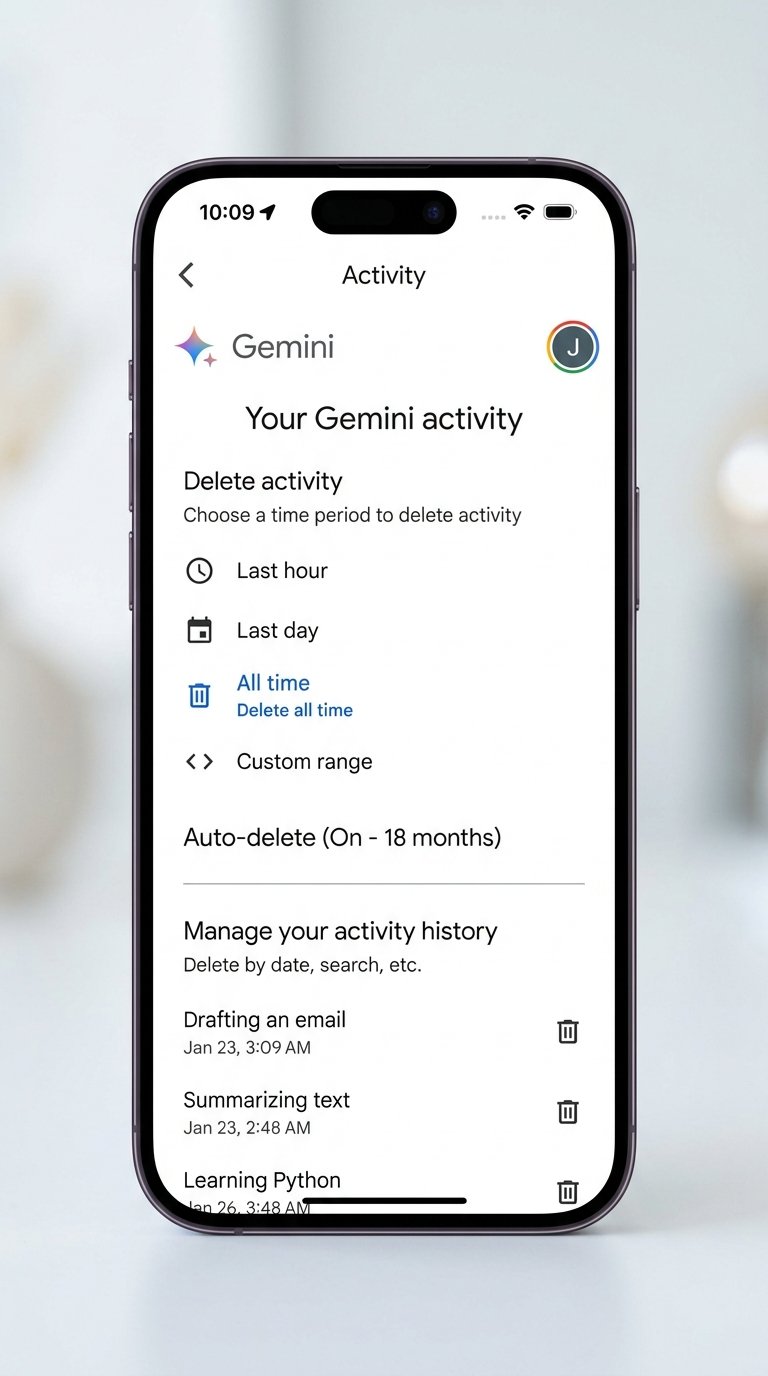
On Android
Open the Gemini app and go to your Gemini activity controls:
- Tap your profile icon in the top right corner.
- Select Gemini Apps Activity.
- Under Delete activity, select the Delete option.
- Tap All time.
- Confirm your request to delete the complete conversation history.
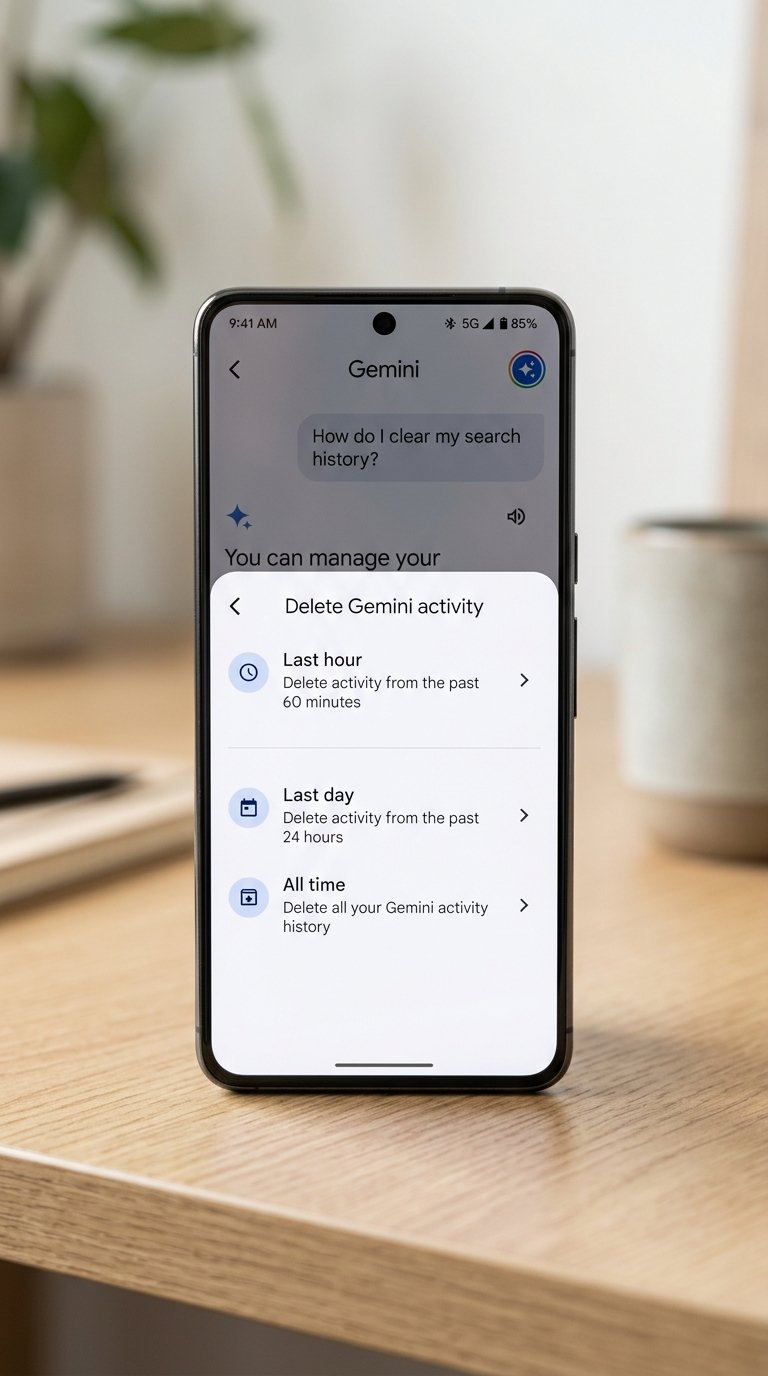
You can also open your Google Account activity controls in your mobile web browser and find Gemini Apps Activity. From there, select Delete, then select All time. Google provides options for deleting a single activity item, a specific day, a custom date range, or all activity.
On iPhone or iPad
Open Gemini (or the Google app) and access your activity controls:
- Tap your profile avatar in the upper right.
- Choose Gemini Apps Activity.
- Select Delete, then choose All time to wipe your account chat records.
- Confirm the prompt.
How to Delete Only Some Gemini Chats
You do not need to wipe your entire Gemini history if you only want to remove a few specific conversations. Unlike evaluating different models as discussed in our Claude vs ChatGPT vs Gemini comparison, managing your prompt history offers granular controls.
Google provides several flexible deletion choices:
- One activity item: Delete a single prompt or response by clicking the trash icon next to that specific conversation.
- A specific day: Remove all activity recorded on a particular calendar date.
- A custom date range: Select custom start and end dates to clear a specific timeframe.
- All Gemini activity: Clear your complete historical log.
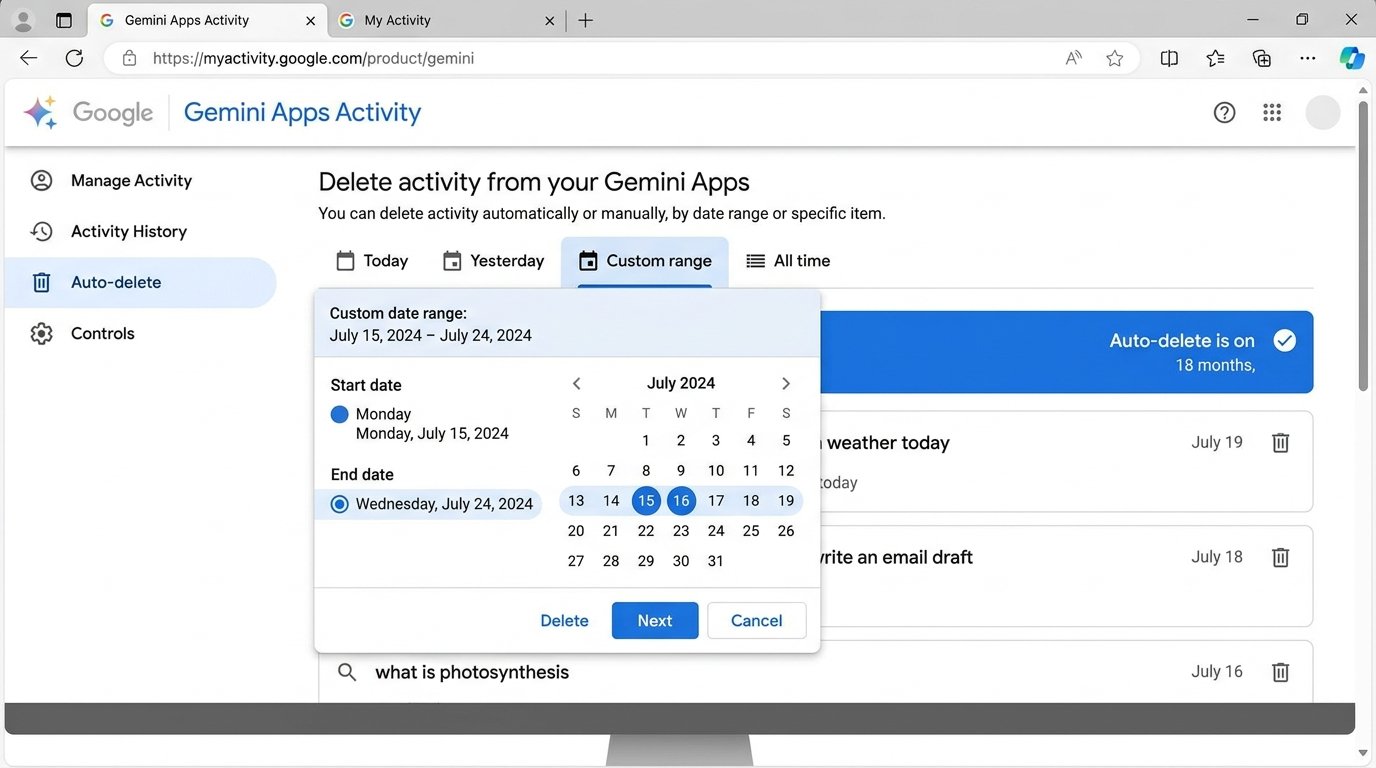
For example, if you want to remove prompts from a specific research project last month, select the Custom range option and specify the dates. You can use these exact same controls across your computer, Android, iPhone, and iPad.
Can You Bulk Delete Gemini Chats at Once?
Yes. Google provides an All time bulk deletion option for Gemini Apps Activity.
There is an important difference between deleting selected conversations and deleting all activity. Google provides date-based controls instead of requiring you to remove every conversation one by one.
If your goal is to wipe your complete Gemini history in one click, simply navigate to:
Gemini Apps Activity → Delete → All time
You do not need to open each historical conversation separately.
How to Stop Gemini From Saving New Chats
Deleting old Gemini chats does not change your future activity preferences. If you want to prevent Gemini from logging future prompts, you need to adjust your settings.
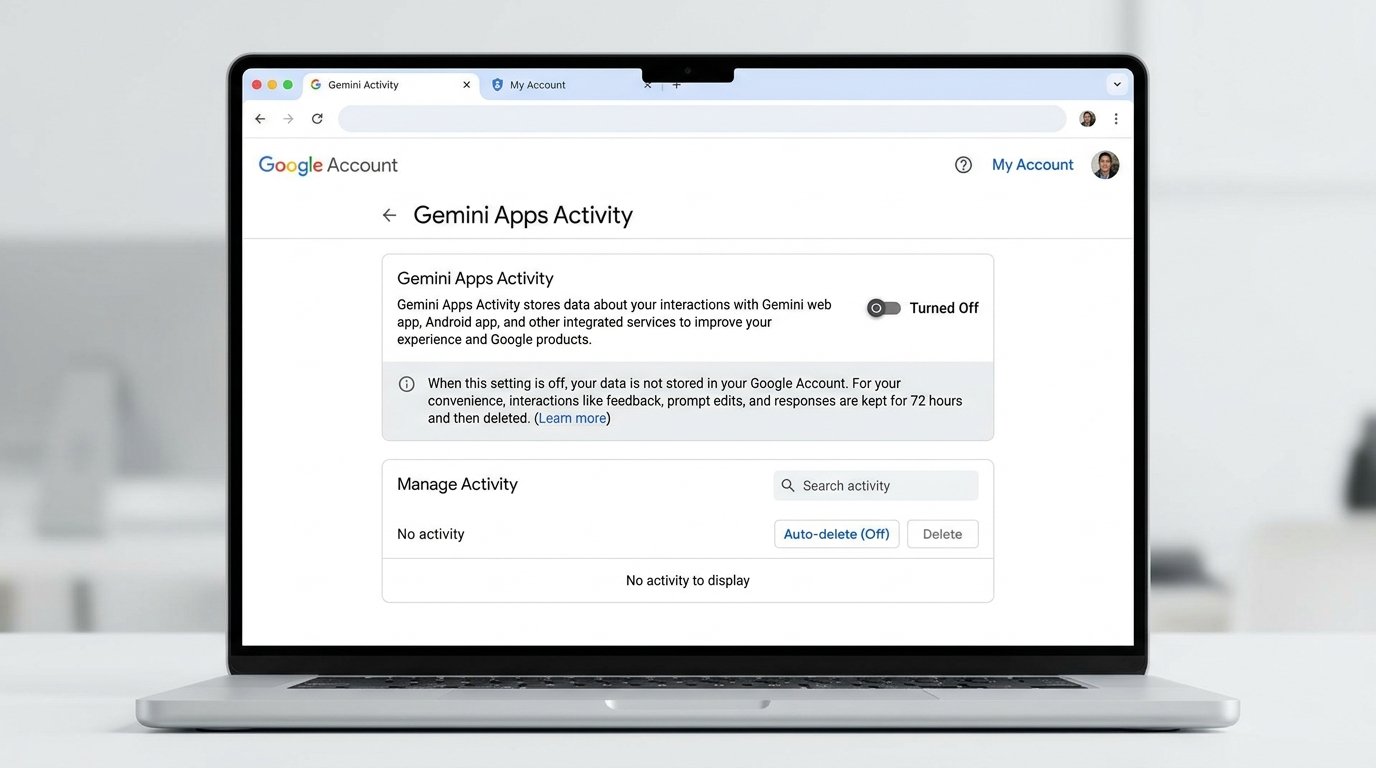
Google provides a Keep Activity control inside Gemini Apps Activity. You can turn it off if you do not want new Gemini conversations to appear in your account history.
The 72-Hour Retention Rule
There is one crucial detail to understand: When Keep Activity is turned off, Google may still retain newly submitted conversations for up to 72 hours. Google states that it uses these temporary logs to provide the service, detect abuse, and process user feedback. These temporary conversations do not appear in your visible Gemini Apps Activity.
Also keep in mind that turning Keep Activity off does not automatically wipe older conversations. You must still perform an All time deletion if you want prior history removed.
How Long Does Gemini Keep Chat History?
Gemini Apps Activity features an automatic auto-delete option.
Google states that Gemini Apps Activity is set to automatically delete activity older than 18 months by default. However, you can adjust this timeframe to:
- 3 months (recommended for enhanced privacy)
- 18 months (Google standard default)
- 36 months
- Don’t auto-delete (keeps history indefinitely until manually deleted)
For individuals who generate numerous queries for tasks like research or content creation with AI writing tools, setting the auto-delete threshold to 3 months ensures older prompts are regularly purged without ongoing manual effort.
What Gets Deleted With Gemini Chat History?
Deleting Gemini Apps Activity permanently removes the prompts and responses covered by your deletion request.
Google also handles associated media and features as follows:
- Gemini Live: Deleting the related activity deletes associated audio recordings, voice transcripts, video streams, and screenshares.
- Uploaded Files & Images: Attached images, code files, and documents analyzed in that conversation are unlinked and queued for deletion.
- Custom Gems: If you created a conversation using a custom Gem, deleting the conversation does not delete the Gem itself. The Gem configuration remains intact in your account.
What Deleting Gemini Chats Does Not Remove
Deleting Gemini chat history does not mean every single external asset associated with your Google account is wiped. Take note of these key exceptions:
- Custom Gems: Deleting a conversation with a Gem does not delete the Gem itself.
- Shared Public Links: If you generated a public sharing link for a Gemini conversation, deleting the local chat does not immediately invalidate or destroy the public URL. You must manage or unshare public links separately in Gemini’s shared links settings.
- Google Drive Files: If Gemini interacted with documents stored in Google Drive or Workspace, the source files on Drive remain completely unaffected.
Why Has My Gemini Chat History Disappeared?
If you open Gemini and notice your prior chats have vanished unexpectedly, review these common causes:
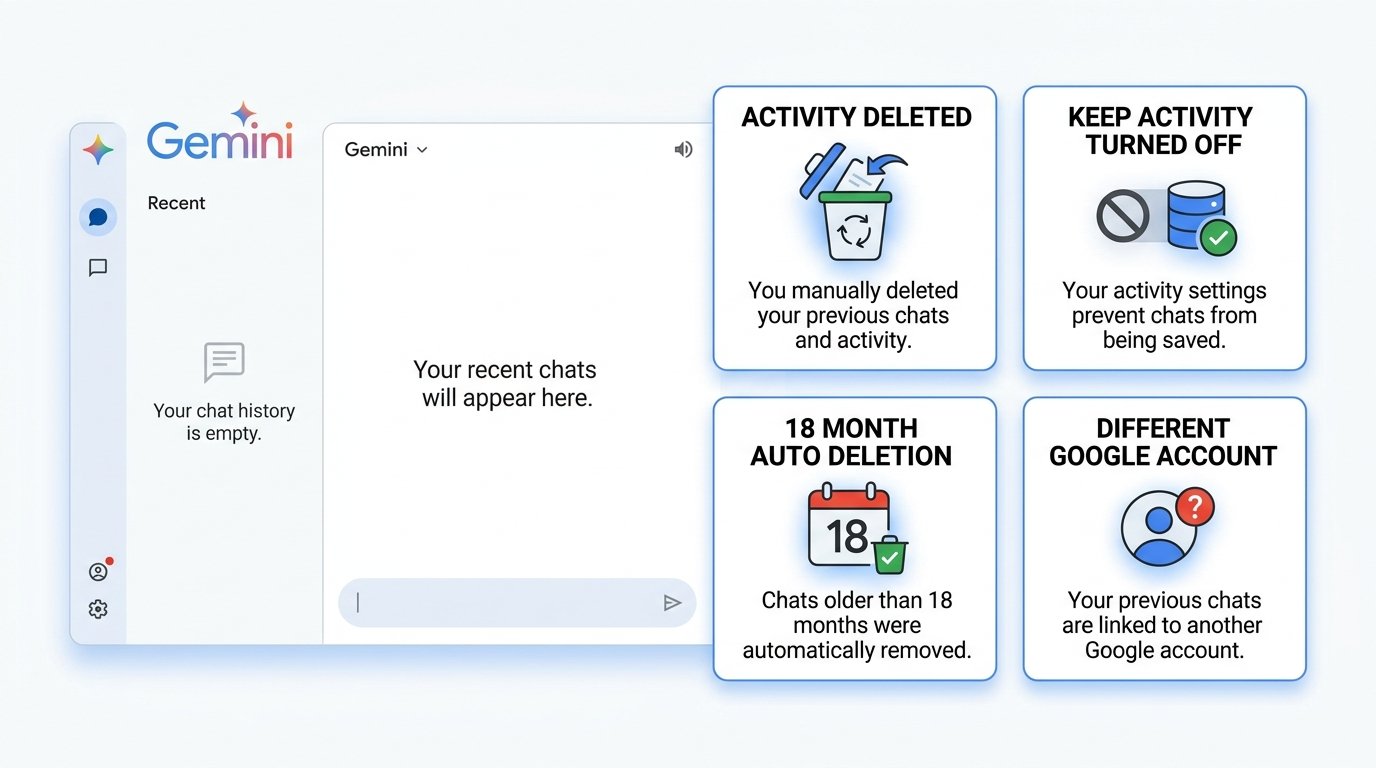
1. You recently deleted your activity
If you or someone with access to your device initiated a deletion, the activity is immediately removed from view.
2. Keep Activity is switched off
When Keep Activity is disabled, new conversations are not saved into your permanent history.
3. Automatic deletion occurred
If your account auto-delete period is set to 3 or 18 months, conversations that reached that age threshold are automatically removed by Google.
4. Signed into a different Google Account
Gemini chat history is strictly isolated to individual Google Accounts. If you have both personal and professional Google profiles, check the active avatar in the upper right to ensure you are logged into the intended account.
Delete Gemini Chats From a Work or School Account
Gemini behaves differently under Google Workspace corporate or educational accounts.
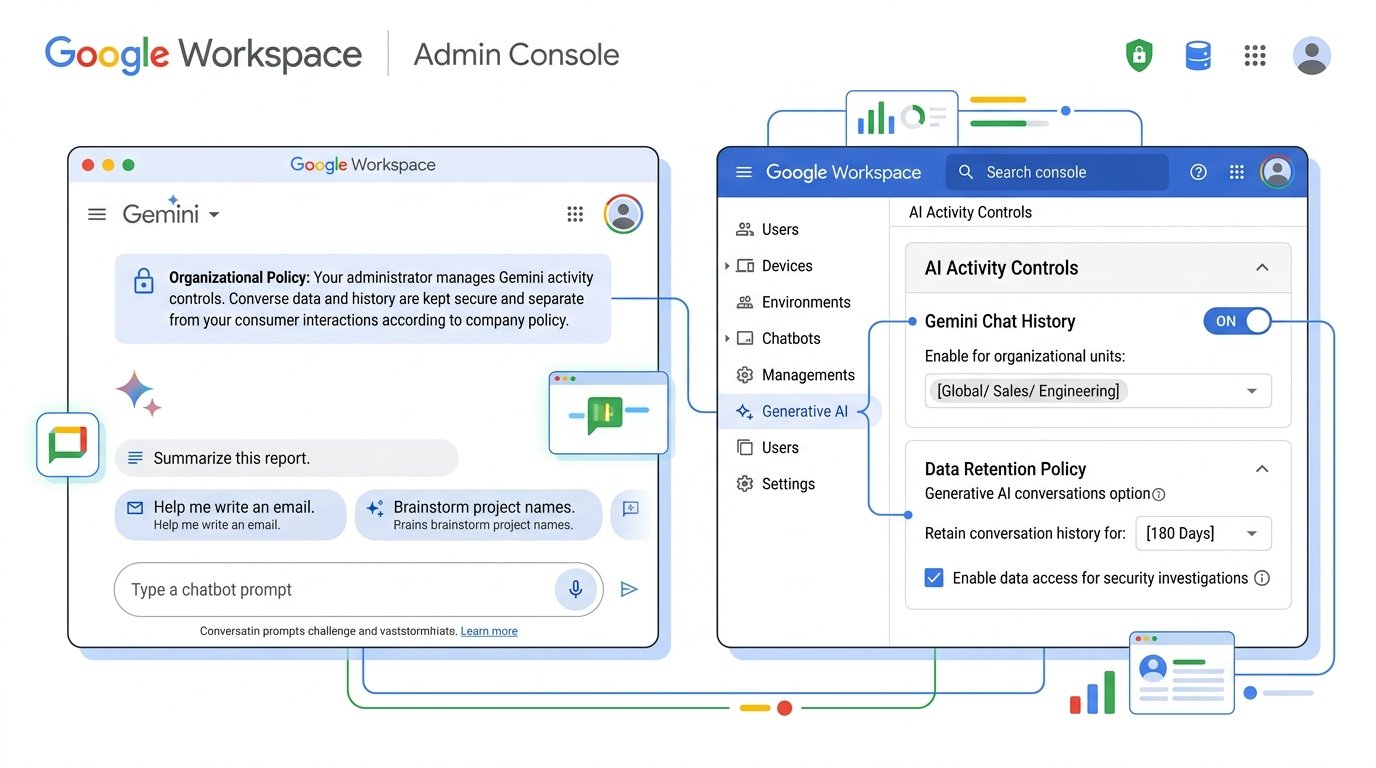
Workspace administrators have centralized administrative policies governing generative AI services. In enterprise domains, an administrator can:
- Enforce strict data retention rules (e.g. archiving all chats for compliance or legal discovery).
- Disable user-facing activity deletion.
- Prevent prompt data from being logged in consumer Gemini Apps Activity entirely.
If the Delete or Activity buttons are grayed out or missing, contact your organization’s Google Workspace administrator for your domain’s data retention policy.
Can You Recover Deleted Gemini Chats?
No. You must treat deleted Gemini activity as permanent and unrecoverable.
Once you confirm deletion, Google immediately revokes user access and begins the process of permanently purging the conversation from internal storage clusters. There is no “Trash” or “Recently Deleted” recovery folder for Gemini prompts.
Always copy valuable prompts, code snippets, or AI-generated copy into a local document before executing a bulk deletion.
Frequently Asked Questions
How do I delete all Gemini chats?
Open Gemini Apps Activity (myactivity.google.com/product/gemini), click Delete, choose All time, and confirm your request.
Can I delete all Gemini chats at once?
Yes. The All time option removes all stored conversation history in a single action without requiring you to remove chats one by one.
Can I delete Gemini chats from my phone?
Yes. On Android or iPhone, open Gemini, tap your profile avatar → Gemini Apps Activity → Delete → All time.
Does turning off Gemini activity delete my old chats?
No. Turning off “Keep Activity” only stops Google from saving future chats. Existing conversations remain stored until you manually delete them.
Does Google still save conversations when Keep Activity is off?
Google retains unlogged chats for up to 72 hours for operational maintenance and safety reviews before deleting them from temporary buffers.
Does deleting a Gemini chat delete my custom Gems?
No. Your custom Gems remain accessible in your account. Only the specific chat session history is removed.
Final Summary & Recommendations
Deleting your Google Gemini chats gives you complete control over your AI conversation history and data privacy:
- To wipe all history: Go to Gemini Apps Activity → Delete → All time.
- To stop future logging: Toggle Keep Activity to Off.
- To automate cleanup: Set Auto-delete to 3 months.
