
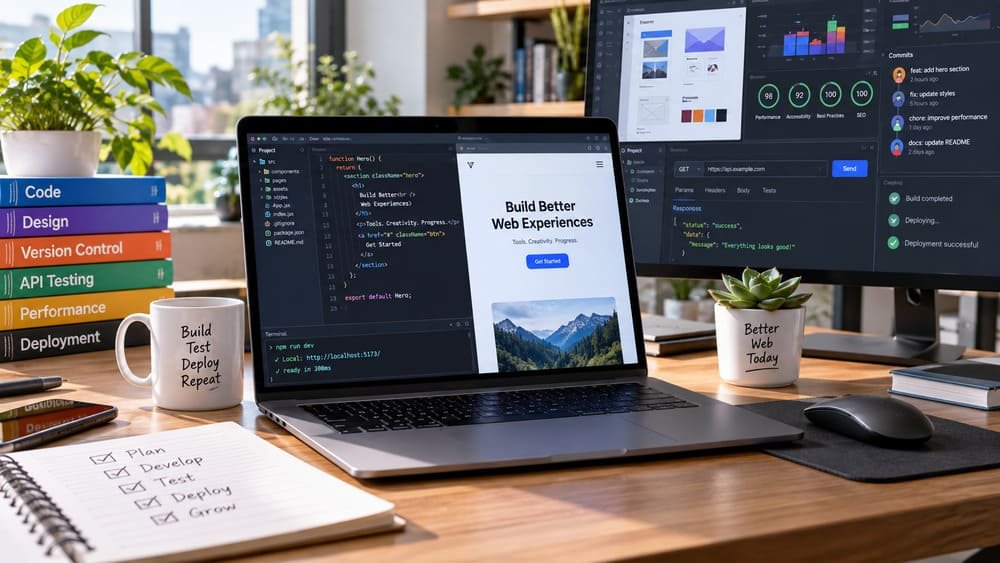
Do you really need an expensive suite of paid software subscriptions to build, optimize, and launch professional websites in 2026?
A few years ago, setting up a serious web development environment often meant paying monthly licenses for visual design suites, proprietary code editors, dedicated staging platforms, and continuous deployment tools. Today, the open-source community and cloud providers have changed that reality completely. You can take a production website from initial napkin sketch to global edge deployment using world-class tools that cost zero dollars.
As a UI and WordPress developer, I do not view these tools as an arbitrary collection of popular utilities. Instead, they form a unified, battle-tested production pipeline:
Plan & Design → Code & Version → Debug & Test → Optimize → Deploy
Quick Answer: The 10 Best Free Web Development Tools at a Glance
If you are looking for an immediate snapshot of the best free developer stack in 2026, here is how each essential tool compares across primary use cases, plan availability, and learning curves:
| Tool | Primary Purpose | Free Availability | Learning Curve |
|---|---|---|---|
| VS Code | Code editing & extensions | 100% Free & Open Source | Easy |
| GitHub | Cloud code hosting & CI/CD | Free Plan (Unlimited Repos) | Easy |
| Figma | UI/UX design & prototypes | Free Starter Plan | Easy |
| Chrome DevTools | DOM inspection & CSS debugging | Built-in Free Browser Tool | Medium |
| Lighthouse | Core Web Vitals & SEO audits | Built-in Free & Open Source | Easy |
| CodePen | Frontend HTML/CSS/JS experiments | Free Plan (Public Pens) | Easy |
| Git | Local version control & branching | 100% Free & Open Source | Medium |
| Postman | REST API testing & inspection | Free Plan (Core API Client) | Medium |
| Vercel | Modern web app & Jamstack hosting | Free Hobby Plan | Easy |
| Netlify | Static websites & deploy previews | Free Starter Plan | Easy |
Below is an in-depth breakdown of each tool, including how professional developers use it, realistic code workflows, exact free plan boundaries backed by official documentation, and practical developer tips.
1. Visual Studio Code — Best Free Code Editor for Web Development

What It Does
Visual Studio Code (VS Code), maintained by Microsoft and built on an open-source core, is the standard code editor for modern web development. It delivers native syntax highlighting, intelligent auto-completion (IntelliSense), integrated Git source control, a built-in terminal, and an ecosystem of thousands of community extensions for HTML, CSS, JavaScript, TypeScript, PHP, and WordPress development.
Why Developers Use It
VS Code eliminates the need to switch between separate terminal windows, FTP clients, and external diff viewers. Whether you are editing a lightweight JavaScript script, developing a custom WordPress theme, or configuring a Next.js web application, VS Code adapts to your workflow through workspace settings and keyboard shortcuts.
Real-World Developer Example
When developing a custom WordPress theme or child theme, you organize your project structure into clean folders and write modular PHP functions directly inside VS Code:
<?php
/**
 * Clean asset enqueuing with defer strategy for superior Core Web Vitals
 */
function netutility_enqueue_theme_assets() {
    // Enqueue compiled responsive stylesheet
    wp_enqueue_style(
        'netutility-style',
        get_stylesheet_uri(),
        array(),
        '1.0.0'
    );

    // Enqueue primary JavaScript with non-blocking defer loading
    wp_enqueue_script(
        'netutility-navigation',
        get_template_directory_uri() . '/assets/js/nav.js',
        array(),
        '1.0.0',
        array(
            'strategy'  => 'defer',
            'in_footer' => true,
        )
    );
}
add_action('wp_enqueue_scripts', 'netutility_enqueue_theme_assets');
Free-Plan Availability & Limitations
VS Code is completely free and licensed under the MIT License for its open-source repository, with official binary distributions distributed freely by Microsoft for commercial and personal use (VS Code Official License). There are no trial periods, no file limits, and no paid tiers for the core editor. Optional cloud extensions (such as GitHub Copilot or cloud dev containers) may require separate subscriptions, but the editor itself has zero financial barriers.
Developer Tip
Install the Prettier, ESLint, and PHP Intelephense extensions immediately. Configure your VS Code settings.json with "editor.formatOnSave": true to maintain clean, consistent indentation across every file automatically.
2. GitHub — Best Free Platform for Code Hosting and Version Control

What It Does
GitHub is a cloud platform built around the Git version control system. It hosts your source code online, tracks revisions, manages branches and pull requests, and automates testing and deployment through GitHub Actions.
Why Developers Use It
GitHub acts as your off-site backup, collaboration hub, and professional portfolio. Storing code locally on your laptop risks hardware failure or accidental overwrites. By pushing your codebase to GitHub, every change is safely logged with commit timestamps, author signatures, and rollback points.
Git vs. GitHub: An Important Distinction
Beginners frequently confuse Git and GitHub:
- Git: The free, local command-line software running on your computer that records file changes.
- GitHub: The online cloud service where you store and share Git repositories over the internet.
Free-Plan Availability & Limitations
According to the official GitHub Pricing page, GitHub Free provides:
- Unlimited public and private repositories.
- Unlimited collaborators on public and private projects.
- 2,000 CI/CD automation minutes per month for GitHub Actions.
- 500 MB of GitHub Packages storage.
- Free static website hosting via GitHub Pages.
Developer Tip
Never commit sensitive credentials, API secret keys, or database passwords to GitHub. Always create a .gitignore file containing entries such as node_modules/, .env, and wp-config.php before executing your initial commit.
3. Figma — Best Free Tool for UI/UX Design and Prototyping

What It Does
Figma is an industry-standard, browser-based interface design tool used to create responsive website wireframes, high-fidelity mockups, design systems, and interactive prototypes. It runs natively in your web browser or as a desktop application across Windows, macOS, and Linux.
Why Developers Use It
Coding a layout directly in CSS before establishing the visual hierarchy often leads to wasted hours rewriting flexbox containers and margins. Designing first in Figma lets you experiment with spacing, responsive breakpoints (Desktop, Tablet, Mobile), and color schemes in minutes. When you transition to coding, Figma’s inspect features provide the exact CSS pixel dimensions, border radii, and color hex values.
Real-World Developer Example
When planning a high-converting landing page for a client, you build three layout frames side by side: Desktop (1440px), Tablet (768px), and Mobile (390px). By utilizing Figma’s Auto Layout feature, frames mimic CSS flexbox behavior, making the subsequent HTML and CSS implementation in WordPress intuitive and precise.
Free-Plan Availability & Limitations
Official documentation from Figma’s Pricing & FAQ confirms that Figma offers a permanent Free Starter Plan. Key inclusions and limitations include:
- What is free: Up to 3 active collaborative Figma design files and 3 FigJam whiteboards in a shared team space, plus unlimited personal drafts and unlimited file viewers.
- Limitations: Version history is capped at 30 days on the free tier. Advanced features such as team-shared component libraries and full standalone Dev Mode seats require paid professional tiers.
Developer Tip
Store your project components and templates inside your personal Drafts folder. Personal drafts do not count toward the team 3-file limit, allowing individual freelancers to maintain extensive design libraries without paying for an upgrade.
4. Chrome DevTools — Best Free Tool for Debugging Websites

What It Does
Chrome DevTools is a comprehensive suite of web authoring and debugging tools built directly into Google Chrome. By pressing F12 or right-clicking any element and choosing Inspect, developers gain real-time access to the live DOM tree, active CSS cascade rules, JavaScript runtime console, network requests, and device mode emulators.
Why Developers Use It
Browsers parse HTML and CSS in real time, frequently producing unexpected layout behaviors due to specificity conflicts or display properties. DevTools lets you edit CSS declarations live, toggle pseudo-classes (like :hover and :focus), simulate mobile viewports, throttle network connections to 3G speeds, and capture JavaScript errors with exact line numbers. For a full walkthrough on debugging JavaScript runtime bugs, see our guide on JavaScript Debugging With DevTools.
Real-World Developer Example
If a table inside a WordPress post fails to stretch across the full width of the container, you open the Elements panel to inspect computed styles. You can spot whether an inherited rule like display: block is overriding width: 100%, test the fix live by applying display: table !important, and then paste the verified rule into your stylesheet.
Free-Plan Availability & Limitations
Chrome DevTools is completely free, built directly into every Google Chrome installation, and maintained under the Chromium open-source project (Chrome for Developers Official Docs). There are no restrictions, fees, or account logins required.
Developer Tip
Use the Network panel with the “Disable cache” checkbox enabled while DevTools is open. This prevents stale browser caches from hiding your recent CSS and JavaScript modifications during development.
5. Lighthouse — Best Free Tool for Performance, Accessibility & SEO Testing

What It Does
Google Lighthouse is an open-source, automated auditing engine designed to measure and improve the quality of web pages. Integrated natively into Chrome DevTools and available via PageSpeed Insights, Lighthouse audits four primary pillars: Performance, Accessibility, Best Practices, and SEO.
Why Developers Use It
Website performance is a direct ranking signal in Google Search and a crucial driver of user conversion rates. Lighthouse gives developers diagnostic metrics covering Google’s Core Web Vitals:
- Largest Contentful Paint (LCP): Measures perceived loading speed (target: under 2.5s).
- Interaction to Next Paint (INP): Measures user interface responsiveness (target: under 200ms).
- Cumulative Layout Shift (CLS): Measures visual layout stability (target: under 0.1).
Real-World Developer Example
Running a Lighthouse audit reveals render-blocking stylesheets or oversized banner images dragging your LCP score down. By preloading key hero images, compressing graphics to modern WebP format, and converting CSS to high-contrast colors, you can achieve 95+ scores across all four audit categories.
Free-Plan Availability & Limitations
Lighthouse is 100% free and open source (Lighthouse GitHub Repository). You can run unlimited audits locally inside DevTools, through the Node CLI, or via Google PageSpeed Insights with no usage quotas.
Developer Tip
Always run Lighthouse audits in an Incognito window with Chrome extensions disabled. Browser extensions inject third-party scripts into the DOM that artificially deflate your performance score.
6. CodePen — Best Free Tool for Testing HTML, CSS & JavaScript Snippets

What It Does
CodePen is a browser-based social development environment tailored for frontend web developers. It provides an interactive 3-column code editor (HTML, CSS, and JavaScript) with a synchronized real-time preview iframe below or beside your code.
Why Developers Use It
Spinning up a complete local development server just to test a CSS keyframe animation, an interactive tab interface, or a button hover state is inefficient. CodePen allows you to prototype isolated frontend components in seconds, share live interactive demos with clients, and explore techniques built by frontend developers worldwide. If you are building practice projects, explore our curated list of JavaScript Projects for Beginners.
Real-World Developer Example
Before implementing a sticky navigation menu or an animated mobile hamburger toggle in a WordPress theme, you construct and test the isolated logic inside CodePen:
/* Isolated Navbar Transition Tested in CodePen */
.site-nav {
  position: sticky;
  top: 0;
  transition: background-color 0.3s cubic-bezier(0.4, 0, 0.2, 1),
              box-shadow 0.3s cubic-bezier(0.4, 0, 0.2, 1);
  will-change: transform;
}

.site-nav.is-scrolled {
  background-color: rgba(15, 23, 42, 0.95);
  backdrop-filter: blur(12px);
  box-shadow: 0 4px 20px rgba(0, 0, 0, 0.15);
}
Free-Plan Availability & Limitations
According to CodePen’s Pricing structure, the free account supports unlimited public Pens, unlimited public collections, access to full preprocessor support (Sass, Less, Babel), and community embedding. The free tier limits include: Pens are public by default (private Pens require Pro), asset file hosting is limited on free accounts, and live pair-programming Collab Mode is reserved for paid tiers.
Developer Tip
Use CodePen’s “Change View” settings to position the live preview on the right side on widescreen monitors. This creates a comfortable side-by-side editing layout identical to modern desktop code editors.
7. Git — Best Free Version Control Tool for Developers

What It Does
Git is a free, open-source distributed version control system created by Linus Torvalds. Operating directly in your terminal, Git tracks every file modification, deletion, and addition across your project’s lifecycle, allowing you to branch out experimental features and merge them back when stable.
Why Developers Use It
Without version control, developers resort to risky naming conventions like theme-final-v2-edit.zip. Git eliminates guesswork. If a recent code change breaks your site layout, you can instantly pinpoint the exact diff and roll back your files to the previous commit with one command.
The Core Developer Command Flow
Professional developers rely on four core commands to safely manage code progress:
# 1. Check which files have changed
git status

# 2. Stage modified files for commit
git add .

# 3. Create a permanent history snapshot
git commit -m "refactor: enforce high-contrast responsive table CSS"

# 4. Push changes to remote GitHub repository
git push origin main
Free-Plan Availability & Limitations
Git is completely free software distributed under the GNU General Public License version 2 (Official Git SCM Website). There are zero commercial restrictions, zero fees, and no usage limitations whatsoever.
Developer Tip
Write commit messages that describe the why rather than just the what. A message like "fix(css): prevent table collapse on mobile by adding display:table" will save you hours of forensic work six months later.
8. Postman — Best Free Tool for API Testing and Inspection

What It Does
Postman is an API platform for building and testing Application Programming Interfaces (APIs). It allows developers to construct HTTP requests (GET, POST, PUT, DELETE), configure headers and authentication parameters, and examine structured JSON response payloads.
Why Developers Use It
Modern web development relies heavily on decoupling frontend user interfaces from backend content management systems. Rather than writing frontend JavaScript and hoping backend endpoints respond correctly, developers use Postman to isolate and verify API status codes, response times, and data payloads beforehand. For more on working with JSON and REST, explore our comprehensive guide on the JavaScript Fetch API.
Real-World Developer Example
When fetching articles from a headless WordPress site, you test the REST API endpoint inside Postman before writing frontend fetch code:
GET /wp-json/wp/v2/posts?per_page=5&_fields=id,slug,title,categories HTTP/1.1
Host: thenetutility.com
Accept: application/json
Postman confirms the 200 OK response, displays headers, and validates that your taxonomy terms and post IDs exist as expected.
Free-Plan Availability & Limitations
According to Postman’s Official Pricing, the Free Plan provides:
- Full access to the core REST, GraphQL, and WebSocket testing client.
- Unlimited API requests for individual developers.
- Up to 3 collaborative team members in a shared workspace.
- Limitations: Monthly runs for automated collection runners and scheduled cloud monitors are capped on free tiers. Advanced governance and team security features require Enterprise plans.
Developer Tip
Organize your requests into Postman Collections and use Environment Variables (such as {{base_url}}). This allows you to toggle seamlessly between your local development URL (localhost:8888) and your live production domain without rewriting endpoints.
9. Vercel — Best Free Platform for Modern Web App Deployment

What It Does
Vercel is a cloud deployment platform built for frontend frameworks and static web applications. Developed by the creators of Next.js, Vercel connects directly to your Git repository (GitHub, GitLab, or Bitbucket) and automatically compiles, builds, and distributes your code across a global Edge Network upon every git push.
Why Developers Use It
Deploying websites historically involved configuring Apache/Nginx web servers, setting up SSL certificates, and managing FTP connections. Vercel automates the entire process: pushing code to your repository triggers an instant build, provisions free automatic SSL certificates, and serves your assets via global edge caching with sub-second response times worldwide.
Real-World Developer Example
When building a fast Jamstack frontend or a headless documentation portal, you link your GitHub repository to Vercel. Whenever you push changes to the main branch, Vercel builds the production site in 20 seconds and serves it globally with instant cache invalidation.
Free-Plan Availability & Limitations
Official pricing details from the Vercel Pricing Documentation confirm the Hobby Plan ($0/month) provides:
- Free automated Git deployments, continuous integration, and global Edge CDN hosting.
- Unlimited custom domains with automated Let’s Encrypt SSL.
- 100 GB of bandwidth per month and 100 GB-hours of serverless function execution.
- Limitations: Intended for personal projects and non-commercial open-source portfolios. Commercial enterprise teams or sites requiring high-volume commercial bandwidth must upgrade to the Pro plan.
Developer Tip
Take advantage of Vercel’s automatic Preview Deployments. Every time you push a non-main git branch, Vercel generates a unique live staging URL (e.g., project-git-feature-username.vercel.app) allowing you to verify layout and functionality before merging to production.
10. Netlify — Best Free Platform for Website Deployment and Form Handling

What It Does
Netlify is an all-in-one cloud platform for automating modern web projects. Like Vercel, Netlify connects to your Git repository to provide automated CI/CD builds, global CDN hosting, and deploy previews, but adds built-in serverless form handling and identity services out of the box.
Why Developers Use It
For static websites and client landing pages that need contact forms, Netlify eliminates the need to build a custom backend database or email mailer. By simply adding a data-netlify="true" attribute to any standard HTML form, Netlify automatically captures, validates, and forwards form submissions without writing a single line of backend PHP or Node.js.
Free-Plan Availability & Limitations
According to Netlify’s Official Pricing structure, the Free Plan ($0/month) includes:
- 100 GB of bandwidth per month across its global high-performance CDN.
- 300 build minutes per month for automated Git deployments.
- 100 free form submissions per month with spam filtering.
- Automatic HTTPS on custom domains and unlimited Deploy Previews.
- Limitations: Free plans are limited to 1 team member. High build frequencies or bandwidth overages incur standard tier upgrades.
Developer Tip
Use Netlify’s Deploy Previews in combination with GitHub Pull Requests. When collaborating with clients, send them the auto-generated preview link so they can review and approve copy and design updates before the live site updates.
Vercel vs. Netlify: Which Free Deployment Platform Should You Choose?
Both Vercel and Netlify offer exceptional zero-cost hosting tiers, but they cater to slightly different project requirements. Here is a direct comparison to help you choose the right platform for your website:
| Feature | Vercel (Hobby Free Plan) | Netlify (Free Plan) |
|---|---|---|
| Primary Focus | Next.js, React & Modern Frameworks | Static Sites, Jamstack & Form Handling |
| Free Monthly Bandwidth | 100 GB / month | 100 GB / month |
| Git Deployment CI/CD | Yes (Automated via Git Push) | Yes (Automated via Git Push) |
| Deploy Previews (PRs) | Yes (Unique staging URLs) | Yes (Unique staging URLs) |
| Built-in Form Handling | Requires external service / API | Yes (100 submissions/mo free) |
| Custom Domain & SSL | Yes (Free Let’s Encrypt SSL) | Yes (Free Let’s Encrypt SSL) |
| Recommended Use Case | Single-page web applications & dashboards | Agency landing pages, client portfolios & blogs |
The Verdict: If you are deploying modern frontend applications built on Next.js, Vercel provides the tightest framework integration and fastest edge cold-starts. If you are launching a client portfolio or marketing landing page that requires an effortless contact form without backend code, Netlify is the most practical choice.
How AI Fits Into a Modern Web Development Workflow

Artificial Intelligence tools have fundamentally transformed how developers generate boilerplate code, format complex regular expressions, and draft architectural logic. However, professional web development in 2026 requires understanding the critical distinction between code generation and code verification.
Here is how AI fits safely into a professional developer workflow:
- 1. Human Architecture & Specification: The developer determines the project scope, security boundaries, performance constraints, and accessibility requirements.
- 2. AI-Assisted Drafting: AI coding assistants (inside VS Code or chat interfaces) generate initial boilerplate components, complex CSS transitions, or REST API helper functions.
- 3. Developer Code Review: The developer audits the generated code line by line, removing redundant loops, verifying database query safety, and applying WordPress coding standards.
- 4. Rigorous Browser Testing: The developer inspects the code in Chrome DevTools and verifies Core Web Vitals in Lighthouse.
- 5. Safe Production Deployment: Verified, clean code is committed via Git and deployed to production.
The Golden Rule: AI assists the developer—it does not replace technical competence, accessibility compliance, or browser verification. Developers who combine AI speed with rigorous manual testing build faster, more resilient websites.
Which Free Developer Tool Stack Should You Use?
Depending on your current career stage and technical focus, you do not need to master all 10 tools simultaneously. Here are recommended tool combinations tailored to specific developer roles:
- For Beginners: Start with VS Code (coding), Figma (visual planning), GitHub (saving code), Chrome DevTools (fixing mistakes), and Lighthouse (checking performance).
- For Frontend Developers: Master VS Code, Git/GitHub, CodePen (rapid CSS/JS experiments), Chrome DevTools, and Vercel (automated edge deployment).
- For WordPress Developers: Focus on VS Code, Git, Chrome DevTools, Lighthouse, and Postman (for testing WP REST API endpoints and headless architectures).
- For Freelancers & Solopreneurs: Use Figma for client wireframe approvals, VS Code for development, GitHub for repository security, and Netlify for staging previews and client feedback.
My Recommended Free Web Development Stack (End-to-End Workflow)

When executing a client project or building an internal product from scratch, this is the exact zero-cost tool progression that delivers enterprise-grade reliability:
Client Idea → Figma UI/UX Design → VS Code Development → Git Version Control → GitHub Code Storage → Chrome DevTools Debugging → Lighthouse Performance & SEO → Postman API Testing → Vercel / Netlify Edge Deployment
Every phase in this pipeline supports a 100% free tier, meaning individual developers and lean agencies can deliver high-speed, fully responsive websites without incurring hundreds of dollars in recurring software fees.
Frequently Asked Questions (FAQ)
What are the top free tools for web developers in 2026?
The top 10 free tools covering the entire web development lifecycle are: Visual Studio Code (coding), GitHub (cloud repositories), Figma (UI/UX design), Chrome DevTools (debugging), Google Lighthouse (performance & SEO audits), CodePen (frontend prototyping), Git (local version control), Postman (API testing), Vercel (modern app deployment), and Netlify (website hosting & form handling).
Can I build and deploy a commercial website using only free tools?
Yes. You can design wireframes in Figma’s free Starter plan, write the codebase in VS Code, manage revisions in Git and GitHub, debug in DevTools, and deploy lightweight sites to Netlify or GitHub Pages for free. The only mandatory ongoing expense for a standalone commercial website is purchasing a custom domain name (typically $10–$15/year) and standard web hosting if running dynamic PHP applications like self-hosted WordPress.
Is GitHub completely free for individual developers?
Yes. GitHub Free provides unlimited public and private repositories, unlimited collaborators, 2,000 CI/CD automation minutes per month, and free hosting via GitHub Pages. Paid plans are only necessary for enterprise governance, advanced audit logging, or higher CI/CD runner concurrency.
Is Figma free for web design?
Figma provides a permanent Free Starter plan that allows up to 3 shared team files and unlimited personal drafts. Freelance web developers can create complete responsive wireframes and prototypes without upgrading to a paid subscription.
Which free tool is best for testing website speed and Core Web Vitals?
Google Lighthouse (built directly into Chrome DevTools) is the gold standard for testing Core Web Vitals (LCP, CLS, INP), technical SEO compliance, and accessibility standards without paying for commercial audit tools.
Which is better: Vercel or Netlify?
Neither platform is universally superior; your choice depends on project architecture. Vercel is optimal for modern JavaScript web applications built with Next.js or React, whereas Netlify is ideal for marketing websites, Jamstack blogs, and projects requiring built-in form handling without a custom backend.
