
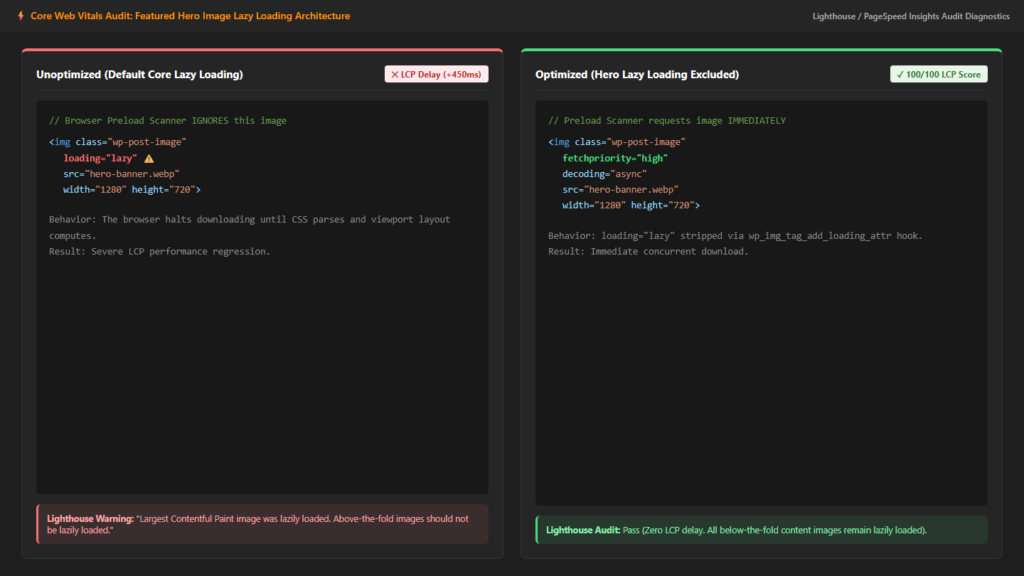
Native lazy loading (loading="lazy") was one of the most celebrated web performance features introduced to modern browsers and WordPress core. By deferring off-screen images until a user scrolls near them, lazy loading saves bandwidth and accelerates initial page load times. However, when lazy loading is inadvertently applied to the above-the-fold featured image, it causes a severe performance anti-pattern. Because the browser must calculate layout and scroll position before it initiates a lazy-loaded image request, your Largest Contentful Paint (LCP) score can drop by 300 to 800 milliseconds. Excluding the featured image from lazy loading is one of the highest-ROI speed optimizations in WordPress.
The Core Web Vitals Anti-Pattern: Lazy Loading Above the Fold
Google’s Chrome Web Performance team has repeatedly highlighted the danger of lazy-loading hero images. In the official web.dev LCP Image Optimization Guide, Google explicitly states: “Never lazy load images that are located above the fold or likely to be the Largest Contentful Paint element.”
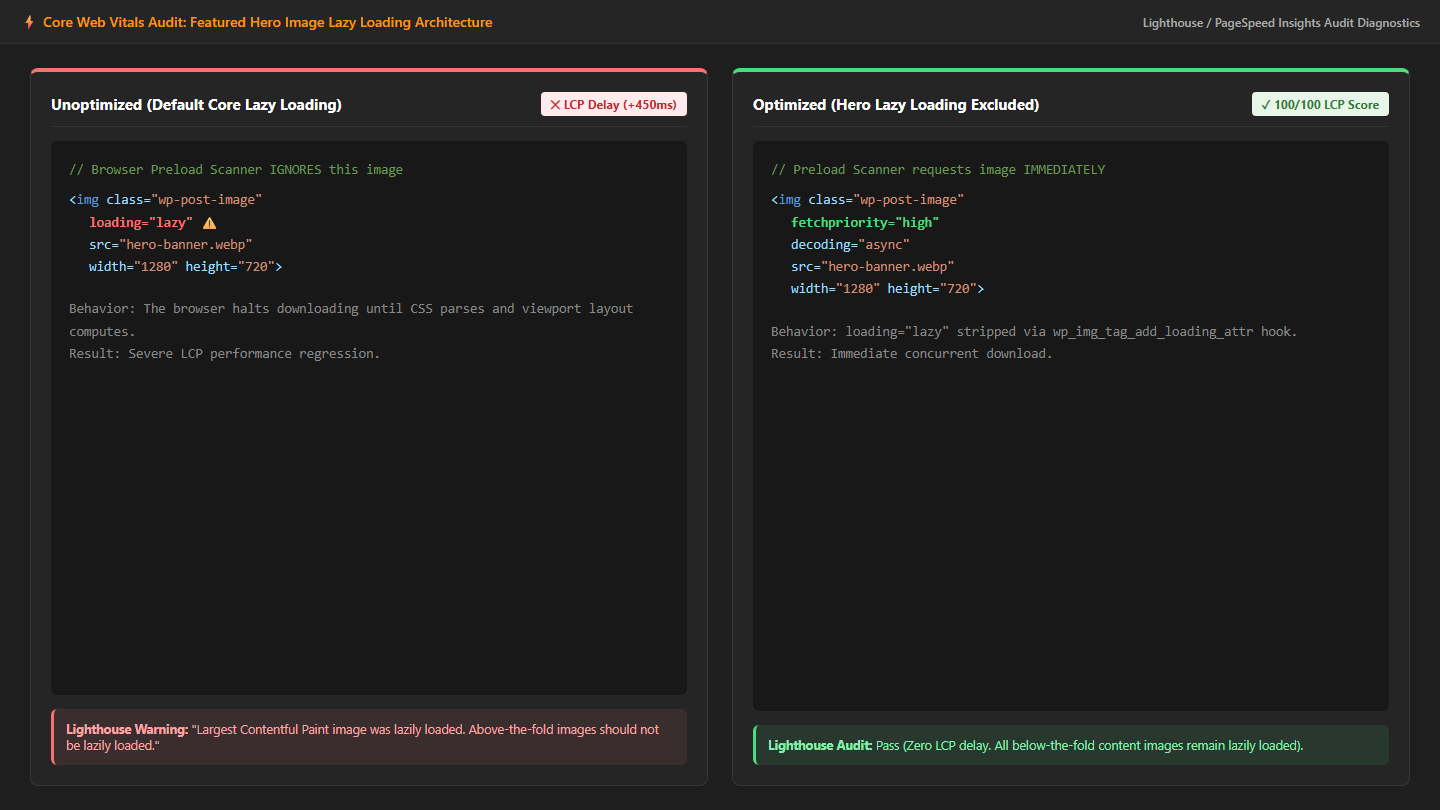
When an image carries loading="lazy", the browser’s high-speed Preload Scanner ignores it during the initial HTML stream parsing. The browser waits until CSS stylesheets are fetched, DOM layout is computed, and viewport coordinates are verified before requesting the image file. If you run Google PageSpeed Insights or Lighthouse on a page with a lazy-loaded hero, you will trigger the prominent diagnostic warning: “Largest Contentful Paint image was lazily loaded”.
How WordPress Core Controls Image Loading Attributes
WordPress core manages the loading attribute dynamically via the wp_img_tag_add_loading_attr filter documented in the WordPress Developer Code Reference. While WordPress attempts to exempt the first few images in content automatically, custom themes, child themes, and performance caching plugins frequently override core logic and force loading="lazy" globally across all post images.
Step-by-Step Code Solution: Disabling Lazy Load on Featured Images
To safely disable lazy loading on your primary featured image while keeping all below-the-fold images properly deferred, add the following clean snippet to your child theme‘s functions.php:
<?php
/**
 * Exclude featured images from native WordPress lazy loading.
 */
function netutility_disable_lazy_load_on_featured_image( $value, $image, $context ) {
    // Check if we are viewing a single blog post
    if ( is_singular( 'post' ) && 'the_post_thumbnail' === $context ) {
        return false; // Strips the loading="lazy" attribute completely
    }
    return $value;
}
add_filter( 'wp_img_tag_add_loading_attr', 'netutility_disable_lazy_load_on_featured_image', 10, 3 );
Combining Eager Loading with fetchpriority=”high”
Disabling lazy loading ensures the browser does not pause before fetching the image. To achieve a perfect 100/100 LCP score, combine this with adding fetchpriority=”high” to your WordPress featured image. Together, these two attributes transform your hero image from a delayed background download into an instantaneous, top-priority network request:
| Attribute Configuration | Preload Scanner Behavior | LCP Impact |
|---|---|---|
loading="lazy" (Default Theme) | Deferred until layout engine finishes | Severe delay (+400ms to +800ms) |
| No loading attribute (Eager) | Starts immediately during HTML parse | Normal baseline speed |
| Eager + fetchpriority=”high” | Prioritized above all other image requests | Maximum optimization (-300ms to -700ms) |
Checking Popular Caching and Optimization Plugins
If you use optimization plugins such as LiteSpeed Cache, WP Rocket, or Perfmatters, verify that their image settings do not re-apply lazy loading:
- LiteSpeed Cache: Navigate to Page Optimization > Media Settings. In the Lazy Load Image Excludes box, add
attachment-post-thumbnailorwp-post-imageto exempt the hero banner. - WP Rocket: Under Media > LazyLoad, add your theme’s featured image CSS class to the exclusion box.
- Perfmatters: Use the “Exclude Leading Images” setting and set the value to
1or2so the top images are exempted automatically.
Summary
Excluding your featured image from lazy loading is one of the quickest and most reliable wins for Core Web Vitals. By ensuring your hero asset loads eagerly with high fetch priority, you eliminate unnecessary render-blocking delays and deliver an instantly visible page to your readers.
