
Maintaining a secure WordPress website requires proactive defenses against session hijacking and unauthorized administrative access. One of the most powerful, underutilized security mechanisms built into WordPress is its cryptographic key and salt architecture. If an administrator leaves their account logged in on a public computer, an employee departs your organization, or your site experiences a suspicious login event, simply changing your password is not always enough to terminate cached browser cookies. By regenerating and replacing your WordPress security keys and salts in wp-config.php, you can invalidate every active login session site-wide in a single stroke.
What Are WordPress Security Keys and Salts?
WordPress relies on browser cookies to verify user authentication. Storing plaintext passwords inside cookies would be a catastrophic security vulnerability, so WordPress generates cryptographic hashes. To prevent attackers from deciphering these hashes using precomputed rainbow tables or dictionary attacks, WordPress combines user credentials with eight randomized, high-entropy secret phrases called keys and salts.
As documented in the official WordPress Security Keys Documentation, these eight constants are defined inside wp-config.php:
AUTH_KEYandAUTH_SALT: Used to sign authorization cookies for standard logins.SECURE_AUTH_KEYandSECURE_AUTH_SALT: Used to sign SSL/HTTPS administrative cookies.LOGGED_IN_KEYandLOGGED_IN_SALT: Used to determine whether a visitor is an authenticated user.NONCE_KEYandNONCE_SALT: Used to cryptographically validate nonces (one-time security tokens) generated across forms and AJAX requests.
When Should You Change Security Keys and Salts?
You do not need to rotate your salts daily, but you should regenerate them immediately under any of the following circumstances:
- Following a Suspected Security Breach: If malware was detected or an unauthorized user accessed your dashboard, changing salts terminates any persistent session cookies the attacker holds.
- After Team or Contractor Offboarding: Ensures former team members or contractors cannot retain access through lingering cookies.
- Cleaning a Hacked Website: Rotating salts ensures backdoors cannot piggyback on legacy administrative authentication tokens.
- Routine Hardening: Rotating salts once or twice a year is a solid defense-in-depth practice for high-traffic or eCommerce platforms.
Step-by-Step: Changing WordPress Security Salts Safely
Regenerating salts requires editing wp-config.php. Follow this safe four-step procedure:
Step 1: Generate Fresh Salts from the Official WordPress Generator
Do not attempt to write random keys by hand; human-invented strings lack true cryptographic entropy. Instead, visit the official WordPress Official Salt Generator API. Every time you refresh that URL, WordPress core servers generate a brand-new set of eight 64-character randomized strings containing mixed-case alphanumeric characters and special symbols.
Step 2: Create a Backup of wp-config.php
Before modifying core files, connect to your server via SFTP, cPanel File Manager, or SSH. Locate wp-config.php in your root directory and make a local duplicate copy named wp-config-backup.php. If a syntax error occurs while editing, you can restore your original file immediately.
Step 3: Replace the Salt Block in wp-config.php
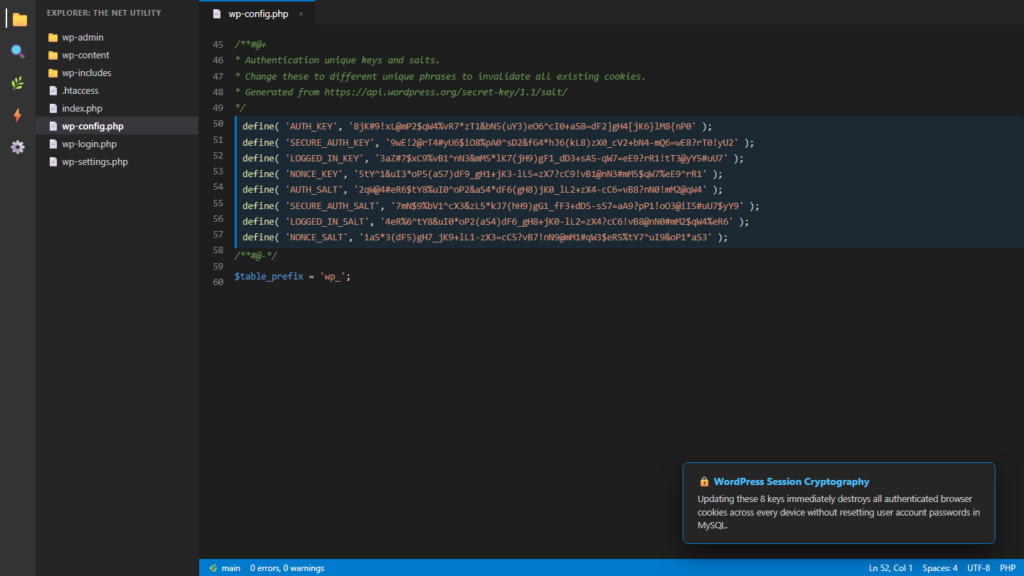
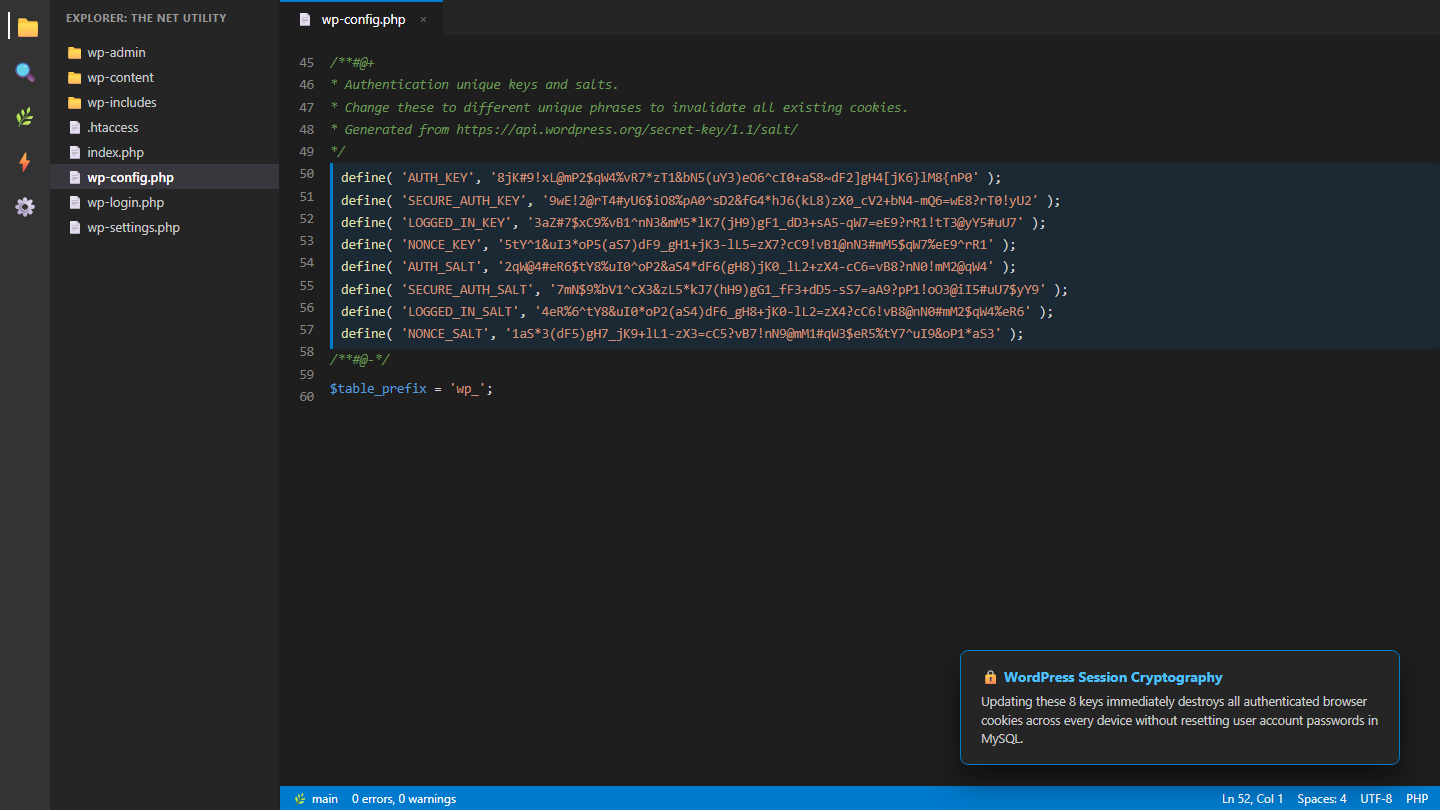
Open wp-config.php in a text editor. Scroll down to lines 45–60 where the authentication keys are defined. Highlight the entire existing block and replace it with the fresh keys copied from the salt generator:
define( 'AUTH_KEY',         '8jK#9!xL@mP2$qW4%vR7*zT1&bN5(uY3)eO6^cI0+aS8~dF2]gH4[jK6}lM8{nP0' );
define( 'SECURE_AUTH_KEY',  '9wE!2@rT4#yU6$iO8%pA0^sD2&fG4*hJ6(kL8)zX0_cV2+bN4-mQ6=wE8?rT0!yU2' );
define( 'LOGGED_IN_KEY',    '3aZ#7$xC9%vB1^nN3&mM5*lK7(jH9)gF1_dD3+sA5-qW7=eE9?rR1!tT3@yY5#uU7' );
define( 'NONCE_KEY',        '5tY^1&uI3*oP5(aS7)dF9_gH1+jK3-lL5=zX7?cC9!vB1@nN3#mM5$qW7%eE9^rR1' );
define( 'AUTH_SALT',        '2qW@4#eR6$tY8%uI0^oP2&aS4*dF6(gH8)jK0_lL2+zX4-cC6=vB8?nN0!mM2@qW4' );
define( 'SECURE_AUTH_SALT', '7mN$9%bV1^cX3&zL5*kJ7(hH9)gG1_fF3+dD5-sS7=aA9?pP1!oO3@iI5#uU7$yY9' );
define( 'LOGGED_IN_SALT',   '4eR%6^tY8&uI0*oP2(aS4)dF6_gH8+jK0-lL2=zX4?cC6!vB8@nN0#mM2$qW4%eR6' );
define( 'NONCE_SALT',       '1aS*3(dF5)gH7_jK9+lL1-zX3=cC5?vB7!nN9@mM1#qW3$eR5%tY7^uI9&oP1*aS3' );
Step 4: Save and Re-Authenticate
Save the file and upload it back to your server. The very next time you click any link in your dashboard, WordPress will instantly redirect you to wp-login.php because your previous cookie signature is no longer recognized. Log back in with your existing username and password.
Common Questions About Changing Salts
Will changing salts reset user passwords?
No. User passwords are stored as cryptographic hashes inside the wp_users database table. Changing salts only alters cookie signature verification—passwords remain completely unchanged.
Will changing salts break my website content?
No. Posts, pages, media, comments, and plugins remain completely intact. The only effect is that all logged-in visitors, contributors, editors, and admins will need to re-enter their credentials.
For additional session management techniques that do not require editing server files, read our walkthrough on how to log out WordPress sessions after a password change or explore our guide on how to force logout all WordPress users without a plugin.
