
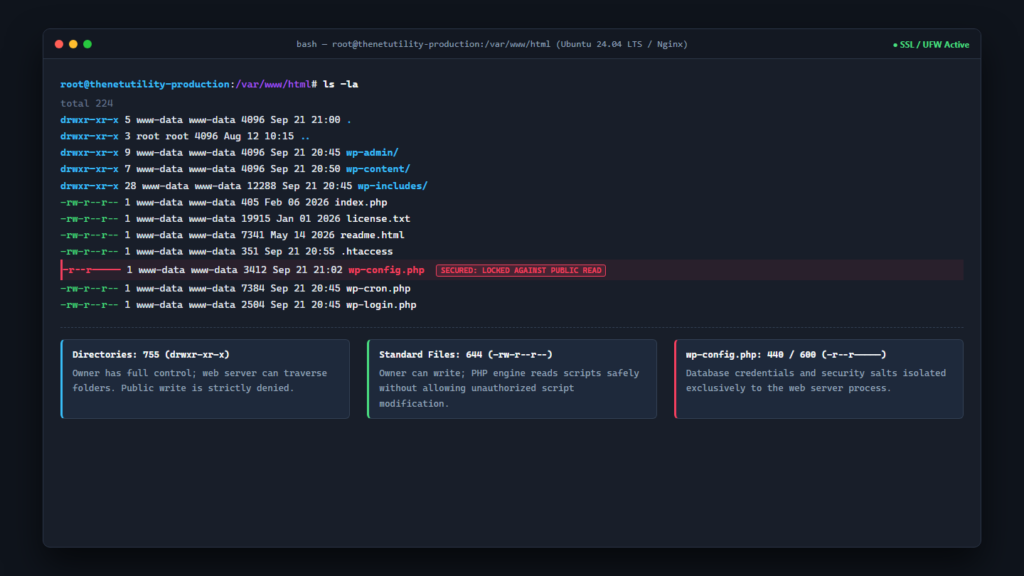
File permissions form the first line of defense for any WordPress installation hosted on Linux, Apache, or Nginx servers. Incorrect permissions represent one of the most widespread vulnerabilities in the WordPress ecosystem: if permissions are set too loosely, malicious actors can exploit script vulnerabilities to overwrite core files, inject backdoors, or alter configuration settings. Conversely, if permissions are overly restrictive, WordPress will fail to upload media, update plugins, or execute background maintenance tasks. Achieving the exact balance between system functionality and rock-solid defense requires understanding the Unix octal permissions model and applying industry-standard rules across your files and directories.
Understanding the Unix Octal Permissions Model
On Unix-based operating systems, every file and folder has permissions assigned across three distinct user categories:
- User (Owner): The system user account that owns the file (frequently your SFTP user or
www-data). - Group: The group of users assigned to the folder or process.
- World (Others): Any other person or public visitor accessing the server via web requests.
Each user category is granted a combination of three basic privileges, represented numerically:
- Read (4): Allows viewing file contents or listing directory contents.
- Write (2): Allows creating, editing, renaming, or deleting files within the directory.
- Execute (1): Allows running scripts or navigating into a directory.
By summing these numbers, we create a 3-digit permission code. For example, 7 (4 + 2 + 1) grants full Read, Write, and Execute; 6 (4 + 2) grants Read and Write; and 5 (4 + 1) grants Read and Execute without Write access.
The Core Gold Standard: 755 for Directories, 644 for Files
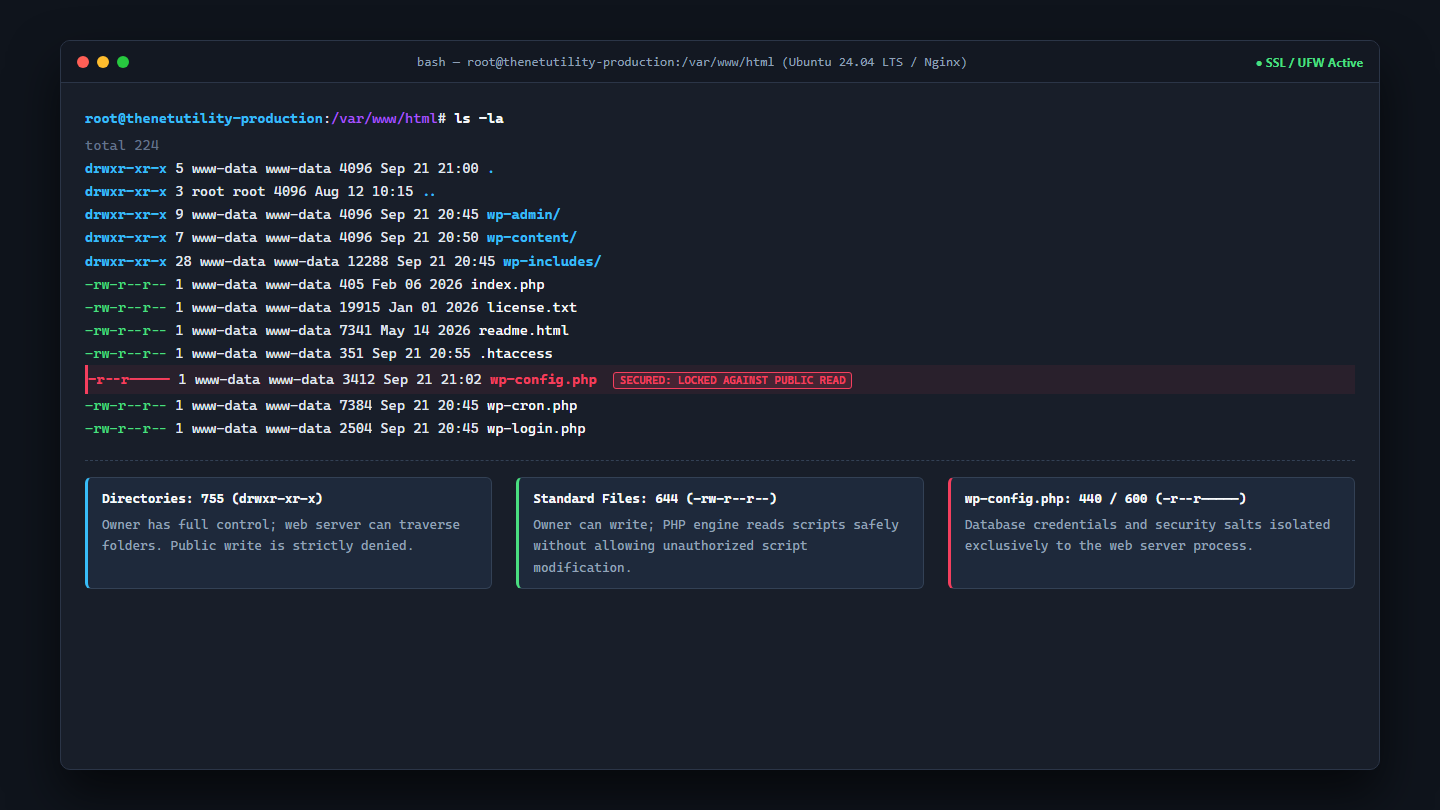
As documented in the official WordPress File Permissions Documentation and the WordPress Security Hardening Guide, a production WordPress installation should strictly adhere to the following standard baseline:
1. All Directories Must Be Set to 755 (drwxr-xr-x)
Permissions of 755 give the directory owner full Read, Write, and Execute access, while the Group and World can only Read and Execute (enter the directory). This allows the web server to traverse your directory tree and read stylesheets, images, and theme templates, while completely barring public visitors from dropping rogue scripts into your server folders.
2. All Standard Files Must Be Set to 644 (-rw-r–r–)
Permissions of 644 allow the owner to Read and Write to the file, while Group and World can only Read the file. This ensures PHP scripts can be executed by the PHP-FPM processor without permitting any external web request to modify the underlying code.
Hardening the Critical wp-config.php File (440 or 600)
Your wp-config.php file is the crown jewel of your WordPress architecture. It contains your plaintext database host, username, password, table prefix, and unique cryptographic salt keys. Leaving wp-config.php with standard 644 permissions exposes it to unauthorized reading if another user or process on a shared server becomes compromised.
Depending on how your web server and PHP processor are configured, you should harden wp-config.php using one of the following strict permissions:
- 440 (-r–r—–): The file owner and group can Read the file, but nobody can Write to it, and World has zero permissions. This is the optimal setting for environments where Apache/Nginx runs as a member of the file owner’s group.
- 400 or 600 (-r——– / -rw——-): Only the file owner can Read (and optionally Write) to the file. If your PHP processor runs as the exact owner of the file (common in modern FastCGI/PHP-FPM setups), setting
400or600completely locks out every other user account on the server.
If your wp-config.php file ever becomes exposed, you must immediately invalidate all sessions. Learn how to change WordPress security keys and salts safely to terminate hijacked cookies instantly.
Why 777 Permissions Are a Fatal Security Flaw
Many inexperienced site owners encounter upload errors (such as “Unable to create directory wp-content/uploads”) and take the disastrous step of running chmod -R 777. Never use 777 on any WordPress file or directory.
A permission setting of 777 grants full Read, Write, and Execute rights to anyone on the Internet. Any vulnerability in a plugin or theme allows a remote attacker to write executable PHP scripts into your directories, modify core files, and gain complete root-level control over your server. If you encounter write permission errors, the issue is almost always file ownership (e.g., files owned by root instead of www-data), not the numeric permission code.
Batch Correcting Permissions via SSH Terminal Commands
If your WordPress site has mixed or incorrect permissions, you can restore standard security across thousands of files and directories in seconds using SSH:
# Navigate to your WordPress root directory
cd /var/www/html/

# 1. Reset all directories to 755
find . -type d -exec chmod 755 {} \;

# 2. Reset all regular files to 644
find . -type f -exec chmod 644 {} \;

# 3. Secure the wp-config.php configuration file
chmod 440 wp-config.php

# 4. Secure the .htaccess file (if running Apache/LiteSpeed)
chmod 644 .htaccess
To further protect your installation from accidental or malicious tampering, consider pairing proper permissions with disabling core file editors. Follow our guide on how to disable the WordPress theme and plugin file editors.
Summary Reference Matrix
| Target Asset | Octal Code | Symbolic Notation | Security Rationale |
|---|---|---|---|
| All Folders | 755 | drwxr-xr-x | Owner manages files; web server traverses folders; no public write. |
| All Files | 644 | -rw-r--r-- | Owner writes; public reads; prevents arbitrary script injection. |
| wp-config.php | 440 or 600 | -r--r----- | Protects database passwords and cryptographic salts from snooping. |
| .htaccess | 644 or 444 | -rw-r--r-- | Prevents malicious rewrite injections while allowing server configuration. |
