
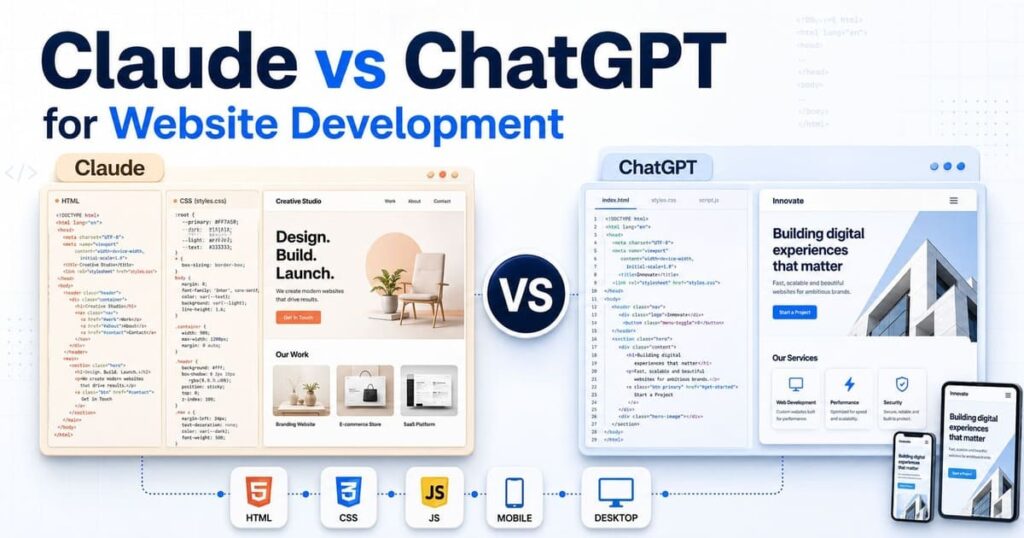
Claude and ChatGPT can create HTML, CSS, JavaScript, and complete website layouts. However, clean-looking code does not prove which tool works better. Website development also requires file control, mobile testing, debugging, and safe corrections. This comparison shows where each platform provides more practical value across common web development tasks.
Quick Answer
Claude works well for website planning, reviewing long code, and creating quick page previews through Artifacts. ChatGPT provides a wider workspace for code, web research, images, file work, and focused editing through Canvas.
A normal chat works for small coding tasks. Claude Code and ChatGPT Codex are better choices for complete repositories. Both coding agents can inspect files, make changes, and execute commands.
Use this starting point:
| Your task | Better starting option |
|---|---|
| Plan a website | Claude or ChatGPT |
| Preview one landing page | Claude Artifacts |
| Edit a selected code section | ChatGPT Canvas |
| Review long code files | Claude |
| Build across several files | Claude Code or Codex |
| Work inside a repository | Claude Code or Codex |
| Ask beginner coding questions | ChatGPT |
| Combine code with research and images | ChatGPT |
| Maintain website project knowledge | Claude Projects or ChatGPT Projects |
| Build production code | Coding agent with human review |
Neither option should publish website code without review. Your preferred working method matters more than one generated demo.
Claude and ChatGPT Include Different Coding Surfaces
A fair comparison must separate chat interfaces from coding agents. Comparing only Claude Chat against standard ChatGPT misses important development features.
Standard chats
Claude Chat and ChatGPT can:
- Plan website pages
- Draft code
- Review snippets
- Find errors
- Describe technical concepts
- Create development prompts
- Suggest file structures
- Draft SEO fields
Standard chat works well when you provide one focused task. It becomes harder to manage when a project contains many connected files.
Visual code workspaces
Claude uses Artifacts for standalone content and previews. Anthropic lists single-page HTML websites, code, SVG images, and React components among supported Artifact content. Claude Artifacts documentation
ChatGPT uses Canvas for writing and coding tasks. Canvas can preview HTML or React code, support selected edits, and export code in a matching file format. Some previews need permission before connecting to external resources. ChatGPT Canvas documentation
Both interfaces help with early design work. Neither visual workspace should replace local testing across the whole website.
Coding agents
Claude Code and ChatGPT Codex work closer to a real development environment.
Claude Code can inspect a codebase, edit files, execute terminal commands, and check its work. It operates from a terminal and supports project-level instructions. Claude Code setup documentation
Codex can work across repositories, create features, fix bugs, execute tests, and prepare code changes. OpenAI provides Codex through ChatGPT, desktop applications, IDEs, a command-line interface, and cloud environments. Official Codex overview
Use standard chat for discussion. Use a coding agent when the task needs real file access and test execution.
How to Compare Both Tools Fairly
A fair test must use the same website brief, content, files, colors, and technical rules. Changing the prompt makes the result difficult to compare.
Use the following test project:
Pages:
Home
About
Services
Blog
Contact

Required files:
index.html
about.html
services.html
blog.html
contact.html
assets/css/style.css
assets/js/main.js
robots.txt
sitemap.xml
Use the same design:
Primary color: #163F42
Accent color: #D7EF2F
Background: #F7F5EF
Font: Inter
Maximum content width: 1120px
Require these features:
- Accessible mobile navigation
- Service cards
- FAQ accordion
- Contact form
- Unique page titles
- Meta descriptions
- Canonical URLs
- Open Graph tags
- Organization schema
- Responsive images
- Keyboard focus styles
Give both tools the same restrictions:
Do not use a CSS framework.
Do not add CSS or JavaScript inside HTML.
Do not invent customer reviews.
Do not invent prices, awards or business claims.
Plan the website before creating files.
Review each output without correcting it first. Check code quality, browser behavior, and missed instructions.
Do not decide from response length. A longer answer can still contain repeated code, broken file locations, or weak mobile behavior.
Website Planning
Both Claude and ChatGPT can create a page map from a written brief. The useful difference appears when the brief contains many constraints.
A website plan should identify:
- Purpose of each page
- Main visitor need
- H1
- Required sections
- CTA
- Internal links
- Images
- Meta title
- Description
- Shared components
Claude often works well when you provide long source material, existing code, and a detailed brand brief. Its response can keep related instructions together across a large review.
ChatGPT is useful when planning also needs current web research, image creation, spreadsheet work, or another connected task. These tools can remain inside one project based on the user plan.
Neither platform should decide business facts. Both can fill missing information with sample text if the prompt leaves gaps.
Add this instruction:
Mark missing business information with [REQUIRED].
Do not create sample facts, addresses, prices, reviews or results.
A useful plan should keep the page purposes separate. The homepage should not copy the full About and Services pages.
HTML Structure
Both tools can produce valid-looking HTML. You still need to inspect the document structure.
Review:
header,nav,main, andfooter- One H1 per page
- Logical H2 and H3 order
- Real buttons for interactive controls
- Links for navigation
- Labels connected to form fields
- Descriptive image alt text
- Correct stylesheet location
- Correct JavaScript location
- Shared navigation
- Repeated element IDs
A basic mobile-menu control should use a button:
<button
  class="menu-button"
  type="button"
  aria-expanded="false"
  aria-controls="main-navigation"
>
  Menu
</button>
The navigation needs the matching ID:
<nav
  id="main-navigation"
  class="main-navigation"
  aria-label="Main navigation"
>
  <a href="index.html">Home</a>
  <a href="about.html">About</a>
  <a href="services.html">Services</a>
  <a href="blog.html">Blog</a>
  <a href="contact.html">Contact</a>
</nav>
AI-generated HTML often appears correct during a quick scan. Common problems include duplicate IDs, empty links, missing labels, and placeholder URLs.
Claude may provide a large, self-contained page in one Artifact. That format works for a preview but can combine design and behavior too early.
ChatGPT Canvas provides focused code editing and a preview. However, one Canvas file does not represent a complete multi-page website.
For production work, ask either coding agent to create and inspect separate files.
CSS and Responsive Design
Visual quality should not be judged from one desktop screenshot. Test the stylesheet at several screen widths.
Check:
- CSS variables
- Typography
- Container width
- Grid behavior
- Button states
- Card spacing
- Form design
- Focus styles
- Mobile breakpoint
- Horizontal scrolling
- Repeated selectors
- Unused classes
Test at:
- 320px
- 375px
- 768px
- 1024px
- 1440px
A safe container may use:
.container {
  width: min(100% - 32px, 1120px);
  margin-inline: auto;
}
Images need responsive sizing:
img {
  display: block;
  max-width: 100%;
  height: auto;
}
Watch for fixed widths such as:
width: 1200px;
That value can create horizontal scrolling on mobile screens.
Claude and ChatGPT can both generate attractive CSS. Prompt accuracy matters more than visual taste. Define exact colors, spacing, container width, breakpoint behavior, and required states.
A weak prompt asks for a modern website. A useful prompt defines measurable rules.
JavaScript Reliability
JavaScript quality becomes visible after user interaction.
Test:
- Mobile menu
- FAQ accordion
- Form checks
- Escape-key support
aria-expanded- Missing-element handling
- Console errors
- Repeated event listeners
A shared JavaScript file may load on every page. The script must check whether an element exists before using it.
const menuButton = document.querySelector(".menu-button");
const navigation = document.querySelector(".main-navigation");

if (menuButton && navigation) {
  menuButton.addEventListener("click", () => {
    const isOpen =
      menuButton.getAttribute("aria-expanded") === "true";

    menuButton.setAttribute(
      "aria-expanded",
      String(!isOpen)
    );

    navigation.classList.toggle("is-open");
  });
}
Without the condition, one missing element may create an error.
Both tools can write this code. The better output is the one that:
- Matches the actual HTML classes
- Does not fail on another page
- Supports keyboard use
- Changes only the required state
- Produces no console errors
Do not compare JavaScript by line count. Short code can miss accessibility behavior. Long code can add features nobody requested.
Accessibility
AI can add accessibility attributes without making the control accessible. Browser testing remains required.
Check both outputs for:
- Skip link
- Logical headings
- Visible keyboard focus
- Form labels
- Color contrast
- Button names
- Alt text
- Navigation landmark
- Main landmark
- Updated
aria-expanded - Escape-key support
- Reduced-motion preference
A mobile menu containing aria-expanded still fails when the value never changes.
Test with the keyboard:
- Press Tab from the top.
- Open the navigation.
- Move through each link.
- Close the menu.
- Open every FAQ.
- Complete the form.
- Reach the submit button.
Claude and ChatGPT can review markup for likely problems. A code review cannot confirm rendered contrast, focus order, or browser behavior by itself.
A coding agent has an advantage when it can execute accessibility checks and inspect the whole project. Human review is still required for problems that need visual or interaction judgment.
SEO Setup
Both tools can create basic on-page SEO fields. Neither platform knows the correct keyword or page purpose without research.
Check:
- Unique page titles
- Unique descriptions
- Canonical URLs
- One H1
- Internal links
- Open Graph fields
- Robots.txt
- XML sitemap
- Organization schema
- Article schema
- Breadcrumb schema
A page head may use:
<title>Website Development Services | Example Brand</title>

<meta
  name="description"
  content="View website development services for responsive business websites."
>

<link
  rel="canonical"
  href="https://example.com/services.html"
>
Common AI errors include:
- Same title on every page
- Example domain left inside canonicals
- Sitemap using old URLs
- Fake review schema
- FAQ schema without visible questions
- Repeated meta descriptions
- Keywords added without natural context
Metadata does not repair a page with thin content. Search intent, useful information, internal links, and technical access remain important.
Claude Artifacts vs ChatGPT Canvas
Claude Artifacts provides a clean way to create and view standalone work. It works well for one landing page, a React component, an SVG image, or an interactive tool.
Use Artifacts when you want to:
- Preview one page
- Review a visual direction
- Edit a standalone component
- Share an interactive result
- Keep chat separate from output
Artifacts is less suited to judging a complete multi-page file system. Shared CSS, JavaScript, routing, and asset locations require broader project control.
ChatGPT Canvas works well for focused editing. You can select a code section and request a change without rewriting the full response. Code-based Canvas work can be exported in an appropriate file format.
Use Canvas when you want to:
- Edit one code block
- Review a specific function
- Preview HTML or React
- Export a code file
- Compare revisions
- Request inline feedback
Canvas previews can depend on external packages or network resources. Such connections may need user approval or may fail when a required domain is blocked.
For a single-page interactive preview, Claude Artifacts has a direct presentation model. For selected code edits and export, ChatGPT Canvas provides practical controls. Full website development needs files beyond either preview surface.
Claude Projects vs ChatGPT Projects
Projects help preserve website requirements across several conversations.
Claude Projects can store:
- Project instructions
- Documents
- Text files
- Code snippets
- Reference information
Anthropic states that uploaded project knowledge is available across chats within that project. Chat information is not automatically shared across other project chats unless it is added to the knowledge base. Claude can use retrieval when project knowledge grows near the context limit. Claude Projects documentation
Store these items inside a website project:
- Brand rules
- Sitemap
- Approved page outline
- Existing CSS
- Navigation structure
- Content requirements
- Code standards
- Forbidden changes
ChatGPT Projects can hold project instructions, files, and chats. Available tools can include Canvas, web search, file analysis, image creation, and coding features based on the account plan.
ChatGPT Projects suits work that moves across research, content, code, images, and files. Claude Projects suits a focused knowledge base supporting repeated Claude conversations.
Neither project system removes the need for version control. Keep the real website files inside a local folder or Git repository.
Claude Code vs ChatGPT Codex
Claude Code and Codex provide the most useful comparison for professional website development.
Claude Code works from the terminal. It can inspect the project, edit multiple files, execute commands, and check changes. It can also use project instructions stored inside repository files.
Claude Code suits developers who:
- Work mainly from a terminal
- Want codebase-wide analysis
- Need focused multi-file changes
- Want commands and tests executed
- Use project rules
- Need integrations through MCP
Anthropic documents filesystem and network isolation for safer autonomous work. Permission controls remain important because the agent can edit files and execute commands. Claude Code sandboxing
Codex works through ChatGPT, desktop applications, IDEs, terminal tools, and cloud environments. It can build features, review code, fix bugs, execute tests, and work across repositories.
Codex suits developers who:
- Want one coding agent across several work surfaces
- Need repository and file changes
- Want test execution
- Work with background tasks
- Use IDE or terminal workflows
- Need multiple coding tasks coordinated
OpenAI describes Codex as a coding agent for end-to-end engineering work, including features, migrations, refactoring, testing, and code review. Codex product page
For one small HTML page, both coding agents may be more than you need. For a real repository, both provide better file control than standard chats.
Debugging Comparison
Use one known error to compare both tools. Do not provide a vague request such as “fix my website.”
Create a controlled problem:
- HTML uses
.menu-toggle - JavaScript searches for
.menu-button - Mobile navigation does not open
Give both tools this prompt:
The mobile navigation does not open below 768px.

Inspect the HTML, CSS and JavaScript.
Find the exact cause before editing any file.
Keep desktop navigation unchanged.
Correct only the file responsible for the problem.
Report the changed line and the test used.
A useful response should find the class mismatch and edit only the responsible file. Rewriting the navigation, CSS, and JavaScript would add unnecessary risk.
Judge debugging through:
- Correct cause
- Number of files changed
- Unrelated edits
- Working correction
- Test evidence
- New errors
Claude often provides detailed code reasoning when given the connected files. ChatGPT can provide focused changes through Canvas or use Codex to inspect the repository.
The coding agent with real files has an advantage over pasted snippets. It can trace class names, imports, file locations, and test commands.
WordPress Development
Claude and ChatGPT can both create WordPress code. Neither output should enter a live website without review.
Test practical tasks:
- Child theme
- Custom page template
- Shortcode
- Custom post type
- Gutenberg block
- Hook
- REST API request
- Schema function
- Plugin conflict
- PHP error
Review:
- Escaping
- Sanitization
- Nonces
- User permissions
- Hook choice
- Prefixes
- Translation functions
- WordPress coding standards
- Plugin compatibility
- Theme compatibility
A form handler needs server-side checks. An admin action may require user-capability checks and a nonce. Generated code can appear correct while missing these protections.
Test all WordPress code on a staging website. Back up files and the database before applying larger changes.
For one PHP snippet, either chat can help. For a plugin containing many files, Claude Code or Codex provides better project control.
Instruction Control
Website code often fails because the AI misses one restriction.
Use controlled requirements:
- No framework
- No inline CSS
- No inline JavaScript
- One H1
- Separate files
- Shared navigation
- Shared footer
- Exact color values
- Fixed folder names
- No invented claims
Check every missed instruction. Do not award a high score because the website looks attractive.
For safe correction, request the smallest possible change:
Change the service grid from 3 columns to 2 columns between
768px and 1024px.

Do not change the mobile layout.
Do not change the desktop layout above 1024px.
Do not edit HTML or JavaScript.
Return only the changed CSS rule.
The better tool is the one that changes only the requested breakpoint. Unrelated improvements are not helpful during a focused correction.
Claude can work well with long rule sets and detailed constraints. ChatGPT provides strong selected editing through Canvas and repository work through Codex. Results still depend on the model, project context, and prompt quality.
Best Choice for Beginners
ChatGPT is a practical starting point for many beginners. Its conversational interface can combine coding questions, file work, previews, research, and images.
Use ChatGPT when you need:
- Basic HTML help
- Line-by-line descriptions
- Small code corrections
- Canvas editing
- Publishing steps
- Domain or hosting research
- Supporting website images
Claude is useful for beginners who want:
- A detailed website plan
- One-page Artifact previews
- Long file review
- Focused code discussion
- Structured project knowledge
Claude Code and Codex require more responsibility. Both can modify files and execute commands. Beginners should use a copied project and review each change.
For a single landing page, begin with Claude Artifacts or ChatGPT Canvas. For a 5-page static website, use separate local files. For a repository, move to Claude Code or Codex after creating a backup.
Best Choice for Developers
Developers should compare Claude Code and Codex inside their own repositories. Standard chat comparisons do not reflect full coding-agent ability.
Test:
- Repository analysis
- Multi-file editing
- Test execution
- Git work
- Refactoring
- Code review
- New feature development
- Project instructions
- Permission control
- Background tasks
Choose Claude Code when its terminal workflow, project instructions, and MCP connections match your development process.
Choose Codex when you want the coding agent across ChatGPT, desktop, IDE, terminal, and cloud surfaces. Codex also supports coordinated agent workflows for larger projects.
Do not choose from a public benchmark alone. Your framework, repository size, tests, coding rules, and deployment process can change the result.
Pricing and Access
Prices below were checked on July 31, 2026. Regional prices, taxes, access, and usage limits may differ.
| Platform | Individual plan | Listed US price |
|---|---|---|
| Claude | Free | $0 |
| Claude | Pro | $20 monthly |
| Claude | Max 5x | $100 monthly |
| Claude | Max 20x | $200 monthly |
| ChatGPT | Free | $0 |
| ChatGPT | Go | $8 monthly |
| ChatGPT | Plus | $20 monthly |
| ChatGPT | Pro | $200 monthly |
Anthropic lists Claude Pro at $20 per month, Max 5x at $100, and Max 20x at $200. Claude plan comparison
OpenAI lists ChatGPT Go at $8, Plus at $20, and Pro at $200 per month in the United States. Go pricing can be localized. Plus includes access to Codex, subject to plan limits. ChatGPT Go and plan details
Check these items before subscribing:
- Coding-agent access
- Monthly usage
- File limits
- Project features
- Team features
- API billing
- Model access
- Regional pricing
A $20 plan does not guarantee unlimited coding work. Large repositories and repeated agent tasks can use limits quickly.
Code Privacy and Safety
Remove private information before uploading files to either platform.
Do not share:
.env files
API keys
Passwords
Private SSH keys
Database exports
Customer records
Payment information
Private contracts
Production access tokens
Replace sensitive values with safe placeholders:
API_KEY=[REMOVED]
DATABASE_URL=[REMOVED]
CLIENT_EMAIL=[REMOVED]
Keep the website inside version control. Review file differences before accepting agent changes.
Coding-agent safety should include:
- Restricted file access
- Restricted network access
- Command approval
- Project backup
- Git branches
- Test execution
- Code review
- Staging deployment
A coding agent can introduce a security problem while solving a visible bug. Do not approve changes based only on a working page preview.
Which Tool Should You Choose?
Choose Claude when:
- You want a quick single-page Artifact.
- You need detailed planning from long source material.
- You need to review large code sections.
- Claude Projects match your knowledge workflow.
- Claude Code matches your terminal process.
- You need MCP connections within a Claude workflow.
Choose ChatGPT when:
- You want focused code editing through Canvas.
- You need code, research, files, and images together.
- You want one project containing several work types.
- Codex matches your repository workflow.
- You use ChatGPT, an IDE, terminal, and cloud coding.
- You need a lower-priced Go plan for general access.
Choose a coding agent rather than standard chat when:
- The website has several connected files.
- Changes affect shared components.
- Tests must be executed.
- The project uses Git.
- You need proof of changed files.
- The task requires repeated corrections.
Final Verdict
Claude is the better starting option for a clean single-page Artifact, long code review, and detailed website planning. ChatGPT is the better all-round workspace when website work also needs focused Canvas edits, current research, files, and image creation.
For professional website development, the real comparison is Claude Code vs Codex. Both can work across a repository, modify files, and execute development tasks. Claude Code is well suited to terminal-led development and MCP workflows. Codex provides broader access across ChatGPT, desktop, IDE, terminal, and cloud environments.
There is no honest universal winner for every codebase. Use the same repository task with both coding agents. Compare missed instructions, unnecessary edits, passing tests, and remaining errors. Choose the tool that changes less unrelated code and provides stronger proof that the website works.
Frequently Asked Questions
Is Claude or ChatGPT better for website development?
Claude works well for detailed planning, long code review, and Artifact previews. ChatGPT provides a wider mix of Canvas, research, files, images, and Codex. Complete repositories are better handled through Claude Code or Codex.
Is Claude better than ChatGPT for HTML and CSS?
Both can create HTML and CSS. Compare semantic structure, responsive behavior, repeated code, accessibility, and correction control using the same prompt.
Is ChatGPT or Claude better for JavaScript?
Neither should be selected from a code sample alone. Test the controls in a browser, inspect console errors, and confirm keyboard support.
What is the difference between Claude Artifacts and ChatGPT Canvas?
Claude Artifacts presents standalone content and interactive previews. ChatGPT Canvas supports selected editing, previews, inline feedback, and code export.
What is the difference between Claude Code and Codex?
Both are coding agents that can work across project files and execute commands. Claude Code focuses on terminal and MCP workflows. Codex works across ChatGPT, desktop, IDE, terminal, and cloud environments.
Can Claude and ChatGPT build WordPress websites?
Yes. Both can create WordPress themes, plugins, templates, blocks, and PHP snippets. Security, compatibility, staging, and backup checks remain required.
Can beginners build websites with either platform?
Yes. Beginners can build small static websites with either option. Basic knowledge of files, browsers, hosting, domains, and backups will prevent common mistakes.
Should I upload private website code?
Review account and workspace privacy controls first. Remove passwords, API keys, customer data, database files, and production credentials before uploading code.
