
In modern JavaScript development, Array.prototype.map() is one of the most frequently utilized higher-order array methods. Whether you are transforming REST API payloads, rendering component lists in React, or calculating aggregate data, map() provides a declarative, immutable approach to data transformation.
However, a notorious bug that trips up developers of all skill levels is when map() returns an array full of undefined values (e.g., [undefined, undefined, undefined]). In this in-depth guide, we will analyze the precise ECMAScript specification rules governing map(), dissect the top five architectural mistakes that cause undefined returns, and examine best practices to ensure your data transformations remain reliable and bug-free.
The ECMAScript Specification: How map() Works Under the Hood
To understand why undefined appears in your resulting array, we must look at how the JavaScript engine executes the method according to the ECMAScript Language Specification (ECMA-262) and the MDN Web Docs on Array.prototype.map().
When you call array.map(callback):
- JavaScript instantiates a new empty array with the exact same length as the source array.
- It iterates through each index from
0tolength - 1. - For each index, it invokes the callback function, passing the current element, index, and source array.
- The Critical Rule: The return value of that callback invocation is placed directly into the corresponding index of the new array.
In JavaScript, any function that finishes executing without an explicit return statement automatically evaluates to undefined. Therefore, if your callback forgets to return a value, or returns conditionally, the JavaScript engine loyally inserts undefined into that position.
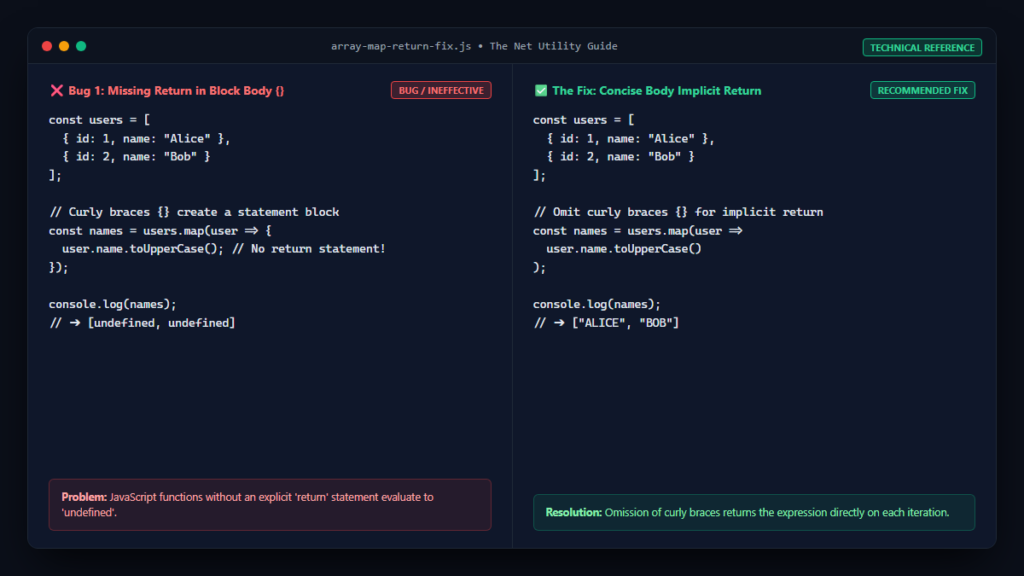
Cause 1: Missing Return in Curly Braces Arrow Functions
The single most frequent cause of this bug is the syntactical distinction between concise body and block body arrow functions introduced in ES6.
The Broken Code:
const users = [
    { id: 1, name: "Alice" },
    { id: 2, name: "Bob" },
    { id: 3, name: "Charlie" }
];

// BUG: Curly braces create a block body, but no return statement is present!
const names = users.map(user => {
    user.name.toUpperCase();
});

console.log(names);
// Output: [undefined, undefined, undefined]
The Fix:
You have two straightforward options to fix this issue:
// Fix A: Use an implicit return by omitting curly braces (concise body)
const namesA = users.map(user => user.name.toUpperCase());

// Fix B: Add an explicit return statement inside the block
const namesB = users.map(user => {
    const upper = user.name.toUpperCase();
    return upper;
});
Cause 2: Returning Object Literals in Concise Arrow Functions
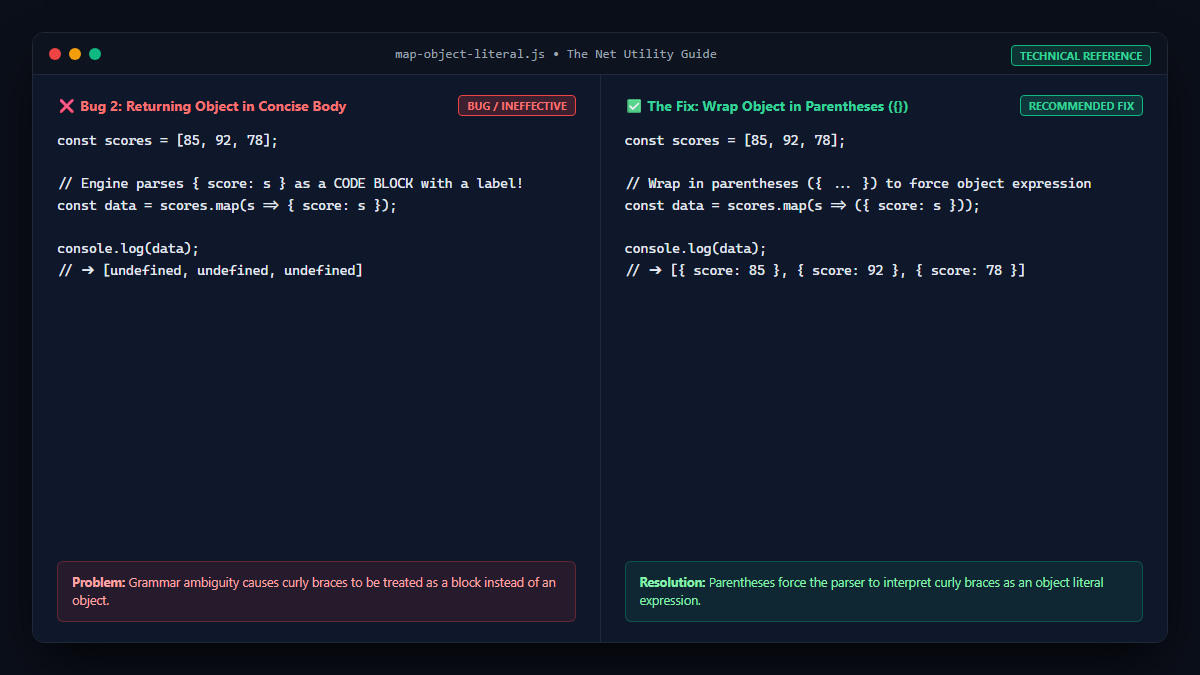
Another classic trap occurs when attempting to return an object literal from a concise body arrow function. Because the JavaScript grammar parses curly braces { ... } as a statement block rather than an object literal, your expression is evaluated as empty code labels, resulting in undefined.
The Broken Code:
const scores = [85, 92, 78];

// BUG: JavaScript interprets { score } as a code block with a label
const scoreObjects = scores.map(score => { score: score });

console.log(scoreObjects);
// Output: [undefined, undefined, undefined]
The Fix:
Wrap the object literal in parentheses ( { ... } ) to force the engine to parse it as an expression:
// Wrap in parentheses for concise object return
const scoreObjects = scores.map(score => ({ score: score }));

console.log(scoreObjects);
// Output: [{ score: 85 }, { score: 92 }, { score: 78 }]
Cause 3: Using map() to Filter Items (Conditional Returns)
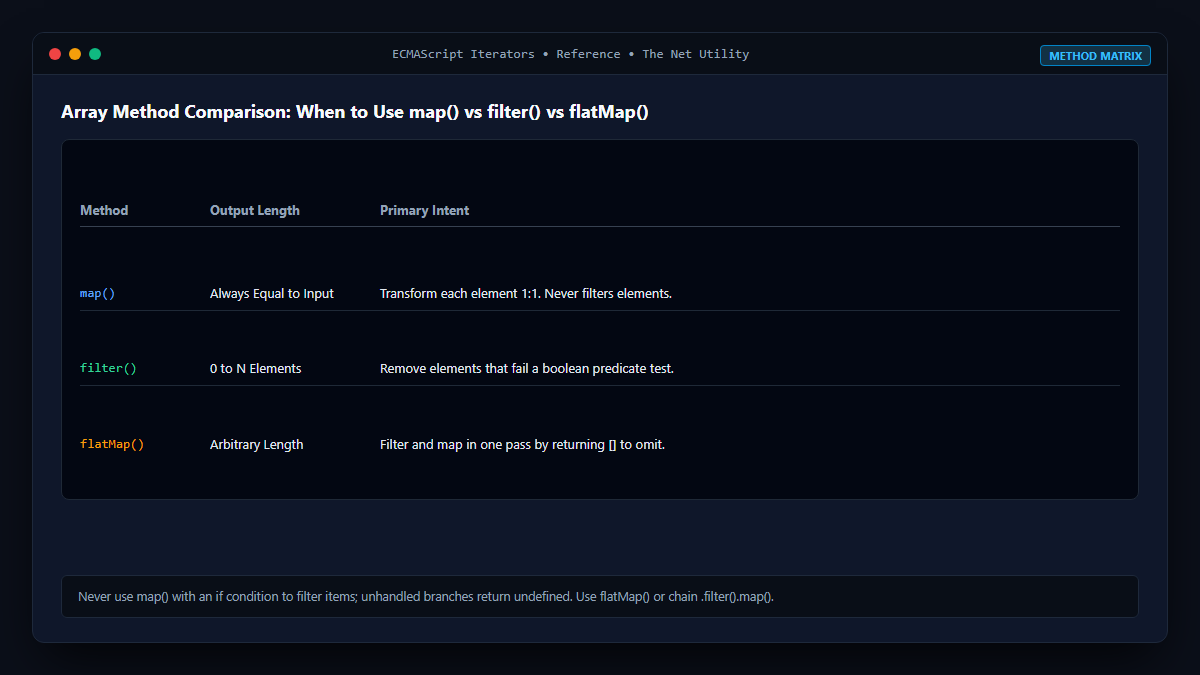
Developers transitioning to functional JavaScript often attempt to filter and transform data simultaneously inside a single map() call using an if condition without an else branch.
The Broken Code:
const numbers = [10, 15, 20, 25, 30];

// BUG: Odd numbers do not satisfy the condition and return undefined
const evenDoubled = numbers.map(num => {
    if (num % 2 === 0) {
        return num * 2;
    }
});

console.log(evenDoubled);
// Output: [20, undefined, 40, undefined, 60]
The Fix:
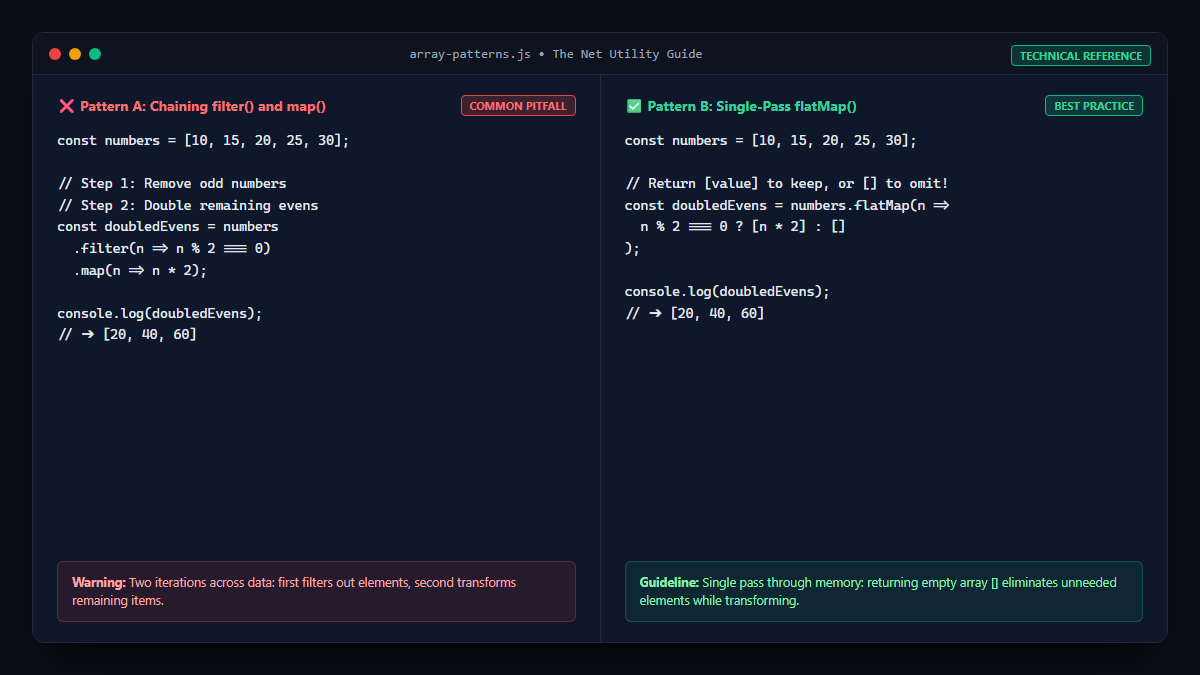
Remember that map() always preserves the exact length of the original array. It can never remove elements. If you need to filter and transform, you should either chain .filter() with .map() or use .flatMap():
// Solution A: Filter first, then map
const resultA = numbers
    .filter(num => num % 2 === 0)
    .map(num => num * 2);

// Solution B: Use flatMap to filter and map in a single pass (returns empty array to omit)
const resultB = numbers.flatMap(num => num % 2 === 0 ? [num * 2] : []);

console.log(resultB);
// Output: [20, 40, 60]
For more troubleshooting on array operations, explore our guide on why JavaScript filter() returns an empty array.
Cause 4: Confusing map() with forEach() (Side Effects)
A fundamental principle of functional programming is the separation of pure transformations from side effects:
map()is intended for pure projections: transforming input elements into an output array without mutating external state.forEach()is intended for executing side effects (such as DOM manipulation, network logging, or database writes) and inherently returnsundefined.
If you call const result = array.forEach(...), result will always be undefined. Conversely, if you use map() solely to trigger a console log or mutate an external array without returning, you are misusing the API.
Comparison of Common JavaScript Array Iterators
| Method | Return Value | Array Length Change? | Primary Intent |
|---|---|---|---|
map() | New transformed array | Never (1:1 element mapping) | Projecting data structures |
filter() | New subset array | Yes (0 to N elements) | Selecting elements matching criteria |
flatMap() | New flattened array | Yes (can expand or prune) | Simultaneous filtering and mapping |
forEach() | undefined | Does not return array | Executing side-effects per item |
reduce() | Single accumulated value | Arbitrary output | Aggregations and complex state building |
Debugging Tips in Modern IDEs and DevTools
To detect and prevent undefined returns before deploying code to production:
- Enable TypeScript or ESLint: Use the ESLint rule
array-callback-return. This rule automatically flags anymap()callback that fails to explicitly return a value at compile time. - Use Conditional Breakpoints: When debugging in Chrome DevTools or VS Code, set a conditional breakpoint inside your callback:
returnVal === undefinedto instantly freeze execution on the failing element.
