
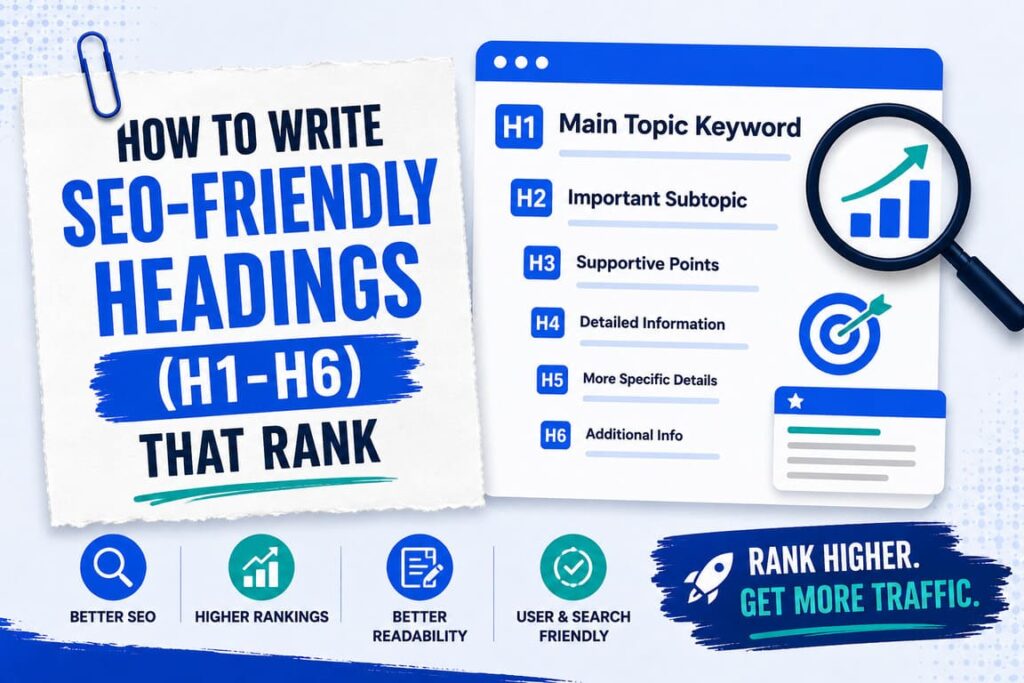
Headings, from H1 to H6, organize your content and help Google understand your page. The rules are simple: use one H1 with your main keyword, use H2s for main sections and H3s for subsections, never skip levels, and write clear headings with keywords used naturally. Do that, and your pages are easier to read and easier to rank.
Headings are more than big, bold text. They are the skeleton of your page. Get them right, and both readers and search engines can follow your content with ease.
What Are H1 to H6 Headings?
Headings are the titles and labels that break your page into sections. In HTML, the code behind a web page, they run from H1 to H6. H1 is the most important and usually the biggest, and H6 is the least important. Together they form a hierarchy, which is just the order from most important to least important.
Why Headings Matter for SEO
Good headings help you in several ways at once:
- They help Google understand what your page is about and how it is organized.
- They let readers scan quickly and find the part they want.
- They help people using screen readers move through your page.
- Clear headings can win featured snippets, the answer boxes at the top of Google.
The Rules for SEO-Friendly Headings
Follow these simple rules and your headings will work for both readers and search engines:
- Use only one H1. The H1 is your page’s main title. Use just one, and put your main topic in it. In WordPress, your post title is usually the H1 already, so do not add a second one.
- Follow the order, do not skip levels. Go H1, then H2, then H3, in order. Do not jump from H1 straight to H3. A clean order helps Google and readers follow along.
- Put your main keyword in the H1. Since the H1 sums up the page, include the phrase people search for, written naturally.
- Use keywords naturally in some H2s. Work related words into a few section headings, but never force the same keyword into every one.
- Make headings clear and descriptive. Each heading should tell the reader exactly what the section covers. “How to Pick a Niche” beats a vague “Step One.”
- Try question style headings. Headings shaped like real questions, such as “What Is a Backlink?”, match how people search and often get pulled into answer boxes.
- Keep them short. A heading is a label, not a sentence. Short and clear works best.
- Do not use a heading just for big text. Headings are for structure. If you only want bigger or bold text, use your styling instead, so you do not confuse search engines.
A Simple Example of Good Heading Structure
Here is what a clean heading outline looks like for a simple post:
<h1>How to Bake Bread at Home</h1>
  <h2>What You Will Need</h2>
  <h2>Steps to Bake Bread</h2>
    <h3>Step 1: Mix the Dough</h3>
    <h3>Step 2: Let It Rise</h3>
    <h3>Step 3: Bake</h3>
  <h2>Tips for Beginners</h2>
Notice how each level sits neatly under the one above it. That order is exactly what Google looks for, and it makes the post easy to scan.
Headings, Snippets, and AI Overviews
Clear, question style headings do double duty in 2026. They help you appear in featured snippets, and they help AI tools pull your content into their summaries. So a heading like “How Long Does Bread Take to Bake?” with a short answer right below it can win you extra visibility. My guide on ranking in Google AI Overviews explains this further.
Common Mistakes to Avoid
- Using more than one H1 on a page.
- Skipping from H1 to H3 and breaking the order.
- Stuffing the same keyword into every heading.
- Writing vague headings like “More Info” that say nothing.
- Using a heading tag just to get bigger text.
Frequently Asked Questions
How many H1 tags should a page have?
Just one. It is the main title, and a single H1 keeps your structure clear for both readers and Google.
Do headings help SEO?
Yes. They help Google understand your page, help readers scan, and can win you featured snippets.
Should I put keywords in headings?
Yes, naturally. Put your main keyword in the H1 and related words in a few H2s, without stuffing.
Can I skip heading levels?
You should not. Go in order, H1 to H2 to H3, so the structure stays logical.
What about H4, H5, and H6?
Most blog posts only need H1 to H3. Use the deeper levels only when a section truly has that many layers.
Final Words
SEO-friendly headings are not complicated. Use one clear H1 with your main keyword, break your content into H2 sections and H3 subsections in order, and write each heading so it plainly describes what follows. This simple structure helps your readers, your rankings, and your chances of landing in answer boxes.
Headings are one piece of on-page SEO. To see how they fit with everything else, read my on-page SEO checklist, and pick the right words to use with my guide on keyword research for beginners.
