
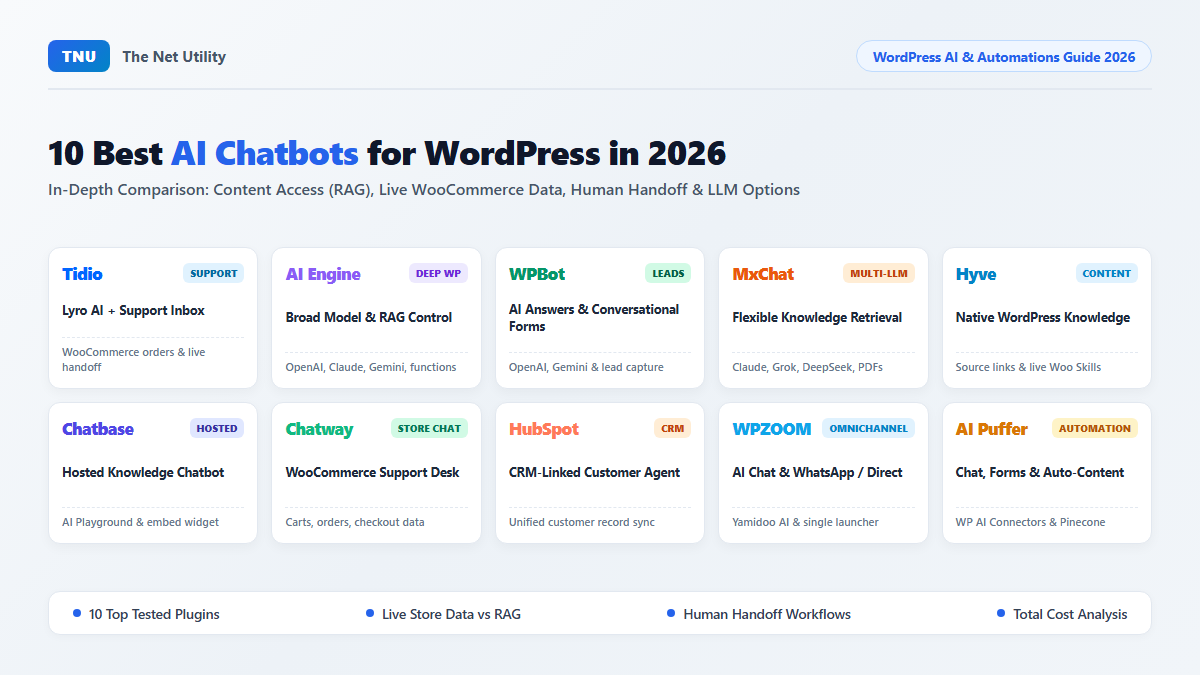
AI chatbots for WordPress now cover very different website jobs. Some answer from your pages, some work with WooCommerce data, and some connect visitors with support staff.
The strongest choice depends on what the chatbot can access when a visitor asks a question. A bot may know your shipping page yet miss current stock. Another may see current orders but offer less control over the AI model.
AI Engine and MxChat suit teams wanting broad model choice. Hyve focuses on answers from WordPress content. Tidio and Chatway suit support teams, while HubSpot connects chat with customer records.
Compare the 10 Best AI Chatbots for WordPress
Start with the visitor job, then check the information each chatbot can reach. The table below separates content access, live data, human support, and AI model choice.
| Chatbot | Main job | Website content | Current store or account data | Human support | AI model choice |
|---|---|---|---|---|---|
| Tidio | Customer support | Yes | WooCommerce carts and orders | Direct staff handoff | Tidio managed AI |
| AI Engine | Deep WordPress AI control | Yes | Custom WordPress and WooCommerce actions | Custom setup | OpenAI, Anthropic, Google, Mistral and more |
| WPBot | AI answers and lead forms | Yes | Paid WooCommerce features | Forms and support options | OpenAI, Gemini, OpenRouter |
| MxChat | Multi model content answers | Yes | Product tools and add ons | Extra setup | OpenAI, Claude, Gemini, Grok, DeepSeek, OpenRouter |
| Hyve | Answers from WordPress content | Yes | Live WooCommerce Skills in Pro | Lead contact options | Hosted AI or own OpenAI account |
| Chatbase | Hosted knowledge chatbot | Yes | Connected systems through Chatbase | Human handoff options | Chatbase model layer |
| Chatway | Store support | Yes | Products, carts, orders, checkout data | Direct staff handoff | Chatway managed AI |
| HubSpot | CRM linked support | Yes | CRM customer records | Direct staff handoff | HubSpot Customer Agent |
| WPZOOM Connect | AI answers and direct contact | Yes | WooCommerce customer data options | Human handoff and messaging apps | Yamidoo managed AI |
| AI Puffer | Chat, content, automation | Yes | WooCommerce AI tools | Extra setup | OpenAI, Gemini, Azure, OpenRouter, DeepSeek, xAI, Ollama |
More features can still produce weaker visitor answers. A content website may need accurate page retrieval, while an online shop may need current cart and order data.
Every Chatbot Was Compared Across Five Buying Factors
The comparison covers website content access, live data access, AI model choice, human support, and total operating cost. These factors show what each chatbot can answer, which data it can use during a conversation, and how costs can change with usage.
Active installation numbers come from WordPress.org. Product features come from current WordPress listings and official documentation, including WooCommerce access, supported AI models, human handoff, and paid feature limits.
Saved website content and current business data were checked separately. That distinction affects answers about stock, prices, orders, customer accounts, and other changing information.
Three WordPress AI Chatbot Types Work Differently
WordPress chatbot products generally use three operating models. Each model changes setup work, data access, and daily management.
Plugins Managed Mainly Inside WordPress
AI Engine, WPBot, MxChat, Hyve, and AI Puffer place many controls inside WordPress. You can choose content sources, configure chat behaviour, and connect outside AI services from the WordPress dashboard.
That model suits teams wanting deeper technical control. An AI chatbot plugin for WordPress can offer more model, content, and website controls.
Hosted Chat Platforms
Tidio, Chatbase, Chatway, and WPZOOM Connect use an outside service for major chatbot work. WordPress connects the website with that service, while the vendor manages conversations, staff access, knowledge, or AI usage.
Hosted platforms can suit support teams because more daily work happens inside one support platform. Review message limits, visitor data storage, and account access before purchase.
CRM Connected Chatbots
HubSpot connects chat with customer records inside its CRM. A visitor can begin as an anonymous user, share contact details later, and continue inside the same customer record.
CRM chat works well when sales or customer service needs customer history. Teams focused on model choice may prefer a WordPress plugin with broader provider controls.
1. Tidio for AI Support With Human Agents
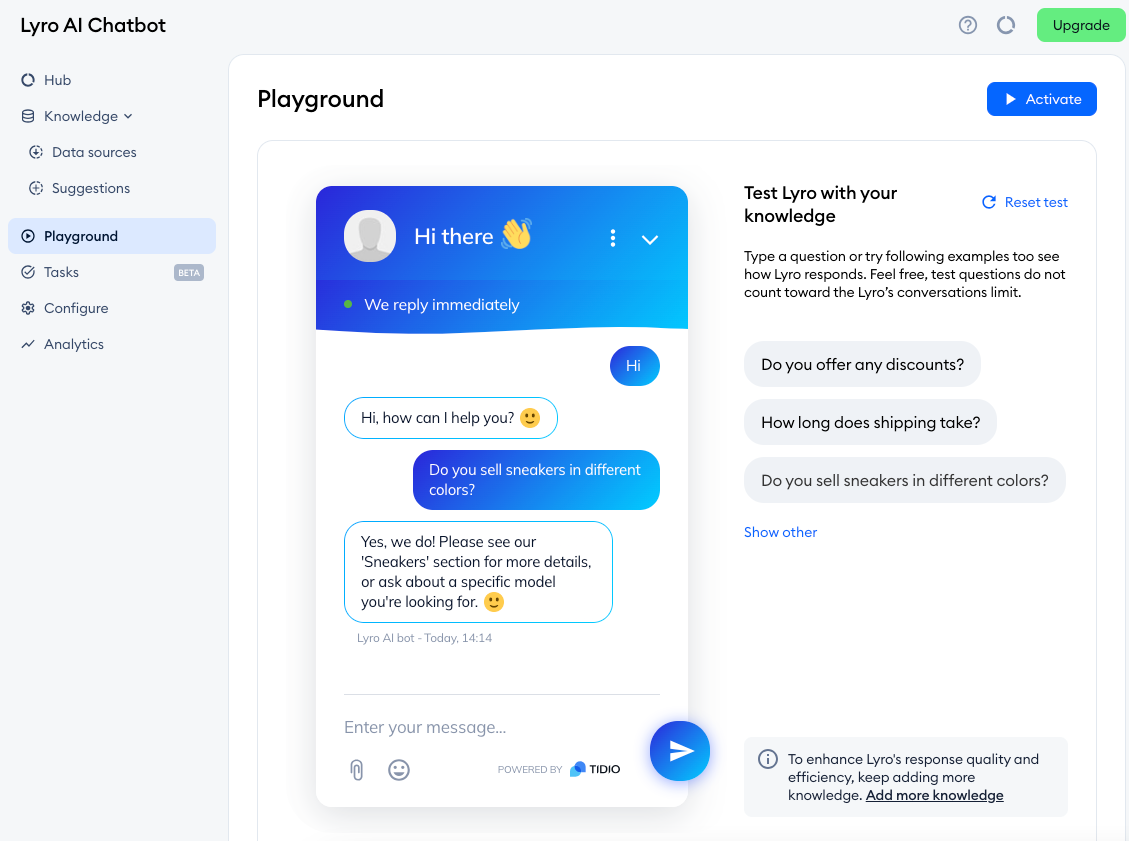
Choose Tidio when customer support is the main website job. Tidio combines Lyro AI with live chat, ticket tools, staff inboxes, and WooCommerce support.
WordPress.org lists 70,000+ active installations for Tidio. Its WooCommerce connection can show carts, order history, and product cards inside support conversations. Tidio on WordPress.org
A shopper may ask about delivery before buying. Lyro can answer from connected support content, while staff can enter when the customer needs account help or a more detailed answer.
Tidio suits teams sharing conversations across several support agents. It also works well for stores where chat covers product questions, delivery issues, and order support throughout the same customer journey.
The main buying check is AI usage. Compare your monthly support volume with the conversations included in each plan before choosing a paid tier.
2. AI Engine for Deep WordPress and Model Control
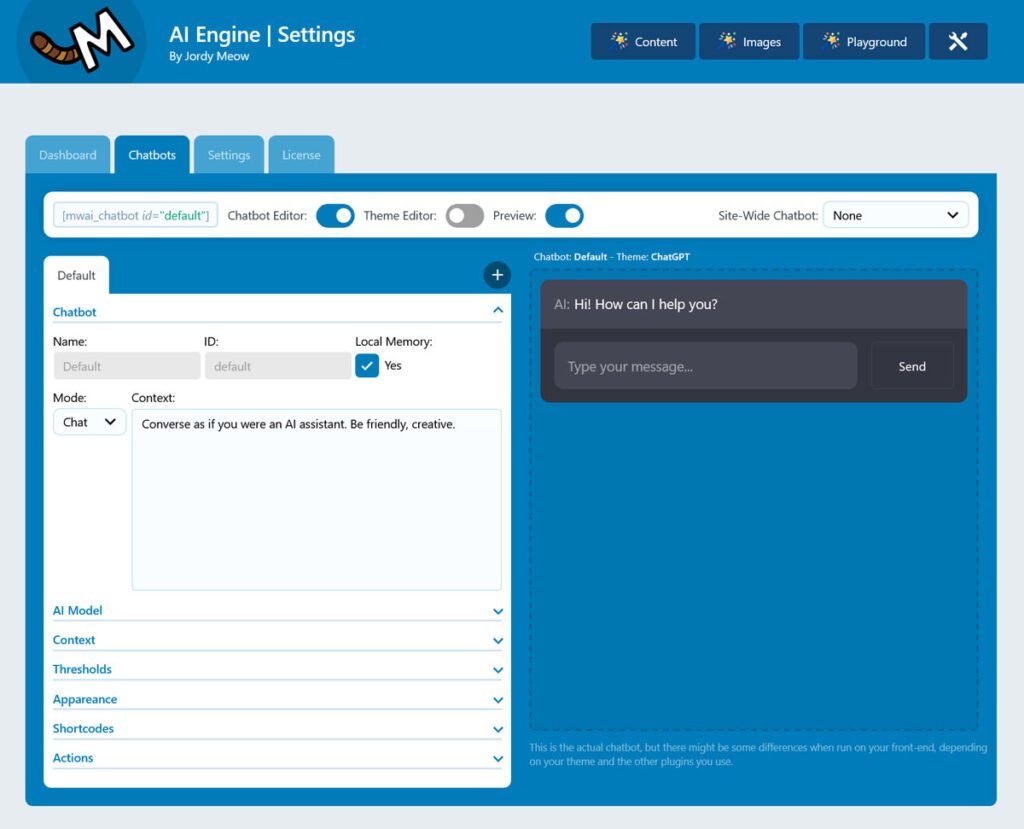
AI Engine suits technical teams wanting control over models, website knowledge, and advanced WordPress actions. WordPress.org currently lists 90,000+ active installations and testing through WordPress 7.1.2. AI Engine on WordPress.org
Current provider support includes OpenAI, Anthropic, Google, Mistral, and other services. You can choose different models while keeping the main chatbot controls inside WordPress.
Paid knowledge tools support content search across larger WordPress libraries. AI Engine can also connect with vector stores, PDFs, WordPress functions, WooCommerce tasks, and custom APIs.
A WordPress chatbot with OpenAI may suit one website, while another team may prefer Claude or Gemini. The wider provider choice becomes useful when cost, response quality, or model features differ across jobs.
AI Engine requires more technical decisions than a managed support platform. Choose the content AI can search, restrict website actions, and add spending limits inside provider accounts.
3. WPBot for AI Answers and Lead Forms
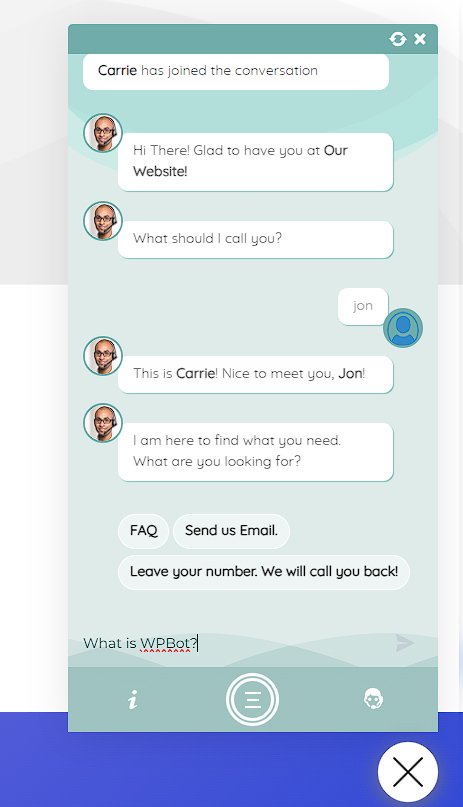
WPBot works well when AI chat and lead collection belong inside the same visitor journey. WordPress.org lists 5,000+ active installations and testing through WordPress 7.1.2. WPBot on WordPress.org
Current features include OpenAI, Gemini, OpenRouter, RAG, menus, forms, and several controlled conversation options. Visitors can ask open questions, then move into a form without leaving the chat window.
A service business can answer package questions first, then collect enquiry details once the visitor wants contact. That combination can replace a separate chatbot and lead form on some websites.
Paid products add document and WooCommerce features. Check the exact product tier when store features, file sources, or advanced automation affect the purchase.
WPBot suits websites where guided chat and lead capture are important. Hyve may suit a site focused mainly on finding answers inside existing content.
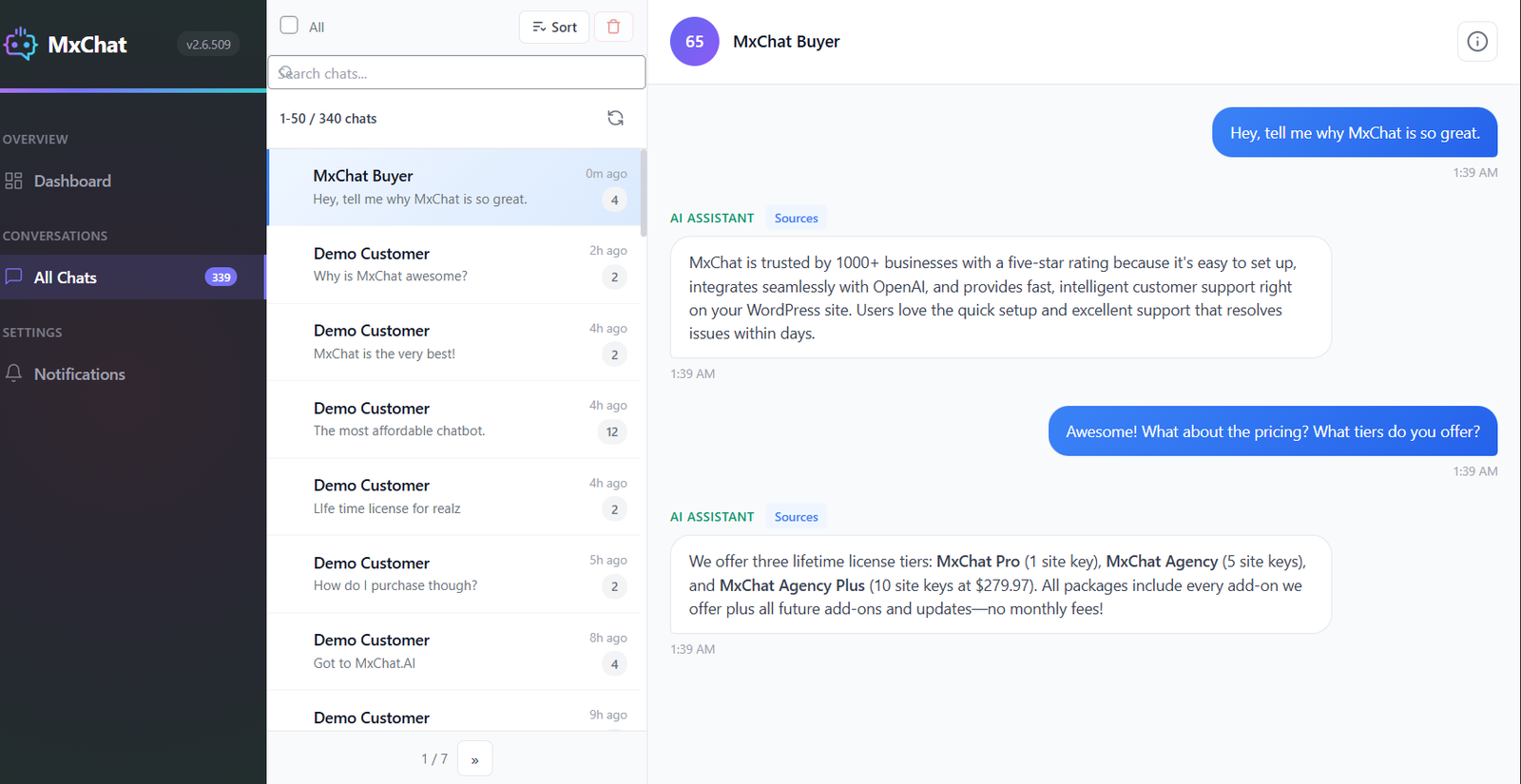
4. MxChat for Several AI Models and Content Sources
MxChat suits websites with several knowledge sources and several AI providers. WordPress.org lists 2,000+ active installations and testing through WordPress 7.0.4. MxChat on WordPress.org
Current model options include OpenAI, Claude, Gemini, Grok, DeepSeek, and OpenRouter. MxChat can search WordPress pages, posts, products, PDFs, and other content sources.
A visitor question moves through a short process: the system finds matching content, sends useful context to the chosen model, and returns the answer. Weak content retrieval can still produce a poor answer from a strong model.
Test MxChat with long pages, similar product names, and mixed files. Those tests show if the chatbot finds the right source before the AI begins writing.
MxChat works well for technical teams wanting model flexibility and broader source coverage. A larger support team may prefer Tidio or Chatway for staff workflow.
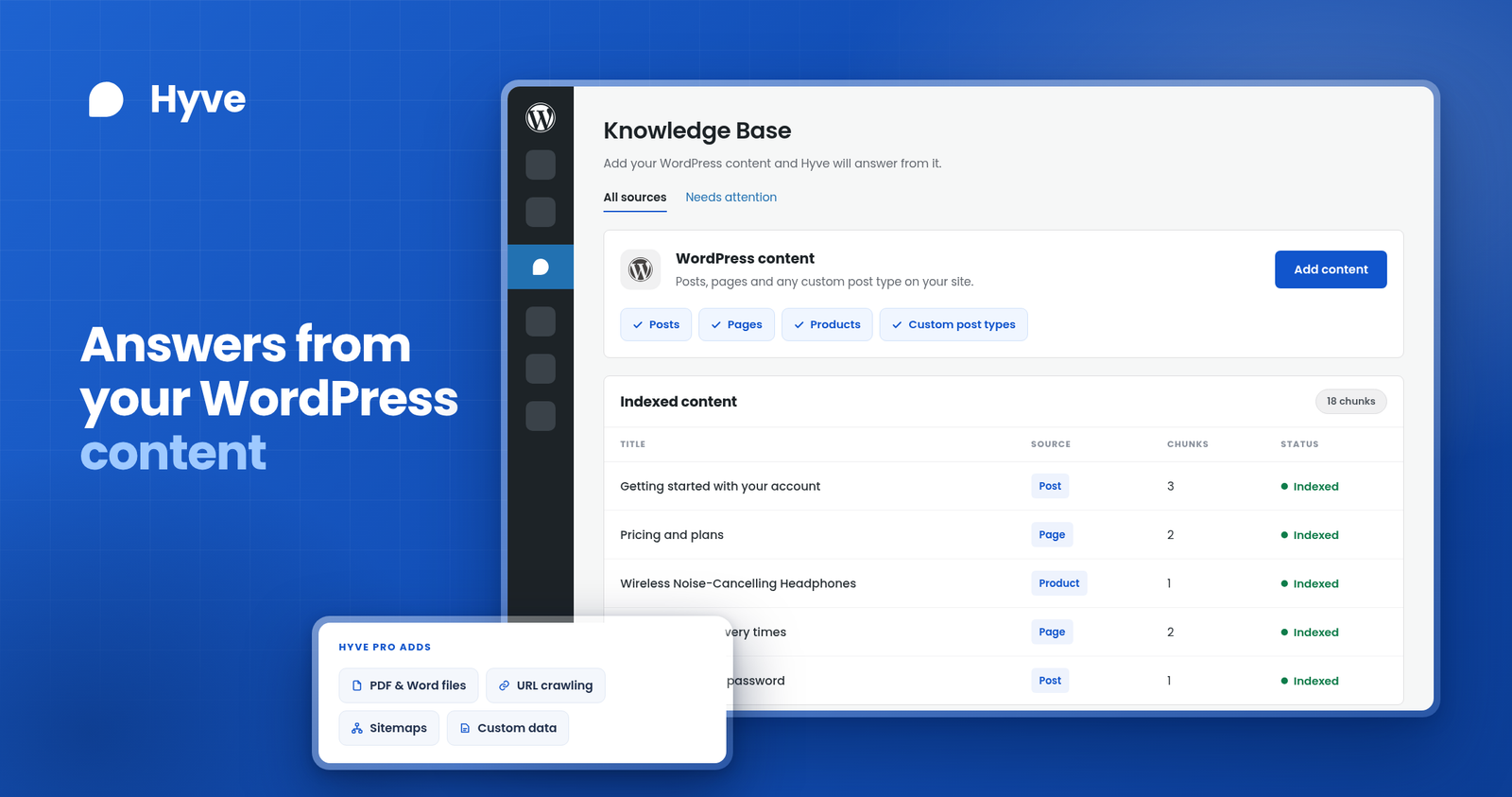
5. Hyve for Answers From WordPress Content
Hyve focuses heavily on answers from content already published on your WordPress site. WordPress.org currently lists 6,000+ active installations and testing through WordPress 7.1. Hyve on WordPress.org
Hyve can search posts, pages, WooCommerce products, and custom post types. It can also show source links under answers, helping visitors check the page behind an important reply.
Imagine your shipping page states that stocked orders leave within three business days. A visitor can ask the same question in different words, and Hyve searches approved content before creating the response.
Hyve Lite includes hosted AI credits, while site owners can connect an OpenAI account. Hyve Pro adds files, outside websites, webhooks, lead capture, and live WooCommerce Skills.
Live WooCommerce access becomes important when price, stock, or order details change. Saved product text can become old after a store update, while live Skills can read current store data for supported questions.
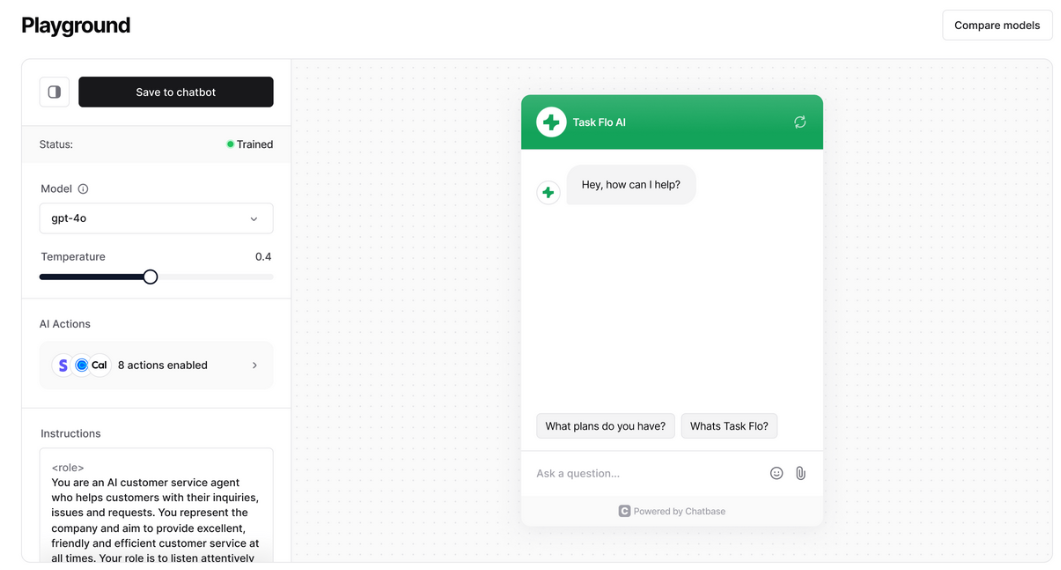
6. Chatbase for a Hosted Knowledge Chatbot
Chatbase keeps most chatbot management outside WordPress. You build the agent inside Chatbase, connect knowledge sources, test answers, and then embed the chat on your website.
The WordPress directory currently shows 5,000+ active installations for Chatbase. Its listing still reports testing through WordPress 6.7.9, making compatibility worth checking before plugin installation. Chatbase in the WordPress directory
Chatbase can use website pages, files, text, and other supported data sources. Its Playground lets teams test instructions and model choices before changing the live agent. Chatbase AI Playground
Chatbase suits teams wanting a hosted platform with less WordPress-side AI setup. Hyve focuses more directly on WordPress content, while AI Engine offers deeper control from the WordPress dashboard.
Before purchase, compare source limits, message allowances, human support options, and data storage. Those areas can affect both monthly cost and daily support work.
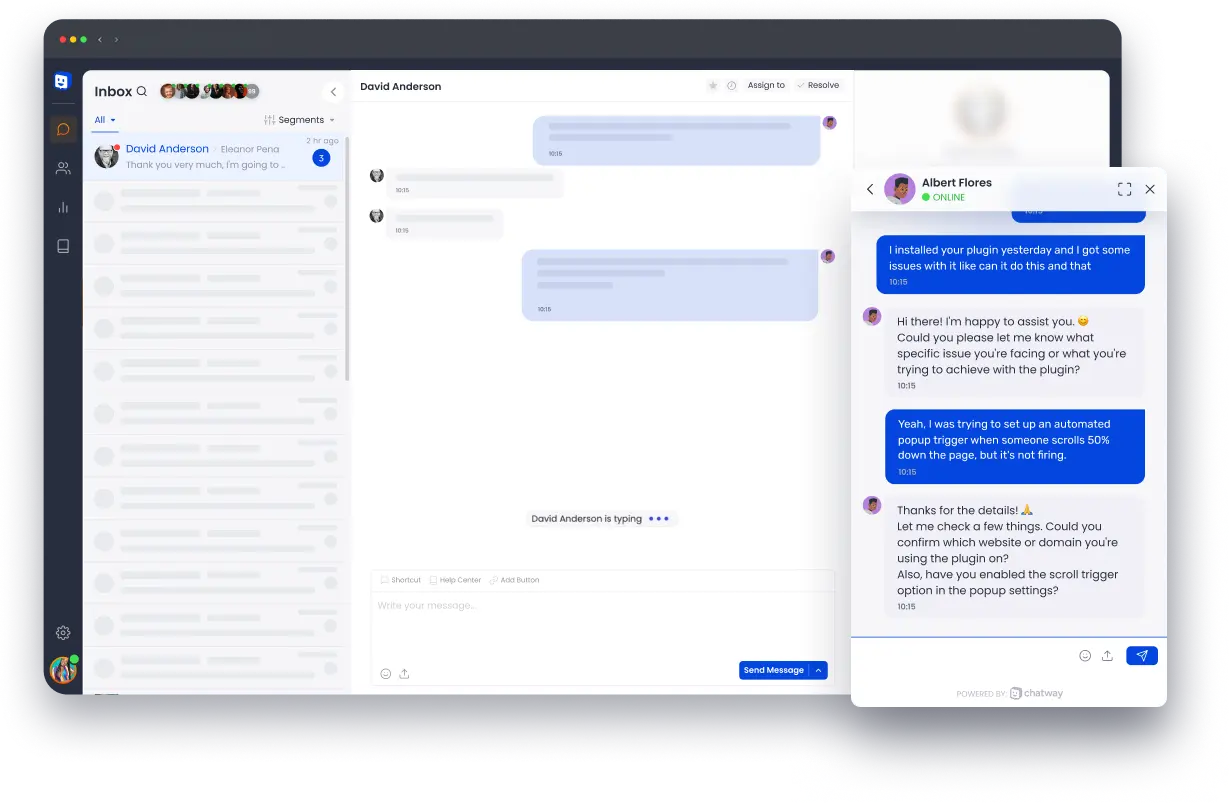
7. Chatway for WooCommerce Support and Human Agents
Chatway combines AI support with human live chat. WordPress.org currently lists 30,000+ active installations and testing through WordPress 7.1. Chatway on WordPress.org
Its WooCommerce connection can use products, carts, orders, and checkout information. Deeper store access helps with questions product descriptions cannot answer alone.
A shopper may ask about a product, then need order help later. Chatway can hold the conversation inside one support system while staff enter when AI reaches its limit.
Chatway also supports product sharing, coupons, FAQs, help content, chat transcripts, agent assignment, and messaging channels. Those features make it stronger for support teams than a content-only chatbot.
Review which WooCommerce data enters the platform before launch. Staff permissions and chat retention also deserve attention when customer accounts enter the conversation.
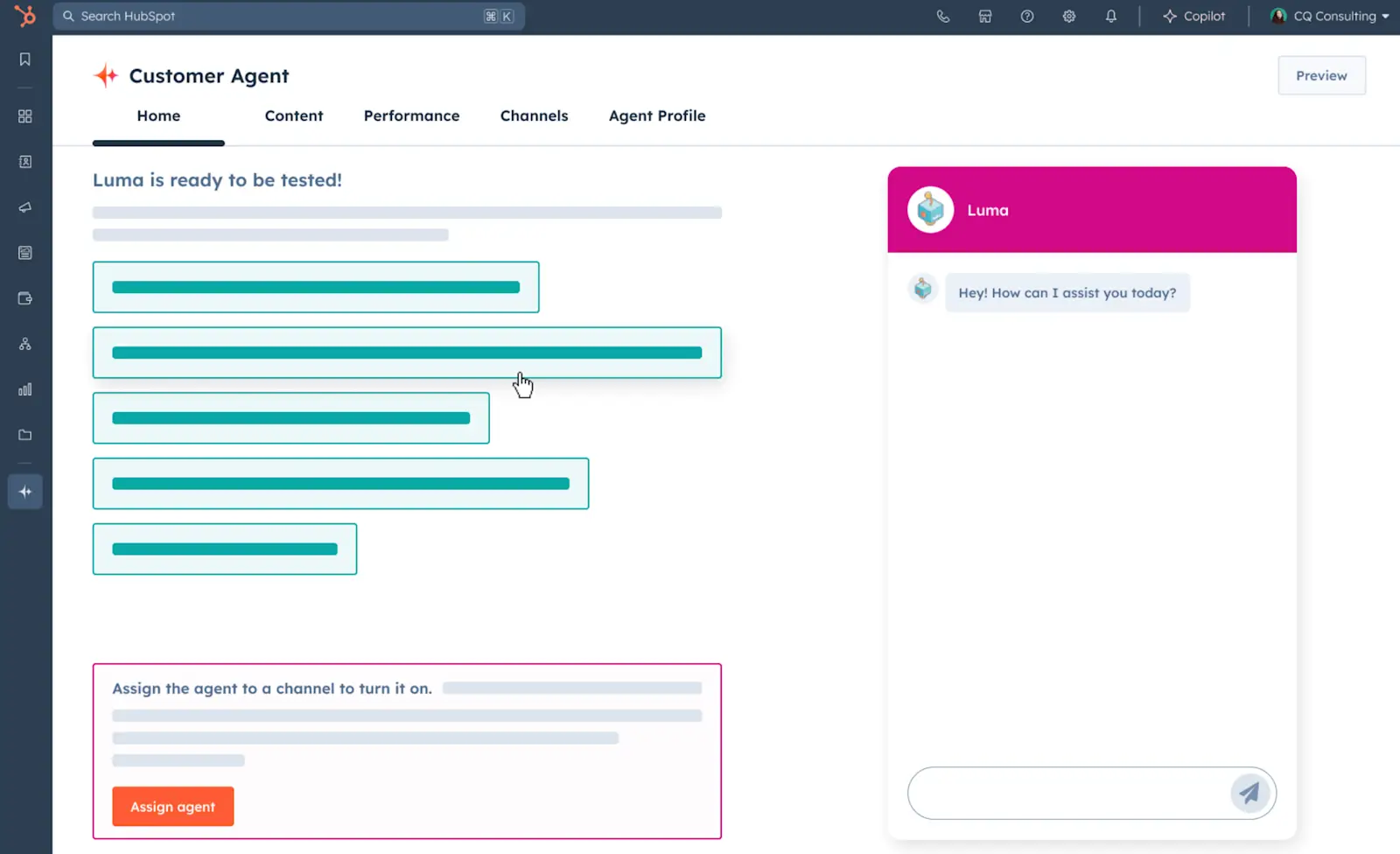
8. HubSpot for Chat Linked With CRM Records
HubSpot suits businesses already using its CRM. Its full WordPress plugin currently has 200,000+ active installations, although that number covers forms, CRM tools, live chat, and other plugin features. HubSpot on WordPress.org
HubSpot Customer Agent can answer from connected content and transfer supported conversations to staff. The strongest benefit appears after the visitor becomes a known contact because sales and service activity can connect with the same CRM record.
Teams already using HubSpot forms, meetings, tickets, and contact records can reduce tool switching. Staff can see more customer context without building a separate WordPress chatbot stack.
Customer Agent uses eligible HubSpot plans and HubSpot Credits. Check plan access and expected AI usage before adding it to a high-volume support workflow.
The WordPress plugin currently reports testing through WordPress 6.9.9. Check the directory page when your site uses a newer WordPress release.
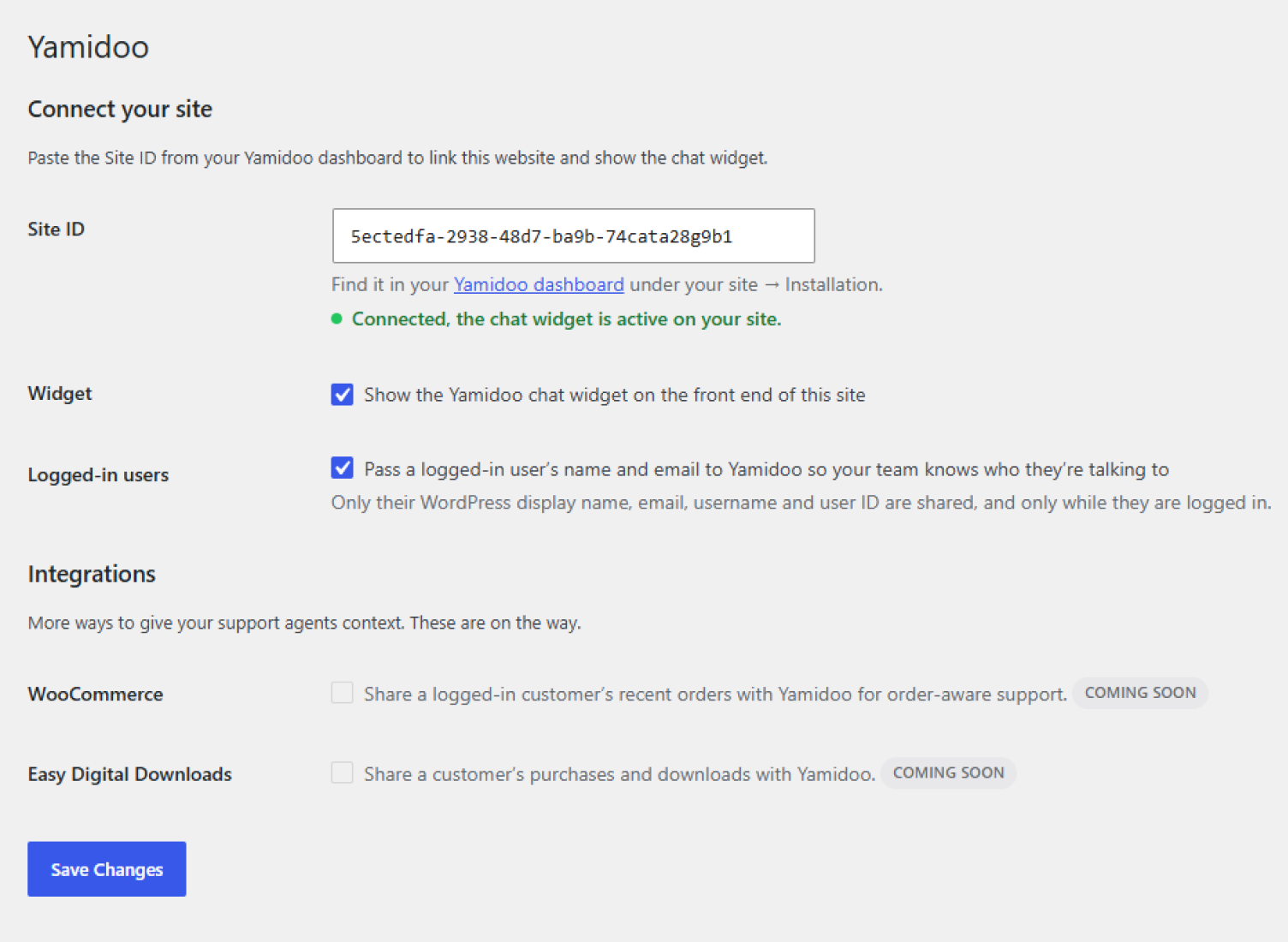
9. WPZOOM Connect for AI Answers and Direct Contact
WPZOOM Connect added AI Chat during September 2026. The feature reads website pages and documents, answers visitor questions, and can hand the conversation to a person through the same contact experience. WPZOOM Connect on WordPress.org
The full plugin has 90,000+ active installations, but that figure covers years of social icons, sharing, and contact features. AI Chat arrived much later, making the full install count different from AI Chat adoption.
AI Chat uses Yamidoo, a WPZOOM product. Recent updates also added WooCommerce and Easy Digital Downloads customer information beside conversations, including supported orders, licences, and subscriptions. WPZOOM product updates
WPZOOM Connect suits smaller businesses wanting AI answers beside WhatsApp, Telegram, Messenger, Viber, and human contact. The single floating launcher can help websites avoid several overlapping contact buttons.
The plugin currently reports testing through WordPress 7.1.2. Stores should review customer-data access before enabling account-related answers.
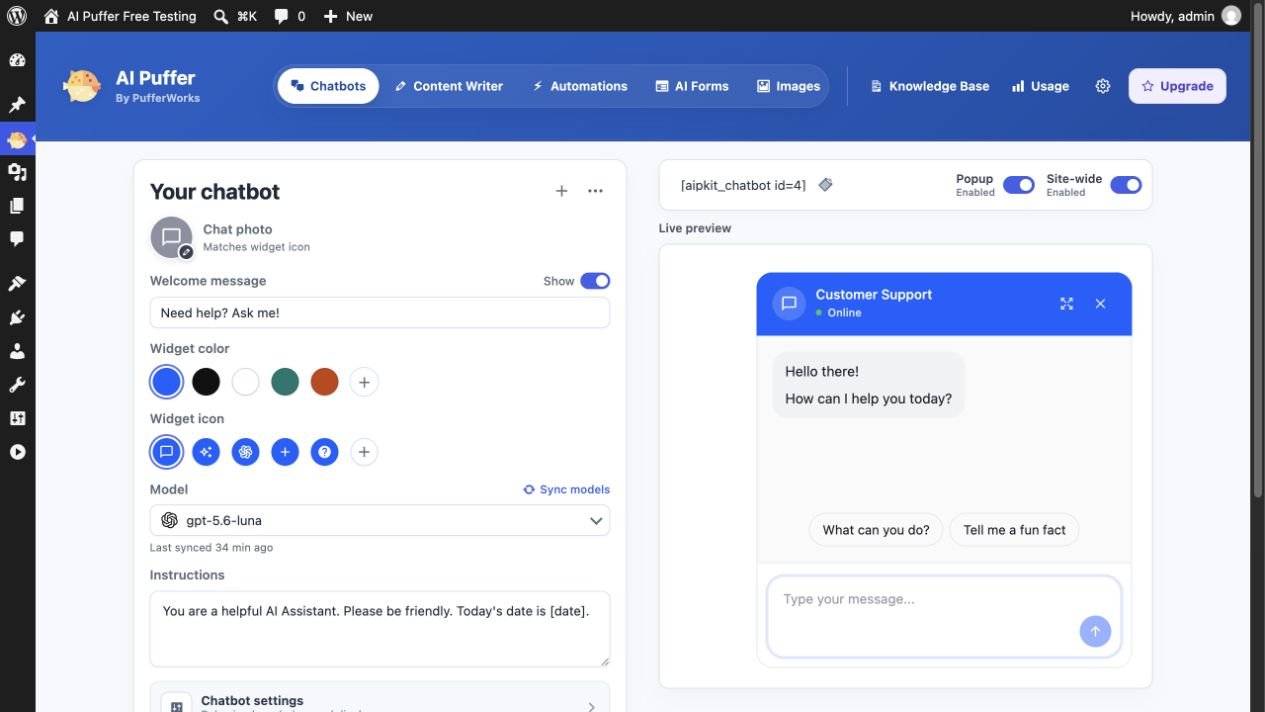
10. AI Puffer for Chat, Content, and Automation
AI Puffer combines visitor chat with wider WordPress AI features. WordPress.org lists 10,000+ active installations, while current provider options include OpenAI, Gemini, Azure, OpenRouter, DeepSeek, xAI, and Ollama. AI Puffer on WordPress.org
The plugin covers visitor chat, content creation, AI forms, and automation inside one product. Its knowledge features can also connect with OpenAI vector stores, Pinecone, Qdrant, and Chroma.
The wider feature set can reduce the number of separate AI plugins on some sites. It also creates more controls to configure, test, and maintain.
AI Puffer already supports WordPress AI Connectors introduced during 2026. Technical teams can use that connection alongside the plugin own provider options.
Start with one visitor job before enabling more AI features. A smaller active feature set makes cost, testing, and troubleshooting easier.
Chatbots Can Answer From Four Types of Website Data
A WordPress AI chatbot can use website content, live store data, customer account data, and connected website actions. The exact access depends on the plugin, plan, and integrations you connect.
Website content covers pages, posts, PDFs, product descriptions, and help articles. Live store data covers current prices, stock, carts, coupons, and orders. Customer data can include account details, purchase history, licences, or previous support records. Advanced chatbots can also collect forms or connect with selected WordPress actions.
Saved Website Content
Saved content includes pages, posts, help articles, PDFs, and product descriptions. A RAG chatbot for WordPress searches approved content before writing a response.
RAG works well for service details, policies, documentation, and product information. The answer quality still depends on the quality and freshness of the source pages.
Current Store Data
Price, stock, cart contents, coupons, and order status can change during the day. A saved product page may contain older information after a store update.
A chatbot with live WooCommerce access can read current store values during the conversation. Test live store questions separately from normal content questions.
Customer Account Data
Customer records can include names, emails, orders, licences, subscriptions, or earlier support activity. HubSpot, Chatway, and newer WPZOOM connections can expose different customer information to staff or supported chatbot features.
Account data needs tighter access control than public pages. Review which fields leave WordPress and which staff members can view them.
Website Actions
Some products can collect forms, create records, call WordPress functions, or connect custom APIs. These abilities move the chatbot beyond question answering.
Limit actions to tasks visitors actually need. Fewer permissions reduce the risk of an AI feature reaching sensitive website functions.
RAG Works Best With Strong Source Content
RAG is short for retrieval augmented generation. The chatbot finds related source content first, then sends useful passages to the AI model for the final response.
A weak source page can still produce a weak answer. RAG cannot fix missing service details, old prices, incomplete policies, or poor product descriptions.
Strong chatbot source content should cover specific service details, public prices where relevant, current policies, helpful product information, accurate opening hours, common questions, and useful internal links. Each page should answer the visitor question without forcing the bot to combine vague clues.
Source links also help visitors verify important details. Hyve and several hosted platforms can show links back to pages that support an answer.
Test Live WooCommerce Data Separately
The phrase WooCommerce integration can describe very different features. One chatbot may index product descriptions, while another can read current carts or orders.
Test current price, stock, cart contents, coupons, and order status as separate questions. A true live connection should use current store values during the conversation.
The live-data test can expose a major product difference within minutes. It also prevents a store from treating old indexed text as current commerce data.
What Happens When the Chatbot Has No Answer?
Many comparisons focus on successful replies, yet failure behaviour can have greater business impact. Ask every finalist questions your website never answers.
A useful chatbot should admit missing source information, point toward a related page, or offer human support. Invented prices, refund rules, account details, or service promises can create expensive support problems.
Include missing-information questions in testing before launch. Pricing, refunds, legal terms, account access, and delivery exceptions work well for the same check.
Check Human Handoff Before Launch
AI support becomes more useful when visitors can reach a person without restarting the conversation. Tidio and Chatway offer direct staff workflows, while HubSpot links AI support with wider service tools.
WPZOOM Connect can move visitors from AI Chat into human contact, while WPBot can collect contact details through forms. Test the handoff from the visitor side and count how many steps it takes.
Then review the staff view. The earlier chat history should remain available wherever the product supports shared context.
WordPress 7.0 Added a Shared AI Connection Layer
WordPress 7.0 introduced the WP AI Client inside Core. Compatible plugins can use one shared system for calls to AI providers. WordPress AI Client
WordPress also added a Connectors screen for provider connections. Official provider plugins cover OpenAI, Anthropic, and Google. WordPress Connectors API
The change mainly affects plugin developers and technical site owners. The AI Client alone cannot create a public chatbot because each product still needs its own chat interface, content rules, and visitor controls.
AI Puffer already supports WordPress AI Connectors. More plugins can build around the shared Core layer as WordPress AI features mature.
The Full Answer Chain Is More Important Than Model Count
More model choices can offer flexibility, yet model count alone cannot prove chatbot quality. Source retrieval, current data, fallback behaviour, and human support all affect the visitor result.
A strong model with weak content retrieval can still return the wrong page information. A smaller model with accurate sources may handle common support questions more effectively.
Model choice becomes more important for technical teams comparing cost, context size, provider features, or local AI options. Support teams may place more value on staff workflow and current business data.
WordPress Chatbot Pricing Goes Beyond the Plugin Fee
A free AI chatbot for WordPress can still create monthly costs. The full bill may include software access, AI usage, staff seats, knowledge storage, store features, and developer work.
Software access may use free, monthly, annual, or lifetime pricing. AI usage may use tokens, credits, messages, or completed conversations. Staff access can add charges when several agents need the same inbox.
Knowledge storage can add outside costs for larger vector databases. WooCommerce features may appear inside paid plans or add ons. Developer work can also increase cost when custom actions or data connections need setup.
Estimate cost at current traffic, double traffic, and a busy month. That check exposes plans that look inexpensive only at low usage.
Check Privacy Before Connecting Customer Data
Public pages create less privacy risk than customer accounts. Chat conversations can contain names, emails, order details, account information, and private support messages.
WordPress privacy documentation covers third-party sharing, cookies, scripts, and data retention. WordPress Privacy Handbook Before launch, document which visitor details enter the chat and where conversations are stored.
Also record which AI provider receives message content, which customer fields leave WordPress, how long chat history remains available, and which staff members can read it. The same review should cover export and deletion requests.
Store connections need extra review because order and account information can become part of the support conversation. Limit access to approved systems and approved staff roles.
Check WordPress Version Support Before Installation
Compatibility labels move at different speeds across plugins. AI Engine, Tidio, and WPBot currently report testing through WordPress 7.1.2, while Hyve and Chatway report support through the WordPress 7.1 line.
MxChat currently lists testing through WordPress 7.0.4. Chatbase still lists WordPress 6.7.9 in the directory, while HubSpot currently lists testing through WordPress 6.9.9.
WPZOOM Connect currently lists testing through WordPress 7.1.2. Check every plugin page again before installation because compatibility labels can change after WordPress updates.
Check Page Speed on Your Own Site
Chat widgets can add JavaScript, network requests, fonts, tracking, and floating interface elements. Measure your website before installation, then repeat the same test after the chatbot loads.
Test the homepage, a high-traffic article, a product page, the cart, and checkout. Compare LCP, INP, CLS, request count, and JavaScript size across the same test conditions.
Mobile testing deserves extra attention because floating widgets can cover cart buttons, cookie controls, or other important page elements. A chatbot should support the visit without blocking the main action.
Check Mobile Use and Accessibility
A chatbot can work well on desktop yet create problems on a smaller phone. Test readable text, keyboard access, focus order, button labels, and the open or close control.
Open the chat while a cookie banner appears. Test it beside sticky cart buttons and mobile menus to confirm that several floating elements remain separate.
A screen-reader check can expose missing labels or poor focus behaviour. Vendor accessibility documentation can support deeper checks when available.
Use the Same 30 Questions for Every Finalist
Feature pages cannot show how a chatbot answers from your website. Use one fixed set of 30 questions across two or three finalists.
Five Exact Fact Questions
Ask facts already published on your site, such as opening hours, delivery times, plan details, service scope, or return periods. Record the source used and compare the answer with the page.
Five Reworded Questions
Ask the same facts using different words. Good retrieval should still find the correct source even when the visitor uses different wording.
Five Two-Page Questions
Ask questions needing information from two separate pages. These questions show how well the chatbot combines sources without dropping an important condition.
Five Missing-Answer Questions
Ask questions absent from your website. Strong behaviour should show uncertainty and offer another support option before inventing details.
Five Live Store Questions
Ask about current price, stock, cart contents, coupons, and order information. Use these questions only for products claiming current WooCommerce access.
Five Human Support Questions
Ask for billing help, account access, a refund, a complaint, or a person. Record how many steps the visitor needs before a human support option appears.
For every question, record source accuracy, answer support, source links, current data accuracy, human support access, response time, and answer length. Separate fields show product strengths better than one combined score.
Which WordPress AI Chatbot Matches Your Website?
WooCommerce support: Tidio and Chatway deserve the first comparison when current store context and staff support matter. Hyve becomes relevant when content answers and live WooCommerce Skills matter more than a full support desk.
Large content library: Hyve, MxChat, and AI Engine offer stronger content-search options. Compare file support, source links, model choice, and how quickly changed content reaches the chatbot.
Several AI providers: AI Engine, MxChat, and AI Puffer offer wider provider choice. These products suit technical teams comparing models, cost, and custom WordPress work.
Lead capture inside chat: WPBot combines AI answers with forms and controlled conversation steps. That setup suits service businesses collecting enquiries after answering common questions.
Existing HubSpot CRM: HubSpot becomes more useful when contact records, meetings, tickets, and service work already live inside HubSpot. The value comes from connecting chat with customer history.
Hosted knowledge chatbot: Chatbase keeps most AI management outside WordPress. It suits teams wanting a hosted dashboard for content sources, testing, and deployment.
AI chat with direct messaging: WPZOOM Connect combines page-based AI answers with WhatsApp and other direct contact options inside one launcher. That setup suits smaller teams wanting AI and direct contact together.
Seven Steps for Choosing a WordPress AI Chatbot
1. Choose One Main Visitor Job
Pick customer support, product search, lead capture, content search, or CRM help as the first job. A single goal makes product comparison much easier.
2. List Every Information Source
Write down the pages, products, PDFs, orders, customer records, and help documents needed for answers. Remove products that cannot reach an essential source.
3. Separate Saved Content From Current Data
Mark every answer that can change during the day. Price, stock, carts, orders, and account information need current data, while an old content copy can become stale.
4. Decide How Much AI Control You Need
Choose between a vendor-managed AI layer and your own provider account. Technical teams may also compare local model support where available.
5. Plan the Human Support Option
Choose live staff, email, CRM, ticket, or messaging contact. Match the handoff with the support process your team already uses.
6. Estimate Monthly Cost at Higher Traffic
Add software, AI usage, staff seats, storage, and paid store tools. Compare current traffic with a higher-volume month before choosing an annual plan.
7. Test Finalists With the Same Questions
Use the same 30 questions against identical website content. Your own answers reveal more than a product feature page.
WordPress AI Chatbot FAQs
What is the best AI chatbot for WordPress?
The best AI chatbot for WordPress depends on the main website job. AI Engine and MxChat suit broad model control, Hyve suits content-based answers, while Tidio and Chatway suit customer support teams.
Can I add a ChatGPT chatbot for WordPress?
Several plugins can connect WordPress with OpenAI models. AI Engine, WPBot, MxChat, Hyve, and AI Puffer provide different OpenAI options and different content-search features.
What is a RAG chatbot for WordPress?
A RAG chatbot for WordPress searches approved website content before creating a response. It can use pages, products, PDFs, help articles, or other connected sources.
Can an AI chatbot read WooCommerce products?
Several products can use WooCommerce product information. Tidio, Chatway, Hyve, WPBot, and MxChat provide different store features, while live stock and order access varies across products.
Which WooCommerce AI chatbot can use current order data?
Chatway can use selected WooCommerce order, cart, and checkout information. Hyve Pro also offers live WooCommerce Skills for supported store questions.
Do I need my own OpenAI account?
Hosted products can include AI usage inside their service. Several WordPress plugins also allow an OpenAI or other provider account, giving the site owner more control over model choice and billing.
Can a WordPress chatbot pass visitors to staff?
Tidio and Chatway support direct human support workflows. HubSpot and WPZOOM Connect also provide human contact options after AI conversations.
Can an AI chatbot slow WordPress?
Any chat widget can add scripts and network requests. Measure page speed before installation and again after the widget loads on mobile and desktop.
Are AI chatbots for WordPress free?
Some plugins have free versions, but AI usage can still create charges. Provider fees, credits, staff seats, storage, and paid WooCommerce features can increase the monthly bill.
What should I test before buying?
Test source accuracy, missing answers, current store data, human support, mobile use, page speed, privacy, and monthly cost. Use the same questions across every finalist.
Final Choice Starts With the Information the Chatbot Can Reach
The strongest WordPress AI chatbot is the product that can access the information your visitors actually need. Start with visitor questions, then map the website content, store data, customer records, and staff support needed for useful answers.
For model control, compare AI Engine and MxChat. For content-grounded answers, compare Hyve with both products. Tidio and Chatway suit customer support work, while HubSpot becomes more useful when CRM records already support customer service.
Choose two or three finalists after the first comparison. Then test them against your own website content and current business data before purchase.