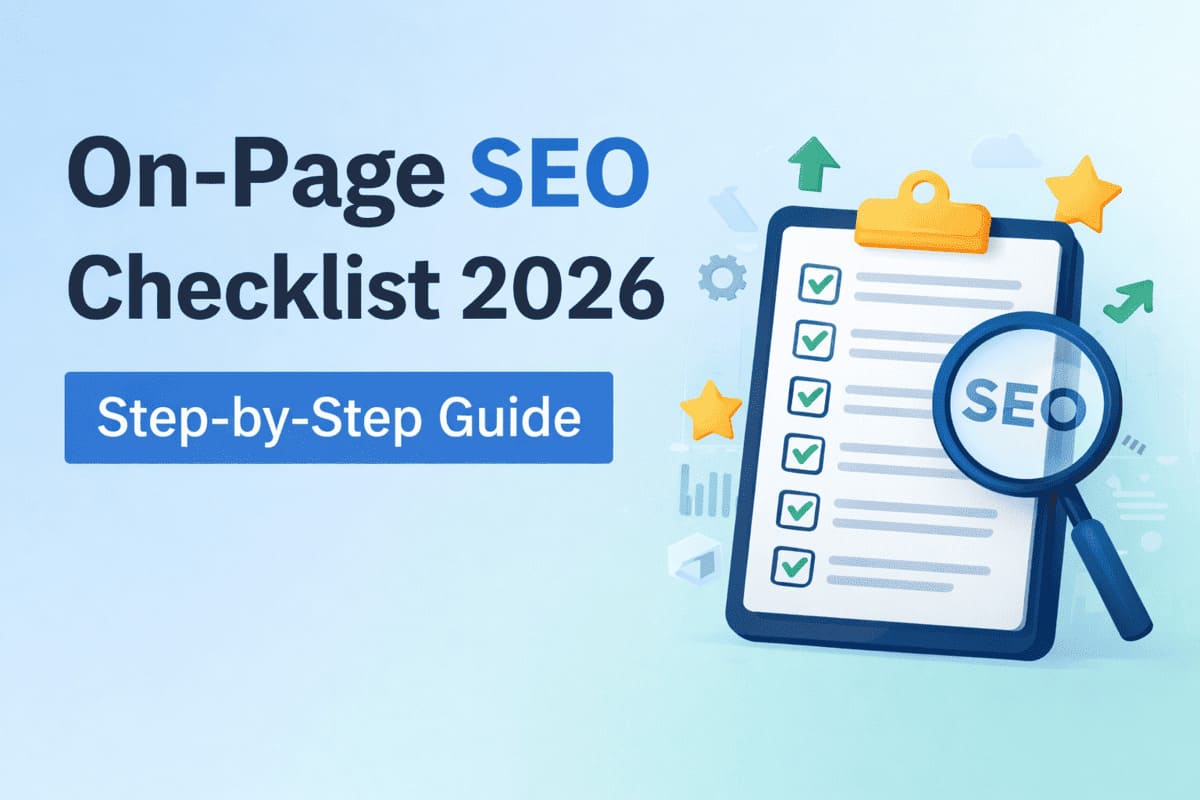

On-page SEO helps search engines understand your content and helps users find the right answers faster. Without proper on-page optimization, even good content may fail to rank.
This complete on-page SEO checklist for 2026 covers every important task you need to follow before publishing or updating any page. It is designed for SEO beginners and website owners who want clear, step-by-step guidance.
What Is On-Page SEO?
On-page SEO is the process of optimizing individual web pages so search engines can clearly understand their purpose and content. It focuses on elements that exist directly on the page, such as text, headings, structure, and user experience.
When on-page SEO is done correctly, it improves visibility in search results and helps users find accurate answers faster. It also ensures your page meets modern ranking and usability standards.
On-page SEO focuses on:
- Content quality
- Page structure
- Keywords usage
- Technical elements
- User experience
1. Keyword Research and Search Intent
Keyword research is the starting point of on-page SEO. Choosing the wrong keyword can result in traffic that does not convert or pages that never rank. Always focus on one primary keyword and understand why users are searching for it.
Some users want information, some want comparisons, and others want to take action. Your content must match this intent clearly and completely. Before writing content, choose the right keyword.
Checklist to Choose the Right Keyword
- Pick one main keyword
- Identify search intent (informational, navigational, or transactional)
- Find related and long-tail keywords
- Avoid targeting multiple main keywords on one page
Your content must match what users expect when they search for that keyword.
2. Optimize the Page Title
The page title is one of the first things search engines and users notice. A well-written title helps improve rankings and increases click-through rate from search results.
Your title should include the main keyword naturally and clearly describe the page content. Avoid stuffing keywords or writing titles that feel misleading or unclear.
Page Title Optimization Checklist
- Use the main keyword
- Keep the title under 60 characters
- Place the keyword near the beginning
- Make it readable and click-friendly
Example:
On-Page SEO Checklist for Beginners (2026 Guide)
3. Write a Strong Meta Description
A meta description explains what your page offers in a short summary shown in search results. While it does not directly affect rankings, it strongly influences user clicks.
A clear and helpful description encourages users to visit your page.
Focus on explaining the benefit of reading the content instead of simply repeating keywords.
Meta Description Optimization Checklist
- Keep length under 160 characters
- Clearly explain what the page offers
- Include the main keyword naturally
- Encourage users to click
4. Use a Clean and SEO-Friendly URL
URLs should be simple, readable, and descriptive. A clean URL helps users understand what the page is about before clicking the link.
Search engines also use URLs to understand page relevance. Short URLs without unnecessary words or symbols perform better and are easier to share.
URL Structure Optimization Checklist:
- Use lowercase letters
- Separate words with hyphens
- Avoid numbers and unnecessary words
Example:
/on-page-seo-checklist-2026/
5. Heading Structure (H1 to H3)
Headings organize your content and guide readers through the page. They make long content easier to scan and improve overall readability.
Search engines use headings to understand content structure. Use one H1 for the main topic, H2 for main sections, and H3 for supporting points.
Heading Structure SEO Checklist
- Use only one H1 per page
- Use H2 for main sections
- Use H3 for sub-sections
- Add keywords naturally in headings
Headings help both users and search engines scan content easily.
6. Content Optimization and Quality
High-quality content answers user questions clearly and completely. It should focus on usefulness rather than word count or keyword repetition.
Write in simple language, explain concepts properly, and avoid filler text. Content that solves real problems performs better in search results.
Content Quality and Optimization Checklist
- Answer the user’s main question clearly
- Write in simple language
- Avoid keyword stuffing
- Use short paragraphs
- Add examples and explanations
Your content should provide more value than competing pages.
7. Keyword Placement
Keyword placement helps search engines understand topic relevance. Important areas include the title, first paragraph, headings, and image alt text.
Keywords should appear naturally within the content. Overusing them can harm readability and reduce ranking potential.
Keyword Placement Checklist:
- Page title
- Meta description
- First 100 words
- At least one H2 heading
- Image alt text
Avoid forcing keywords where they do not fit. Focus on writing naturally for users first. When keywords fit smoothly into the sentence, they support SEO without making the content feel awkward or over-optimized.
8. Image and Multimedia Optimization
Images and videos improve user engagement and help explain complex ideas. However, they must be optimized to avoid slowing down the page.
Use descriptive file names, add alt text, and compress images. Proper multimedia optimization improves accessibility, speed, and SEO performance.
Image and Multimedia SEO Checklist
- Use descriptive file names
- Add alt text for every image
- Compress images for faster loading
- Use WebP format when possible
- Add videos or infographics when useful
Optimized media improves both SEO and user experience.
9. Internal Linking
Internal links connect related pages within your website. They help search engines understand page relationships and site structure.
For users, internal links improve navigation and encourage longer visits. Use clear anchor text and link only when relevant.
Internal Linking Optimization Checklist
- Link to related posts and pages
- Use descriptive anchor text
- Avoid broken links
- Keep linking natural
Every new post should link to at least two existing pages.
10. External Linking
External links add credibility when they point to trusted sources. They show that your content is supported by reliable information.
Only include external links when they add value. Avoid linking to low-quality or irrelevant websites.
External Linking Best Practices Checklist
- Link only to trusted websites
- Use external links where they add value
- Avoid spam or low-quality sources
External links help build topical relevance.
11. Page Speed and Core Web Vitals
Page speed directly affects user experience and search rankings. Slow pages often lead to higher bounce rates and lower engagement.
Optimizing images, scripts, and layout stability improves Core Web Vitals. Faster pages provide better performance across all devices.
Page Speed and Core Web Vitals Checklist
- Optimize images
- Reduce unused scripts
- Enable caching
- Improve Core Web Vitals scores
Fast pages improve rankings and user satisfaction.
12. Mobile-First Optimization
Most users access websites through mobile devices. Search engines also evaluate pages based on their mobile version first.
Your site should be responsive, easy to read, and simple to navigate on small screens. Good mobile experience supports better rankings.
Mobile SEO and Responsiveness Checklist:
- Responsive design
- Readable font sizes
- Proper spacing for touch elements
- Easy navigation
Your page must work well on all screen sizes.
13. Use Schema Markup
Schema markup helps search engines understand the type and purpose of your content. It can enhance how your page appears in search results.
Using structured data like Article, FAQ, or HowTo schema improves visibility and click-through potential without affecting page design.
Recommended schema types:
- Article schema
- FAQ schema
- HowTo schema
- Breadcrumb schema
Schema can improve visibility and rich results in search.
14. Indexing and Crawlability
Search engines must be able to crawl and index your page for it to appear in results. Blocked or noindex pages cannot rank.
Always check robots.txt, sitemap settings, and indexing status. Regular monitoring prevents visibility issues.
Indexing and Crawlability Checklist:
- Page is not set to noindex
- Page is included in XML sitemap
- robots.txt does not block the page
Use Google Search Console to verify indexing.
15. Content Freshness and Updates
Updated content performs better over time. Refreshing information keeps pages accurate and relevant.
Update screenshots, examples, and dates when needed. Regular updates signal trust and quality to search engines.
Content Update and Freshness Checklist
- Update old posts regularly
- Refresh screenshots and examples
- Add current year references
- Improve outdated information
Updating content helps maintain rankings.
16. User Experience Signals
User experience affects how people interact with your page. Clear layouts and easy navigation help users find answers quickly.
Avoid clutter, intrusive popups, or confusing design. Positive user experience supports engagement and SEO stability.
User Experience Optimization Checklist
- Clean layout
- Easy navigation
- Clear call-to-action
- No intrusive popups
Users should find information quickly and easily.
17. Analytics and Performance Tracking
Analytics tools help measure what is working and what needs improvement. Tracking performance removes guesswork from SEO.
Monitor impressions, clicks, and user behavior regularly. Use this data to refine titles, content, and structure.
SEO Performance Monitoring Checklist
- Monitor traffic in Google Analytics
- Track impressions and clicks in Search Console
- Identify pages with high impressions but low CTR
Data helps guide future optimization.
Final On-Page SEO Checklist Summary
Proper heading structure makes the content easier to read and understand. Matching search intent ensures visitors find exactly what they are looking for.
Running through this checklist before publishing helps avoid common SEO mistakes and keeps your content consistent, clean, and performance-ready.
Before publishing, confirm:
- Title and meta are optimized
- Headings are structured correctly
- Content matches search intent
- Images are optimized
- Internal links are added
- Page loads fast
- Page is indexable
Final Note
On-page SEO is not a one-time task. Search engines, user behavior, and best practices change over time, so pages need regular review and improvement. Using this checklist for every new page helps maintain consistency and avoids common SEO mistakes.
As your website grows, small optimizations across multiple pages can lead to steady improvements in rankings and traffic. Revisit older content, update key elements, and keep user experience in mind. This approach supports long-term growth and keeps your site competitive in 2026 and beyond.